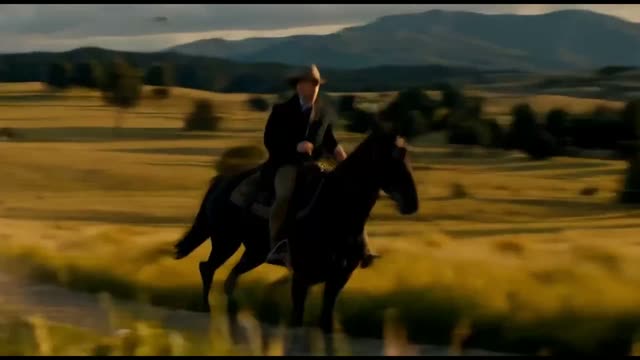
This ComfyUI workflow builds a clean background plate by removing an object from video using SAM3-driven masks and a mask-conditioned LTX-2.3 In‑Outpainting IC‑LoRA. The pipeline loads your clip with VHS_LoadVideo/VHS_VideoInfo, extracts frames via GetVideoComponents, and uses LoadSAM3Model → SAM3VideoSegmentation to seed a mask for the object you want to remove. SAM3Propagate tracks that mask across the shot, and SAM3VideoOutput provides a per‑frame OBJECT_MASK. To ensure seamless fills, LTXVDilateVideoMask expands the mask (e.g., s10/t1) and GrowMaskWithBlur feathers the edges.

The masked region is then green‑filled by LTXVInpaintPreprocess, and CreateVideo re‑encodes those preprocessed frames. That green plate, together with the OBJECT_MASK and your minimal background‑only prompt, feeds the LTX 2.3 In‑Outpainting IC‑LoRA (packaged here as a subgraph node), which is explicitly mask‑conditioned to generate only inside the masked area. Utility nodes like VHS_GetImageCount, ComfyMathExpression, and GetImageRangeFromBatch let you preview limited frame ranges before a full run. Finally, SaveVideo writes the cleanplate result for downstream compositing.

よくある質問

Keep it empty or describe only the background inside the masked area (e.g., “asphalt road with painted lines, soft shadow”). Avoid mentioning the removed object or unrelated foreground items—this can cause duplication or hallucinations.

Increase LTXVDilateVideoMask size to cover motion blur and expand beyond the object, then raise GrowMaskWithBlur feather radius to soften transitions. Also re‑seed SAM3 on a clearer frame and re‑propagate if the tracked mask drifts.

Yes. Use VHS_GetImageCount to see the total frames and GetImageRangeFromBatch (optionally with ComfyMathExpression) to select a small frame window for quick iterations, then switch back to the full range once satisfied.

SaveVideo typically outputs a silent file. If you need audio, re‑mux the original track in your NLE or a tool like ffmpeg. If your setup routes audio via GetVideoComponents, you can also handle pass‑through externally after render.

すべてのワークフローを見る

Seedance 2.0: Reference to Video

ByteDance
ComfyUIComfyUI
Partner Nodes
Image to Video
Video

4K Seedance 2.0 - Reference to Video

PurzPurz
Character
Cinematic
Image to Video
Lip Sync
Multiple Angles
Portrait
Style Reference
Style Transfer
Text to Video
Video Generation
Video
Z-Image-Turbo Text to Image

Z-Image-Turbo Text to Image

ComfyUIComfyUI
Image
Text to Image
Grok: Image Edit - After
Grok: Image Edit - Before

Grok: Image Edit

ComfyUIComfyUI
Partner Nodes
Image Edit

Grok: Video generation

ComfyUIComfyUI
Video
Image to Video
Text to Video
Partner Nodes
Grok Imagine Image Quality: Generation

Grok Imagine Image Quality: Generation

ComfyUIComfyUI
Text to Image
Partner Nodes

LTX 2.3 - Lipdub LoRA + Voice Clone

RobRob
Audio Editing
Character
Video Edit
Video to Video
Voice Cloning
Text to Audio

1 image input Split Stack - Qwen Multiangle + Wan 2.2

RobRob
Video

Seedance 2.0 Mini: Reference to Video

ComfyUIComfyUI
Partner Nodes
Image to Video

SCAIL-2: Character Replacement

ComfyUIComfyUI
Video Edit
Ideogram v4: Text to Image

Ideogram v4: Text to Image

ComfyUIComfyUI
Text to Image

Googly Eyes

PurzPurz
Video to Video
Video
Video Edit
LoRA

Seedance 2.0 - Viral Videos Character Swap

RobRob
Character Reference
Image to Video
Video to Video
Video Generation
Text Generation

Seedance 2.0 Reference to Video - Concept Art + Stop Motion Style

MintaMinta
Video
Nano Banana 2: Image Edit

Nano Banana 2: Image Edit

Google
ComfyUIComfyUI
Partner Nodes
Image Edit
cinematic_annotate_video

cinematic_annotate_video

SirolimSirolim
Video
Video Generation
Image to Video

HappyHorse 1.1: Text to Video

ComfyUIComfyUI
Partner Nodes
Text to Video
Video

HappyHorse 1.1: Image to Video

ComfyUIComfyUI
Image to Video
Video
Partner Nodes

Beeble SwitchX: Video Edit

ComfyUIComfyUI
Image Edit
3x3 Contact Sheet

3x3 Contact Sheet

enigmatic_eenigmatic_e
Image

Restore Archival Footage - LTX 2.3 Dearchive LoRA

RobRob
Video Edit
Video
Video Generation
Video to Video
Krea-2: Text to Image

Krea-2: Text to Image

ComfyUIComfyUI
Text to Image

Remove Object from Video - LTX 2.3 Obscura Remova LoRA

RobRob
Video Edit
Video
Video to Video

Stylize Video - Frame by Frame - Flux.2 Klein 4b

RobRob
Video Edit
Video to Video
Image Edit
Seedream 5.0 Lite: Image Edit - After
Seedream 5.0 Lite: Image Edit - Before

Seedream 5.0 Lite: Image Edit

ByteDance
ComfyUIComfyUI
Partner Nodes
Image Edit
Utility Video Upscale - After
Utility Video Upscale - Before

Utility Video Upscale

SirolimSirolim
Video Upscale
Video Edit
Video
Video to Video
Video Generation
Visual Effects
Cinematic

1 image input Split Stack - Nano Banana 2 + Kling 3.0

RobRob
Partner Nodes
Image to Video
Multiple Angles
Stable Audio 3.0 Medium Base

Stable Audio 3.0 Medium Base

ComfyUIComfyUI
Audio
SYSTMS ACTION: QWEN IMAGE EDIT 2511 - After
SYSTMS ACTION: QWEN IMAGE EDIT 2511 - Before

SYSTMS ACTION: QWEN IMAGE EDIT 2511

Image Edit
Image Enhancement

Seedance 2.0 Mini: Text to Video

ComfyUIComfyUI
Text to Video
Partner Nodes
Showing 30 of 551 templates