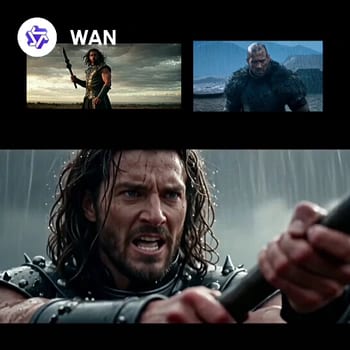
「WAN2.6:リファレンスからビデオ生成」ワークフローは、キャラクターのアイデンティティを維持しつつ自然な動きとシネマティックな品質を持つ高品質な動画を生成するために設計されています。このワークフローは、動画生成に特化したWan2.6およびWanモデルの能力を活用し、シーケンス全体でキャラクターの特徴を保ちます。'WanReferenceVideoApi'ノードを使うことで、キャラクターリファレンスから一貫した特徴と動きを持つ動画を生成できます。
技術的には、まず'LoadVideo'ノードでリファレンス動画を読み込み、キャラクターの外観と動きを参照します。'WanReferenceVideoApi'ノードがこのリファレンスを処理し、生成動画でアイデンティティを維持。最後に'SaveVideo'ノードで完成動画を書き出し、シネマティック品質と自然な動きを保ちます。特定キャラクターの一貫性が求められる高品質な動画制作に最適です。
API
このワークフローをコードから利用
すべてのComfyワークフローはJSONグラフです。以下のペイロードは、このワークフローそのものであり、ComfyUIが実行する内容と同じです — このURLから取得し、バージョン管理に保存したり、ComfyUIで読み込んでノードごとに実行できます。
Comfy SDKを使ってTypeScriptまたはPythonから実行できます。同じコードでComfy Cloudや自身でホストしたComfyUIのどちらにも対応 — ベースURLだけが異なります。
// Install (beta)
npm i @comfyorg/sdk

// Run "WAN2.6: 参照から動画" (TypeScript)
import { Comfy } from "@comfyorg/sdk";

const client = new Comfy({ apiKey: "comfyui-..." });

// This workflow, exported in API format (see note below)
const wf = await client.workflows.fromFile("api_wan_r2v_api.json");

const job = await client.run(wf);
await job.getOutputs("37")[0].toFile("output.png");  // SaveVideo
SDKはAPI形式のワークフローを受け取ります:このワークフローをComfyUIで開き、「ファイル → ワークフローをエクスポート(API)」を使用してください。
FAQ
よくある質問



















Showing 30 of 30 templates