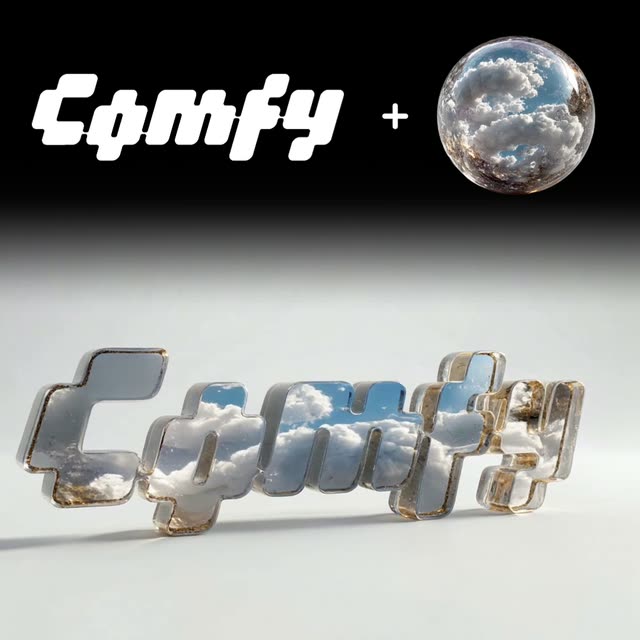
Этот рабочий процесс ComfyUI под названием «Apply Texture to Logo» предназначен для бренд-дизайнеров и маркетологов, которые хотят улучшить логотипы текстурами и элементами, соответствующими айдентике. Рабочий процесс сочетает ноды обработки изображений и генерации видео, чтобы превратить статичный логотип в динамический ассет. Ключевые ноды: LoadImage для импорта логотипа, GeminiImageNode и GeminiImage2Node для применения текстур, а также ByteDanceFirstLastFrameNode для создания бесшовной зацикленной видео петли. Рабочий процесс использует модели Gemini3 Pro Image Preview и Nano Banana Pro, чтобы обеспечить качественное наложение текстур и рендеринг видео. За счёт комбинации этих нод и моделей вы можете создавать брендовые ассеты для разных цифровых маркетинговых кампаний.
API
Использовать этот рабочий процесс из кода
Каждый рабочий процесс Comfy — это JSON-граф. Ниже представлен payload этого процесса, точно так же, как его запускает ComfyUI: получите его по ссылке, храните в системе контроля версий или загрузите в ComfyUI и выполняйте по узлам.
Запустите его на TypeScript или Python с помощью Comfy SDK. Один и тот же код работает с Comfy Cloud или вашим собственным ComfyUI — меняется только базовый URL.
// Install (beta)
npm i @comfyorg/sdk

// Run "Применить текстуру к логотипу" (TypeScript)
import { Comfy } from "@comfyorg/sdk";

const client = new Comfy({ apiKey: "comfyui-..." });

// This workflow, exported in API format (see note below)
const wf = await client.workflows.fromFile("templates-textured_logotype-v2.1_api.json");

const asset = client.assets.fromFile("input.png");
wf.setInput("4", "image", asset);  // LoadImage

const job = await client.run(wf);
await job.getOutputs("11")[0].toFile("output.png");  // SaveVideo
SDK принимает рабочий процесс в API-формате: откройте этот процесс в ComfyUI и используйте Файл → Экспортировать рабочий процесс (API).
Доступ к API Comfy Cloud требует плана с API-ключом.
FAQ


















