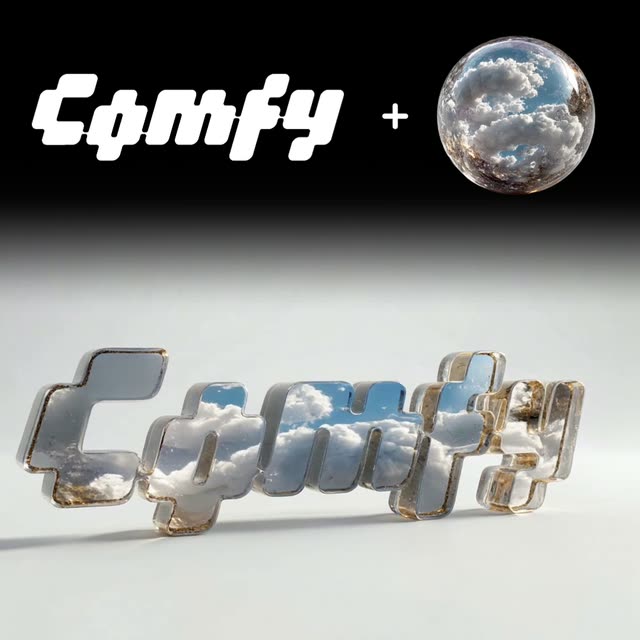
Bu ComfyUI iş akışı, 'Logoya Doku Ekle' başlığıyla, logolarını markalarına uygun dokular ve öğelerle zenginleştirmek isteyen marka tasarımcıları ve pazarlamacılar için tasarlanmıştır. İş akışı, statik bir logoyu dinamik bir varlığa dönüştürmek için görsel işleme ve video üretim düğümlerinin bir kombinasyonunu kullanır. Temel düğümler arasında logonuzu içe aktarmak için LoadImage, doku uygulamak için GeminiImageNode ve GeminiImage2Node, ve kesintisiz video döngüsü oluşturmak için ByteDanceFirstLastFrameNode bulunur. Gemini3 Pro Image Preview ve Nano Banana Pro gibi modellerle, yüksek kaliteli doku uygulaması ve video oluşturma sağlanır. Bu düğüm ve modellerin entegrasyonu sayesinde, kullanıcılar çeşitli dijital pazarlama kampanyalarında kullanılabilecek görsel olarak etkileyici marka varlıkları oluşturabilir.
API
Bu iş akışını koddan kullan
Her Comfy iş akışı bir JSON grafiğidir. Aşağıdaki veri, bu iş akışının tam olarak ComfyUI'da çalıştırıldığı halidir — URL'den alın, sürüm kontrolünde saklayın veya ComfyUI'da yükleyip düğüm düğüm çalıştırın.
Comfy SDK ile TypeScript veya Python'dan çalıştırın. Aynı kod Comfy Cloud veya kendi barındırdığınız bir ComfyUI'ı hedefler — sadece temel URL değişir.
// Install (beta)
npm i @comfyorg/sdk

// Run "Logoya doku uygula" (TypeScript)
import { Comfy } from "@comfyorg/sdk";

const client = new Comfy({ apiKey: "comfyui-..." });

// This workflow, exported in API format (see note below)
const wf = await client.workflows.fromFile("templates-textured_logotype-v2.1_api.json");

const asset = client.assets.fromFile("input.png");
wf.setInput("4", "image", asset);  // LoadImage

const job = await client.run(wf);
await job.getOutputs("11")[0].toFile("output.png");  // SaveVideo
SDK, API formatında bir iş akışı alır: bu iş akışını ComfyUI'da açın ve Dosya → İş Akışını Dışa Aktar (API) seçeneğini kullanın.
Comfy Cloud API erişimi, API anahtarı içeren bir plan gerektirir.
SSS


















