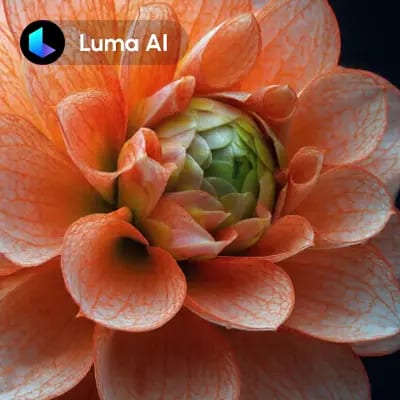
'Luma: Görselden Videoya' iş akışı, ComfyUI'de durağan görselleri zahmetsizce dinamik ve yüksek kaliteli animasyonlara dönüştürmek için tasarlanmıştır. Bu iş akışı, görselleri gelişmiş işleme teknikleriyle video formatına çeviren LumaImageToVideoNode'un gücünden yararlanır. Luma modeli, görsel bütünlüğünü koruyup akıcı geçişler oluşturmada ünlüdür; böylece ortaya çıkan animasyonlar hem görsel olarak çekici hem de pürüzsüz olur.
Teknik olarak, süreç animasyon yapmak istediğiniz görseli LoadImage düğümüyle içe aktarmakla başlar. LumaConceptsNode ile videonuza belirli animasyon konseptleri veya temalar uygulayabilirsiniz. Görsel LumaImageToVideoNode'dan geçirildikten sonra SaveVideo düğümüyle çıktı kullanılabilir formata kaydedilir. Bu iş akışı, dijital sanatınıza hareket katmak, sosyal medya içeriğini geliştirmek veya kapsamlı video düzenleme bilgisi olmadan etkileyici pazarlama materyalleri oluşturmak isteyenler için özellikle uygundur.
API
Bu iş akışını koddan kullan
Her Comfy iş akışı bir JSON grafiğidir. Aşağıdaki veri, bu iş akışının tam olarak ComfyUI'da çalıştırıldığı halidir — URL'den alın, sürüm kontrolünde saklayın veya ComfyUI'da yükleyip düğüm düğüm çalıştırın.
Comfy SDK ile TypeScript veya Python'dan çalıştırın. Aynı kod Comfy Cloud veya kendi barındırdığınız bir ComfyUI'ı hedefler — sadece temel URL değişir.
// Install (beta)
npm i @comfyorg/sdk

// Run "Luma: görüntüden video" (TypeScript)
import { Comfy } from "@comfyorg/sdk";

const client = new Comfy({ apiKey: "comfyui-..." });

// This workflow, exported in API format (see note below)
const wf = await client.workflows.fromFile("api_luma_i2v_api.json");

const asset = client.assets.fromFile("input.png");
wf.setInput("9", "image", asset);  // LoadImage

const job = await client.run(wf);
await job.getOutputs("8")[0].toFile("output.png");  // SaveVideo
SDK, API formatında bir iş akışı alır: bu iş akışını ComfyUI'da açın ve Dosya → İş Akışını Dışa Aktar (API) seçeneğini kullanın.
Comfy Cloud API erişimi, API anahtarı içeren bir plan gerektirir.
SSS













