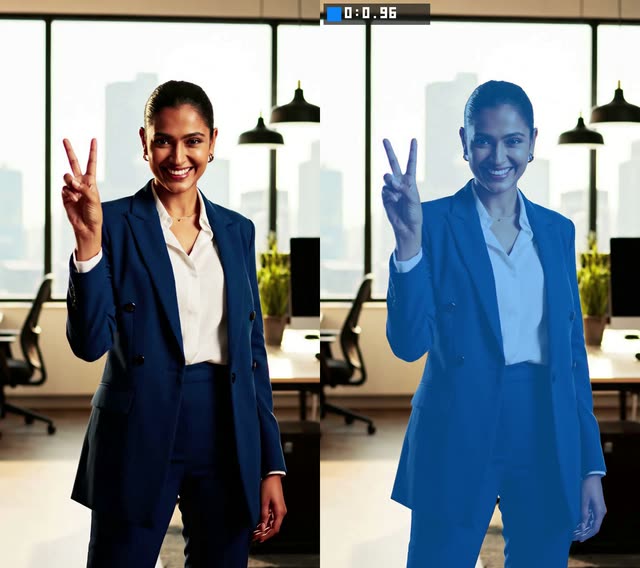
This ComfyUI workflow performs automatic video object masking from a simple text phrase using the SAM3 Video Masking node (ID: 9cea40bb-b0cf-4b40-a758-8935cfe8d52f). You load a clip with VHS_LoadVideo, describe what you want to isolate (for example, "red car" or "person") in the node’s mask_prompt, and the system finds every matching instance, tracks them across frames with stable IDs, and produces three streams: a mask overlay preview, a raw per-frame binary mask, and a subject cut-out. SaveVideo nodes handle exporting the results.
Technically, VHS_LoadVideo provides a consistent frame sequence (fps, resolution) for inference. During iteration you can cap frames using frame_load_cap to preview quickly, then switch to a full pass by setting it to 0. The SAM3 Video Masking node interprets your text prompt, segments the target across frames, and maintains identity continuity so objects don’t flicker or swap. The outputs are suitable for downstream compositing, selective blurring, color grading, or background replacement. A MarkdownNote node in the graph provides inline tips and reminders while you work.
API
Use this workflow from code
Every Comfy workflow is a JSON graph. The payload below is this workflow, exactly as ComfyUI runs it — fetch it from the URL, keep it in version control, or load it in ComfyUI and run it node by node.
Run it from TypeScript or Python with the Comfy SDK. The same code targets Comfy Cloud or a ComfyUI you host yourself — only the base URL changes.
// Install (beta)
npm i @comfyorg/sdk

// Run this workflow (TypeScript)
import { Comfy } from "@comfyorg/sdk";

const client = new Comfy({ apiKey: "comfyui-..." });
const wf = await client.workflows.fromFile("workflow_api.json");
const job = await client.run(wf);
await job.getOutputs("<output-node-id>")[0].toFile("output.png");
The SDK takes a workflow in API format: open this workflow in ComfyUI and use File → Export Workflow (API).
Comfy Cloud API access requires a plan with an API key.
FAQ


















