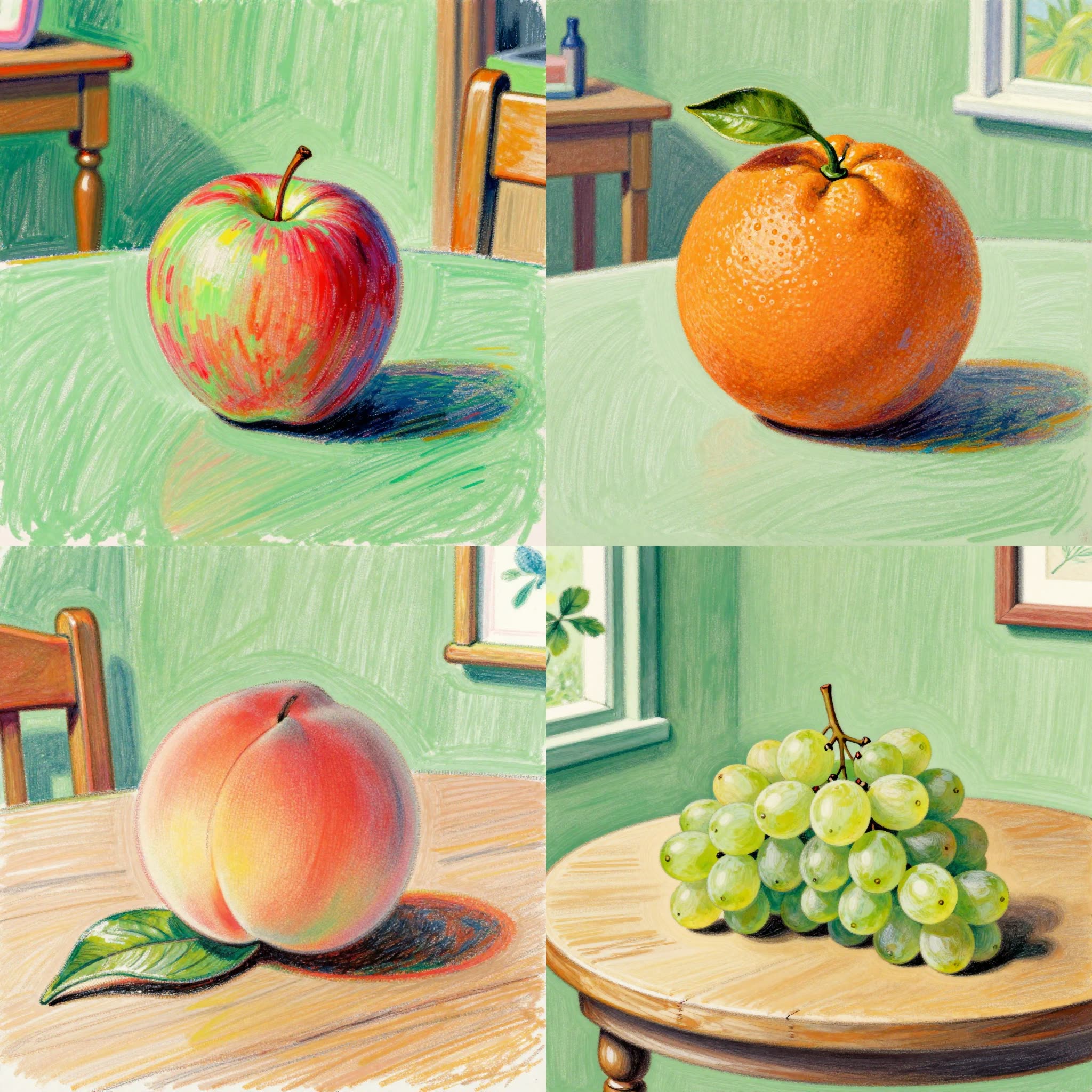
The 'fl_prompt_selector' workflow is designed to efficiently iterate through a list of prompts, making it a versatile tool for generating a variety of text-based inputs for both image and video generation tasks. At the core of this workflow is the **FL Prompt Selector** node, which constructs each prompt by combining a predefined 'prepend_text', a line from the 'prompts' list, and 'append_text'. This structured approach allows for the creation of detailed and varied prompts, such as 'a 1960s fine art crayon illustration of **an apple** sitting on a table in a green room'. This workflow is particularly useful for artists and content creators who need to explore multiple creative directions quickly. The workflow also includes nodes like **PrimitiveInt** for managing iterations, **SaveImage** for outputting results, and **MarkdownNote** for annotating the process, providing a comprehensive setup for automated prompt generation and content creation.
API
Use this workflow from code
Every Comfy workflow is a JSON graph. The payload below is this workflow, exactly as ComfyUI runs it — fetch it from the URL, keep it in version control, or load it in ComfyUI and run it node by node.
Run it from TypeScript or Python with the Comfy SDK. The same code targets Comfy Cloud or a ComfyUI you host yourself — only the base URL changes.
// Install (beta)
npm i @comfyorg/sdk

// Run this workflow (TypeScript)
import { Comfy } from "@comfyorg/sdk";

const client = new Comfy({ apiKey: "comfyui-..." });
const wf = await client.workflows.fromFile("workflow_api.json");
const job = await client.run(wf);
await job.getOutputs("<output-node-id>")[0].toFile("output.png");
The SDK takes a workflow in API format: open this workflow in ComfyUI and use File → Export Workflow (API).
Comfy Cloud API access requires a plan with an API key.
FAQ


















