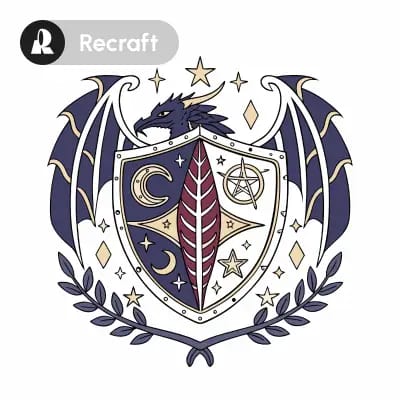
The 'Recraft: Vector Generation' workflow is designed to transform text prompts into high-quality vector images using Recraft's advanced AI vector generator. This workflow leverages several specialized nodes, including the RecraftTextToVectorNode for converting text inputs into vector graphics, and the SaveSVGNode to export these graphics in the scalable SVG format. The workflow also incorporates RecraftColorRGB and RecraftControls nodes to allow users to fine-tune color schemes and vector properties, ensuring that the generated images meet specific aesthetic or branding requirements. What sets this workflow apart is its ability to produce crisp, scalable images that maintain quality across different sizes, making it ideal for graphic design and digital art applications.
Technically, this workflow operates by first interpreting the text input through the RecraftTextToVectorNode, which utilizes machine learning models to understand and visualize the described concepts as vector graphics. The RecraftColorRGB node enables users to specify exact color values, while the RecraftControls node provides additional customization options for vector properties such as line thickness and fill patterns. Finally, the SaveSVGNode ensures that the output is saved in a format that is both web-friendly and suitable for print media. This combination of nodes and models makes the workflow highly versatile and useful for designers and artists looking to quickly generate vector images from textual descriptions.
API
Use this workflow from code
Every Comfy workflow is a JSON graph. The payload below is this workflow, exactly as ComfyUI runs it — fetch it from the URL, keep it in version control, or load it in ComfyUI and run it node by node.
Run it from TypeScript or Python with the Comfy SDK. The same code targets Comfy Cloud or a ComfyUI you host yourself — only the base URL changes.
// Install (beta)
npm i @comfyorg/sdk

// Run "Recraft: Vector Generation" (TypeScript)
import { Comfy } from "@comfyorg/sdk";

const client = new Comfy({ apiKey: "comfyui-..." });

// This workflow, exported in API format (see note below)
const wf = await client.workflows.fromFile("api_recraft_vector_gen_api.json");

const job = await client.run(wf);
await job.getOutputs("33")[0].toFile("output.png");  // SaveSVGNode
The SDK takes a workflow in API format: open this workflow in ComfyUI and use File → Export Workflow (API).
Comfy Cloud API access requires a plan with an API key.
FAQ


















