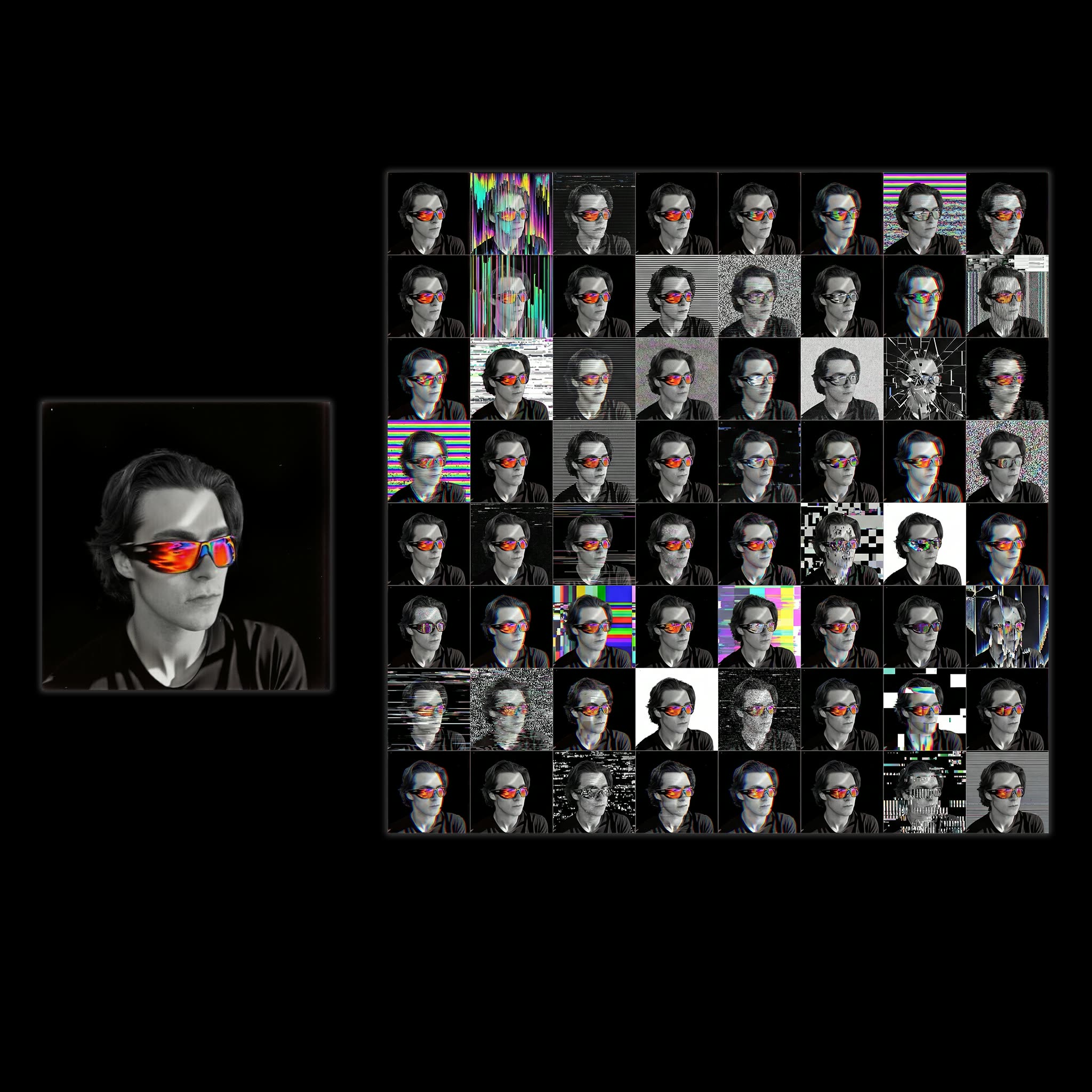
The 'Profile Picture Stylized Variations' workflow is designed to creatively transform your profile picture into a set of 64 unique variations based on a specified theme. This workflow leverages a combination of advanced AI models and custom nodes to achieve high-quality, diverse outputs. It begins with the 'LoadImage' node, which allows you to upload your profile picture. The image is then processed through the 'Nano Banana Pro' model, known for its ability to apply stylistic transformations effectively. The 'Gemini3 Pro Image Preview' model is used to ensure that each variation maintains a high level of detail and artistic quality. Custom nodes such as 'comfyui-kjnodes' and 'comfyui_essentials' are integrated to enhance the workflow's flexibility and output diversity. This workflow is particularly useful for social media enthusiasts and professionals looking to refresh their online presence with creative and thematic profile picture variations.
API
Use this workflow from code
Every Comfy workflow is a JSON graph. The payload below is this workflow, exactly as ComfyUI runs it — fetch it from the URL, keep it in version control, or load it in ComfyUI and run it node by node.
Run it from TypeScript or Python with the Comfy SDK. The same code targets Comfy Cloud or a ComfyUI you host yourself — only the base URL changes.
// Install (beta)
npm i @comfyorg/sdk

// Run "Profile Picture Stylized Variations" (TypeScript)
import { Comfy } from "@comfyorg/sdk";

const client = new Comfy({ apiKey: "comfyui-..." });

// This workflow, exported in API format (see note below)
const wf = await client.workflows.fromFile("templates-8x8_grid-pfp_api.json");

const asset = client.assets.fromFile("input.png");
wf.setInput("10", "image", asset);  // LoadImage

const job = await client.run(wf);
await job.getOutputs("37")[0].toFile("output.png");  // SaveImage
The SDK takes a workflow in API format: open this workflow in ComfyUI and use File → Export Workflow (API).
Comfy Cloud API access requires a plan with an API key.
FAQ


















