
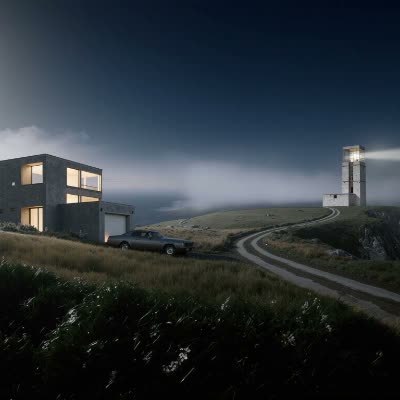
此 ComfyUI 工作流程名為「Topaz: Landscape Upscaling with Topaz Reimagine」,用於增強並放大風景圖片,以帶出更多細節並提升整體影像品質。工作流程使用 Topaz Reimagine 模型,以增強自然景色清晰度著稱。主要節點包含 LoadImage(匯入原始風景圖)、TopazImageEnhance(套用進階演算法放大圖片並保留自然紋理與細節)。GetImageSize 節點用於確保縮放比例正確,ImageScaleBy 則將尺寸調整到目標解析度。最後,SaveImage 節點輸出增強後的圖片,可用於高品質印刷或數位展示。此工作流程特別適合需要在不犧牲細節、且避免產生瑕疵的前提下放大風景圖片的攝影師與數位藝術家。
API
從程式碼使用此工作流
每個 Comfy 工作流都是一個 JSON 圖。下方的 payload 就是此工作流,與 ComfyUI 執行時完全相同 — 你可以從此 URL 取得、放入版本控制,或在 ComfyUI 載入並逐節點執行。
使用 Comfy SDK 以 TypeScript 或 Python 執行。相同程式碼可用於 Comfy Cloud 或你自架的 ComfyUI — 只需更改 base URL。
// Install (beta)
npm i @comfyorg/sdk

// Run "Topaz:使用 Topaz Reimagine 進行景觀放大" (TypeScript)
import { Comfy } from "@comfyorg/sdk";

const client = new Comfy({ apiKey: "comfyui-..." });

// This workflow, exported in API format (see note below)
const wf = await client.workflows.fromFile("utility-topaz_landscape_upscaler_api.json");

const asset = client.assets.fromFile("input.png");
wf.setInput("2", "image", asset);  // LoadImage

const job = await client.run(wf);
await job.getOutputs("4")[0].toFile("output.png");  // SaveImage
SDK 需使用 API 格式的工作流:請在 ComfyUI 開啟此工作流,並使用 檔案 → 匯出工作流(API)。
常見問題
常見問題



















Showing 30 of 30 templates