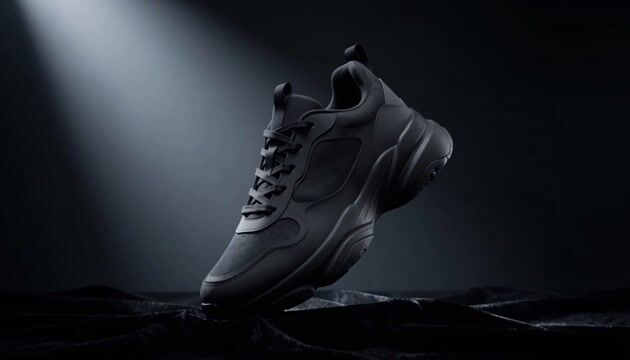
This ComfyUI template turns a single still image into a short, cinematic video using MiniMax H3 Max. The core path wires LoadImage and your prompt (PrimitiveStringMultiline) into MinimaxHailuo03ContextIRNode to package parameters like aspect ratio, duration, and guidance, then drives MinimaxHailuo03FirstLastFrameNode for image-to-video generation with first/last frame consistency. That first/last frame constraint helps preserve the source image’s composition and visual identity from the opening to the closing frame. The final clip is written with SaveVideo, while SaveText can log run metadata for reproducibility.
Two optional stages are provided and start off: a Prompt Enhancer path and a 2K upscale path. ComfySwitchNode routes either your base prompt or an enhanced prompt (if you choose to use it) into the core generator. For higher resolution delivery, the MinimaxHailuo03RegenerateNode can request a 2K version from a 768p base. A PrimitiveBoolean in the Feature Flags group controls this. Important: the 2K upscale only accepts a 768p source; generate the base at 768p before enabling Upscale to 2K, otherwise the upscale path will be skipped or fail.
API
このワークフローをコードから利用
すべてのComfyワークフローはJSONグラフです。以下のペイロードは、このワークフローそのものであり、ComfyUIが実行する内容と同じです — このURLから取得し、バージョン管理に保存したり、ComfyUIで読み込んでノードごとに実行できます。
Comfy SDKを使ってTypeScriptまたはPythonから実行できます。同じコードでComfy Cloudや自身でホストしたComfyUIのどちらにも対応 — ベースURLだけが異なります。
// Install (beta)
npm i @comfyorg/sdk

// Run this workflow (TypeScript)
import { Comfy } from "@comfyorg/sdk";

const client = new Comfy({ apiKey: "comfyui-..." });
const wf = await client.workflows.fromFile("workflow_api.json");
const job = await client.run(wf);
await job.getOutputs("<output-node-id>")[0].toFile("output.png");
SDKはAPI形式のワークフローを受け取ります:このワークフローをComfyUIで開き、「ファイル → ワークフローをエクスポート(API)」を使用してください。


















