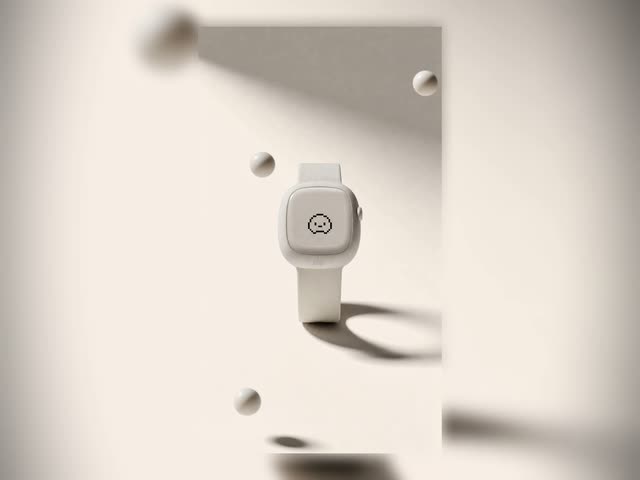
This workflow, Cinematic Product Advertisement — Seedance 2.0, builds multi-shot, cinematic product ads from a single, time-coded prompt. You provide a hero/environment image and product detail references via LoadImage nodes, set the total length and number of cuts using PrimitiveInt nodes, and optionally add a creative brief. GeminiNodeV2 then synthesizes a structured, time-cued shot plan that Seedance 2.0 consumes as one prompt. The ByteDance2ReferenceNode conditions the generator with your hero and detail images, helping maintain brand consistency and product fidelity across every shot.
Technically, the pipeline is organized into four groups: Inputs; LLM Prompt Generation; Edit Prompt?; and Generate and Save Video. After GeminiNodeV2 outputs the time-coded script, you can lock it into a PrimitiveStringMultiline node and bypass the LLM for reproducibility. The custom utility node (id: 0e2c3eaa-706c-41fd-b300-b6bd9e84a0a4) handles prompt routing/formatting, while the Seedance 2.0 generator node (id: 2b10af74-c412-4c88-b235-6b170aed965c) renders the full sequence in one pass. PreviewAny lets you quickly inspect intermediate outputs, and SaveVideo exports the final clip. This single-prompt, time-cued design makes it easy to iterate on pacing, camera direction, and product emphasis without juggling multiple, per-shot prompts.
よくある質問
The hero image defines the persistent environment/look for every shot. Detail images focus the generator on specific product features (logos, textures, materials). The ByteDance2ReferenceNode conditions Seedance 2.0 with both so the video stays on-brand and product-accurate throughout.
Edit the time-coded segments in the Edit Prompt? group’s PrimitiveStringMultiline field. For each time range, describe the camera move, product position, lighting, and any transitions. Ensure your segments cover the total duration and reflect the number of cuts you set.
Yes. Paste the prompt into the Edit Prompt? PrimitiveStringMultiline, then bypass the LLM Prompt Generation group. This locks the plan for reproducible renders and faster iteration.
Use a clear, wide hero/environment photo, high-quality product detail images, and concise time-coded directives. Keep the first draft short (fewer cuts, shorter duration), then lengthen or add shots as needed. If you see drift, tighten language in each time segment and avoid conflicting descriptors.
Seedance 2.0: Reference to Video


Nano Banana 2 Lite: Text to Image
Seedream 5.0 Pro: Image Edit

Krea-2: Text to Image
4K Seedance 2.0 - Reference to Video

Z-Image-Turbo Text to Image
Grok: Image Edit
Nano Banana 2 Lite: Image Edit
Grok: Video generation
Seedance2.0 4K: Reference to Video

Grok Imagine Image Quality: Generation
LTX 2.3 - Lipdub LoRA + Voice Clone
Seedance 2.0 Mini: Reference to Video
SCAIL-2: Character Replacement

Ideogram v4: Text to Image
Googly Eyes
Seedance 2.0 - Viral Videos Character Swap
Gemini Omni Flash: Image to Video

Nano Banana 2: Image Edit


cinematic_annotate_video
HappyHorse 1.1: Text to Video
HappyHorse 1.1: Image to Video
Beeble SwitchX: Video Edit

3x3 Contact Sheet
Restore Archival Footage - LTX 2.3 Dearchive LoRA




















