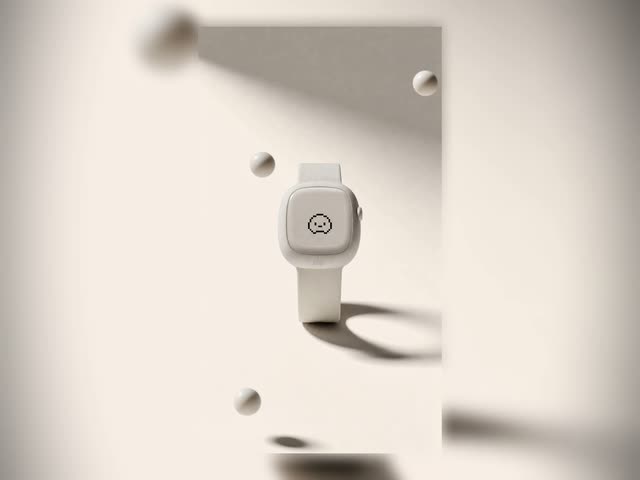
이 워크플로(Cinematic Product Advertisement — Seedance 2.0)는 단일 타임코드 프롬프트로 멀티 샷 시네마틱 제품 광고를 구성합니다. LoadImage 노드로 히어로/환경 이미지와 제품 디테일 참조를 제공하고, PrimitiveInt 노드로 전체 길이와 컷 수를 설정하며, 필요하면 크리에이티브 브리프를 추가합니다. GeminiNodeV2가 구조화된 타임큐 샷 플랜을 합성하면 Seedance 2.0이 이를 하나의 프롬프트로 소비합니다. ByteDance2ReferenceNode는 히어로 및 디테일 이미지로 생성기를 조건화해, 모든 샷에서 브랜드 일관성과 제품 충실도를 유지하도록 돕습니다.
기술적으로 파이프라인은 네 그룹으로 구성됩니다: Inputs; LLM Prompt Generation; Edit Prompt?; Generate and Save Video. GeminiNodeV2가 타임코드 스크립트를 출력한 뒤, 재현성을 위해 이를 PrimitiveStringMultiline 노드에 고정하고 LLM을 우회할 수 있습니다. 커스텀 유틸 노드(id: 0e2c3eaa-706c-41fd-b300-b6bd9e84a0a4)가 프롬프트 라우팅/포맷팅을 처리하며, Seedance 2.0 생성 노드(id: 2b10af74-c412-4c88-b235-6b170aed965c)가 전체 시퀀스를 한 번에 렌더합니다. PreviewAny로 중간 출력물을 빠르게 확인하고, SaveVideo로 최종 클립을 내보냅니다. 이 단일 프롬프트/타임큐 설계는 샷별 프롬프트를 여러 개 관리하지 않고도 페이싱, 카메라 디렉션, 제품 강조를 반복 조정하기 쉽게 만듭니다.
API
코드에서 이 워크플로우 사용하기
모든 Comfy 워크플로우는 JSON 그래프입니다. 아래 페이로드는 이 워크플로우 그 자체로, ComfyUI에서 실행되는 것과 동일합니다 — URL에서 가져오거나, 버전 관리에 보관하거나, ComfyUI에서 불러와 노드별로 실행할 수 있습니다.
Comfy SDK로 TypeScript 또는 Python에서 실행하세요. 동일한 코드는 Comfy Cloud 또는 직접 호스팅하는 ComfyUI 모두에 적용됩니다 — 기본 URL만 다릅니다.
// Install (beta)
npm i @comfyorg/sdk

// Run this workflow (TypeScript)
import { Comfy } from "@comfyorg/sdk";

const client = new Comfy({ apiKey: "comfyui-..." });
const wf = await client.workflows.fromFile("workflow_api.json");
const job = await client.run(wf);
await job.getOutputs("<output-node-id>")[0].toFile("output.png");
SDK는 API 형식의 워크플로우를 사용합니다: 이 워크플로우를 ComfyUI에서 열고 파일 → 워크플로우 내보내기(API)를 사용하세요.
FAQ


















