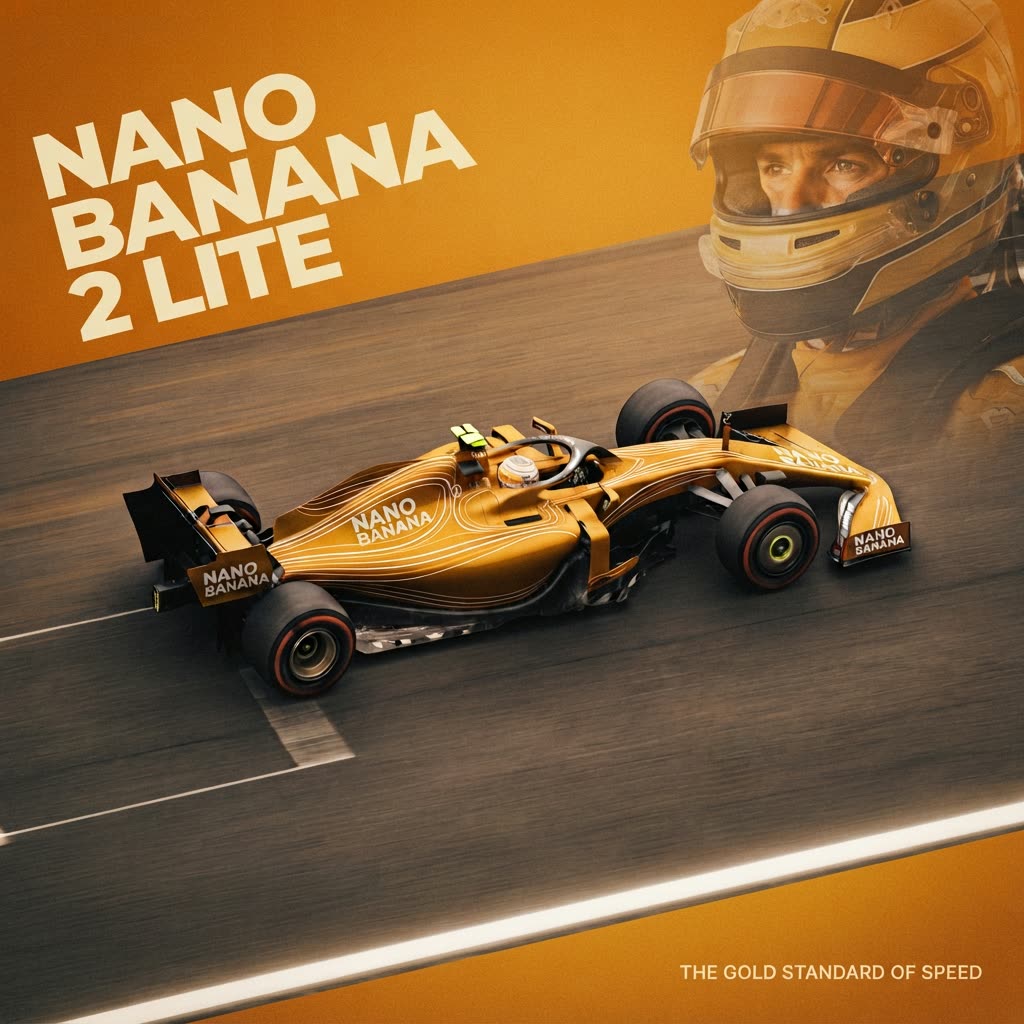
Nano Banana 2 Lite: Image Edit - After
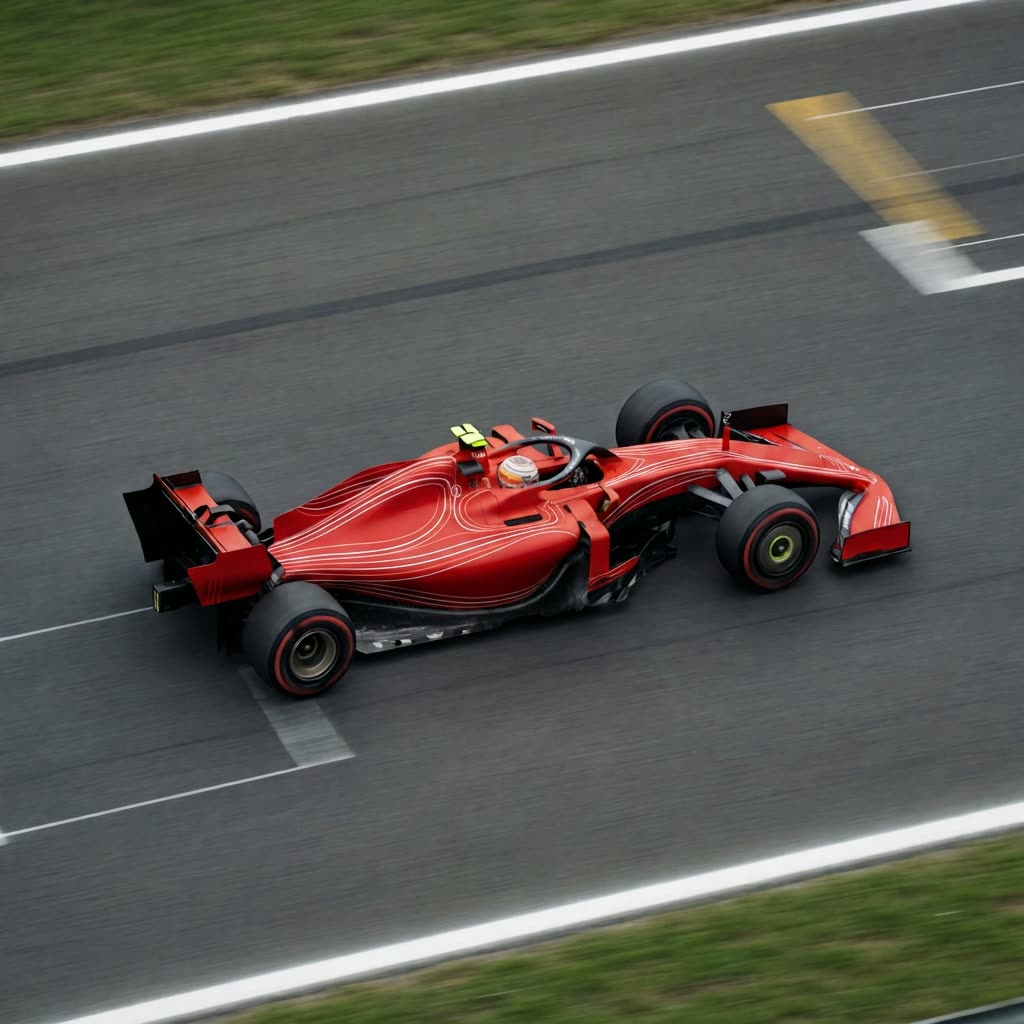
Nano Banana 2 Lite: Image Edit - Before

This comparison workflow shows a clean, side-by-side view of how Nano Banana 2 Lite (via the GeminiNanoBanana2V2 node) transforms a source image based on your edit instruction. The pipeline loads your original image, applies the edit with the model, and then places the original and result next to each other using ImageCompare so you can quickly judge what changed and what stayed consistent.

Methodologically, the comparison is controlled: both panes derive from the exact same source image (LoadImage), and only the model-driven edit differs. This makes it easy to evaluate trade-offs such as speed versus fidelity, the extent of stylistic drift, and the preservation of structure or identity. Expect Nano Banana 2 Lite to prioritize responsiveness and efficient edits; in practice, that can mean fast, coherent changes for common tasks (color tweaks, small object additions/removals), while very intricate or large, global transformations may require tighter instructions or iterative passes.

자주 묻는 질문

The workflow compares the original image (from LoadImage) with the edited image generated by GeminiNanoBanana2V2. ImageCompare places them side-by-side for visual assessment; no numeric metrics are computed.

Keep the source image constant and change only the edit instruction or a single parameter at a time. Use consistent output size, and review the same regions (faces, edges, text) for drift or artifacts.

Choose it when you need fast, coherent edits to an existing image—such as color tweaks, lighting adjustments, or minor object-level changes—where turnaround speed is important.

Under-specified instructions can lead to broader changes. Make your intent explicit (what to change and what to keep), and iterate with more targeted guidance to reduce unintended drift.

모든 워크플로우 보기

Seedance 2.0: Reference to Video

ByteDance
ComfyUIComfyUI
Partner Nodes
Image to Video
Video

4K Seedance 2.0 - Reference to Video

PurzPurz
Character
Cinematic
Image to Video
Lip Sync
Multiple Angles
Portrait
Style Reference
Style Transfer
Text to Video
Video Generation
Video
Z-Image-Turbo Text to Image

Z-Image-Turbo Text to Image

ComfyUIComfyUI
Image
Text to Image
Nano Banana 2 Lite: Text to Image

Nano Banana 2 Lite: Text to Image

ComfyUIComfyUI
Partner Nodes
Text to Image
Grok: Image Edit - After
Grok: Image Edit - Before

Grok: Image Edit

ComfyUIComfyUI
Partner Nodes
Image Edit
Krea-2: Text to Image

Krea-2: Text to Image

ComfyUIComfyUI
Text to Image

Grok: Video generation

ComfyUIComfyUI
Video
Image to Video
Text to Video
Partner Nodes

Seedance2.0 4K: Reference to Video

ComfyUIComfyUI
Partner Nodes
Image to Video
Grok Imagine Image Quality: Generation

Grok Imagine Image Quality: Generation

ComfyUIComfyUI
Text to Image
Partner Nodes

LTX 2.3 - Lipdub LoRA + Voice Clone

RobRob
Audio Editing
Character
Video Edit
Video to Video
Voice Cloning
Text to Audio

1 image input Split Stack - Qwen Multiangle + Wan 2.2

RobRob
Video

Seedance 2.0 Mini: Reference to Video

ComfyUIComfyUI
Partner Nodes
Image to Video

SCAIL-2: Character Replacement

ComfyUIComfyUI
Video Edit
Ideogram v4: Text to Image

Ideogram v4: Text to Image

ComfyUIComfyUI
Text to Image

Googly Eyes

PurzPurz
Video to Video
Video
Video Edit
LoRA

Seedance 2.0 - Viral Videos Character Swap

RobRob
Character Reference
Image to Video
Video to Video
Video Generation
Text Generation

Seedance 2.0 Reference to Video - Concept Art + Stop Motion Style

MintaMinta
Video

Gemini Omni Flash: Image to Video

ComfyUIComfyUI
Image to Video
Nano Banana 2: Image Edit

Nano Banana 2: Image Edit

Google
ComfyUIComfyUI
Partner Nodes
Image Edit
cinematic_annotate_video

cinematic_annotate_video

SirolimSirolim
Video
Video Generation
Image to Video

HappyHorse 1.1: Text to Video

ComfyUIComfyUI
Partner Nodes
Text to Video
Video

HappyHorse 1.1: Image to Video

ComfyUIComfyUI
Image to Video
Video
Partner Nodes

Beeble SwitchX: Video Edit

ComfyUIComfyUI
Image Edit
3x3 Contact Sheet

3x3 Contact Sheet

enigmatic_eenigmatic_e
Image

Restore Archival Footage - LTX 2.3 Dearchive LoRA

RobRob
Video Edit
Video
Video Generation
Video to Video

Gemini Omni Flash: Text to Video

ComfyUIComfyUI
Partner Nodes
Text to Video

Remove Object from Video - LTX 2.3 Obscura Remova LoRA

RobRob
Video Edit
Video
Video to Video

Stylize Video - Frame by Frame - Flux.2 Klein 4b

RobRob
Video Edit
Video to Video
Image Edit
Seedream 5.0 Lite: Image Edit - After
Seedream 5.0 Lite: Image Edit - Before

Seedream 5.0 Lite: Image Edit

ByteDance
ComfyUIComfyUI
Partner Nodes
Image Edit
Utility Video Upscale - After
Utility Video Upscale - Before

Utility Video Upscale

SirolimSirolim
Video Upscale
Video Edit
Video
Video to Video
Video Generation
Visual Effects
Cinematic
Showing 30 of 557 templates


















