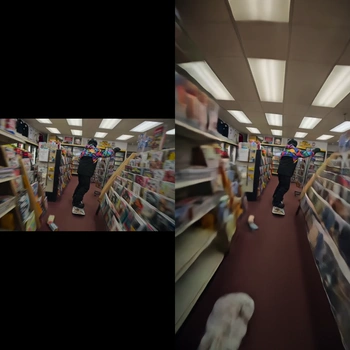
This ComfyUI workflow expands the boundaries of an existing video clip using LTX-2.3 with a dedicated Video Outpainting IC LoRA. It decodes your source video with VHS_LoadVideo, feeds frames into the core LTX-2.3 generation node (the custom node with ID 2e37ecc9-770a-4ac2-972c-e953901f49d3) where the LoRA guides the model to synthesize plausible content beyond the original edges, and then stitches the processed frames back into a video with VHS_VideoCombine. A MarkdownNote in the graph provides quick, in-context guidance.
Technically, the LoRA biases the base LTX-2.3 video diffusion model toward temporal, context-aware extrapolation. Controls like skip_first_frames and frame_count let you trim a long clip and iterate quickly on a representative segment before running the full range. Outpainting direction and amount are set on the LTX processing node (per-side expansion), while LoRA strength determines how assertively new content is invented versus preserved from the original. The result is a coherent, time-consistent extension of your scene—useful for reframing, adding headroom/side room, or conforming videos to new aspect ratios without obvious borders.
API
Use este workflow a partir do código
Todo workflow Comfy é um grafo JSON. O payload abaixo é este workflow, exatamente como o ComfyUI executa — obtenha-o pela URL, mantenha-o no controle de versão ou carregue-o no ComfyUI e execute nó por nó.
Execute a partir de TypeScript ou Python com o Comfy SDK. O mesmo código serve para o Comfy Cloud ou um ComfyUI hospedado por você — apenas a URL base muda.
// Install (beta)
npm i @comfyorg/sdk

// Run this workflow (TypeScript)
import { Comfy } from "@comfyorg/sdk";

const client = new Comfy({ apiKey: "comfyui-..." });
const wf = await client.workflows.fromFile("workflow_api.json");
const job = await client.run(wf);
await job.getOutputs("<output-node-id>")[0].toFile("output.png");
O SDK utiliza um workflow no formato API: abra este workflow no ComfyUI e use Arquivo → Exportar Workflow (API).
O acesso à API do Comfy Cloud requer um plano com chave de API.



















