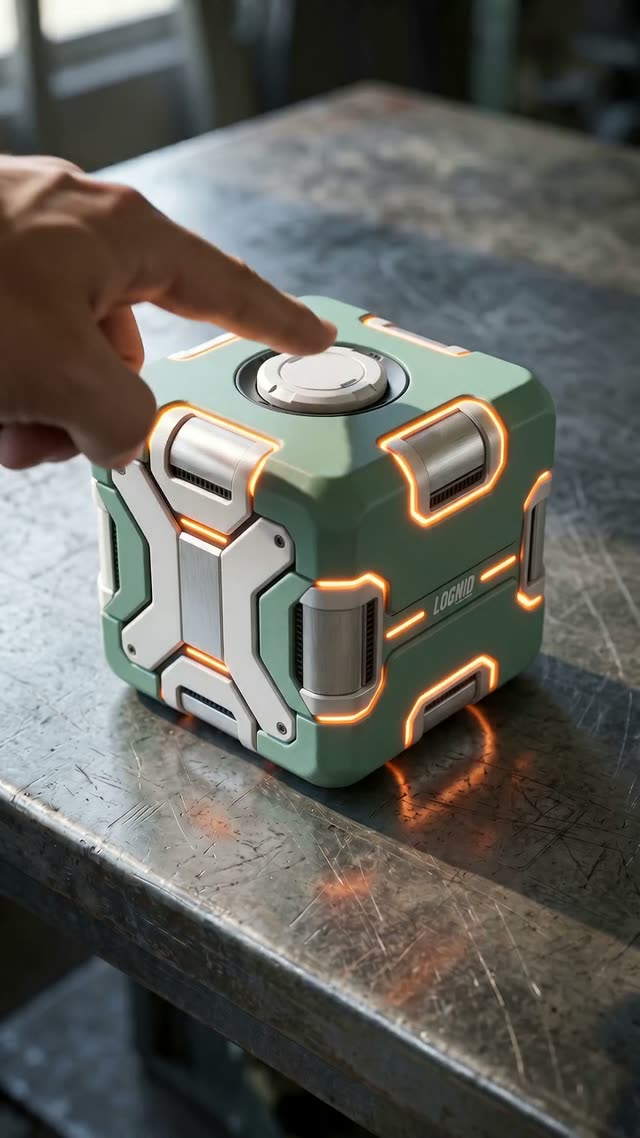
One Button Transformation is a guided ComfyUI pipeline that turns a simple tabletop prop into your subject with a single press, then animates the metamorphosis. You provide one or more reference images of a person, character, or product; the workflow builds a color-matched first frame where your chosen shape (cube, sphere, capsule, or a custom shape you describe) sits on a table with a button. It then creates a stylistically consistent last frame where your subject appears in the same scene, ready for a seamless transformation. Under the hood, the First Frame and Last Frame groups use the GeminiNode/GeminiNanoBanana2V2 stack to render images based on your prompt and references, with SaveImage capturing each output and ImageConcanate available to quickly compare frames side-by-side.
For motion, the Seedance 2.0 group uses ByteDance2FirstLastFrameNode to synthesize in-between frames for higher-fidelity transitions, while the Seedance 1.5 Version group relies on ByteDanceFirstLastFrameNode for a faster, more affordable alternative. LoadImage brings in your references and previously generated frames, and SaveVideo exports the final clip. Because the workflow conditions both frames on your subject’s palette and scene description, the environment, lighting, and style are kept consistent from first to last frame—resulting in a convincing “button press” reveal animation with minimal setup.
API
Use this workflow from code
Every Comfy workflow is a JSON graph. The payload below is this workflow, exactly as ComfyUI runs it — fetch it from the URL, keep it in version control, or load it in ComfyUI and run it node by node.
Run it from TypeScript or Python with the Comfy SDK. The same code targets Comfy Cloud or a ComfyUI you host yourself — only the base URL changes.
// Install (beta)
npm i @comfyorg/sdk

// Run this workflow (TypeScript)
import { Comfy } from "@comfyorg/sdk";

const client = new Comfy({ apiKey: "comfyui-..." });
const wf = await client.workflows.fromFile("workflow_api.json");
const job = await client.run(wf);
await job.getOutputs("<output-node-id>")[0].toFile("output.png");
The SDK takes a workflow in API format: open this workflow in ComfyUI and use File → Export Workflow (API).
Comfy Cloud API access requires a plan with an API key.
FAQ


















