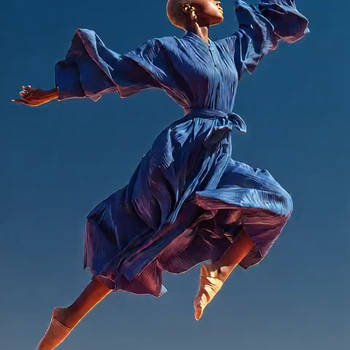
Wan Dancer: Music to Dance is a ComfyUI workflow that turns a music clip and a single reference image into a coherent, short dance video. It uses the Wan Dancer model inside a Subgraph (node ID f7467834-35a6-42fe-b525-7f17383beb4f) to generate all frames in one pass, preserving global structure and temporal continuity. You provide a portrait or full-body image in LoadImage and an audio file in LoadAudio; the subgraph handles conditioning and sampling, and SaveVideo assembles the output clip.
Technically, the subgraph packs the full Wan Dancer pipeline: it encodes your reference image as appearance/style conditioning, derives audio conditioning from the waveform, and samples a fixed-length video (149 frames by default) with long-range temporal attention so poses and motion stay consistent across time. The default configuration produces a ~5 second clip. Because the model samples many frames at once, it is VRAM-intensive and benefits from a high-memory GPU. SaveVideo then writes the frames to a video file at an appropriate frame rate for smooth playback.
API
Use this workflow from code
Every Comfy workflow is a JSON graph. The payload below is this workflow, exactly as ComfyUI runs it — fetch it from the URL, keep it in version control, or load it in ComfyUI and run it node by node.
Run it from TypeScript or Python with the Comfy SDK. The same code targets Comfy Cloud or a ComfyUI you host yourself — only the base URL changes.
// Install (beta)
npm i @comfyorg/sdk

// Run this workflow (TypeScript)
import { Comfy } from "@comfyorg/sdk";

const client = new Comfy({ apiKey: "comfyui-..." });
const wf = await client.workflows.fromFile("workflow_api.json");
const job = await client.run(wf);
await job.getOutputs("<output-node-id>")[0].toFile("output.png");
The SDK takes a workflow in API format: open this workflow in ComfyUI and use File → Export Workflow (API).
Comfy Cloud API access requires a plan with an API key.
FAQ



















