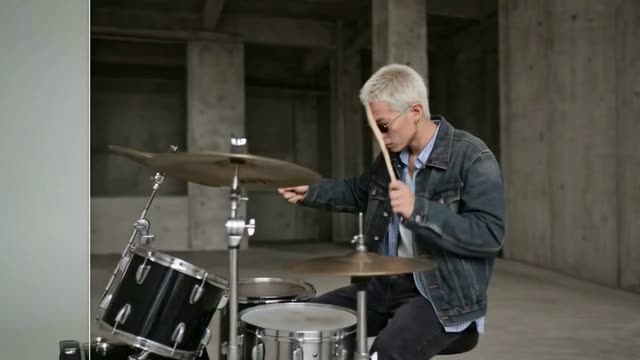
This workflow lets you precisely edit an input video with a single, well-structured prompt using Google’s Gemini Omni Video through the GeminiVideoOmni node. It starts by loading your source clip via LoadVideo, then routes the frames and your instructions to GeminiVideoOmni, which performs the video-to-video transformation. A small, focused subgraph called Prompt Constructor (subgraph id: 331103d2-d660-4a88-abf0-1117dc46b2df) helps you assemble a clean, model-friendly prompt that includes the two required parameters for Gemini Omni Video: duration and aspect ratio. The output can be reviewed instantly in PreviewAny and finalized with SaveVideo.
Technically, the workflow reduces ambiguity by embedding temporal (duration: e.g., 5s) and spatial (aspect ratio: e.g., 16:9) constraints directly into the prompt, which is important for stable, temporally consistent edits. The MarkdownNote node embedded in the graph provides guidance and examples so you can iterate quickly. Together, these nodes create a tight loop for prompt-driven visual effects, color/style changes, or localized alterations, without manual keyframing or complex compositing.
API
Use this workflow from code
Every Comfy workflow is a JSON graph. The payload below is this workflow, exactly as ComfyUI runs it — fetch it from the URL, keep it in version control, or load it in ComfyUI and run it node by node.
Run it from TypeScript or Python with the Comfy SDK. The same code targets Comfy Cloud or a ComfyUI you host yourself — only the base URL changes.
// Install (beta)
npm i @comfyorg/sdk

// Run this workflow (TypeScript)
import { Comfy } from "@comfyorg/sdk";

const client = new Comfy({ apiKey: "comfyui-..." });
const wf = await client.workflows.fromFile("workflow_api.json");
const job = await client.run(wf);
await job.getOutputs("<output-node-id>")[0].toFile("output.png");
The SDK takes a workflow in API format: open this workflow in ComfyUI and use File → Export Workflow (API).
Comfy Cloud API access requires a plan with an API key.
FAQ


















