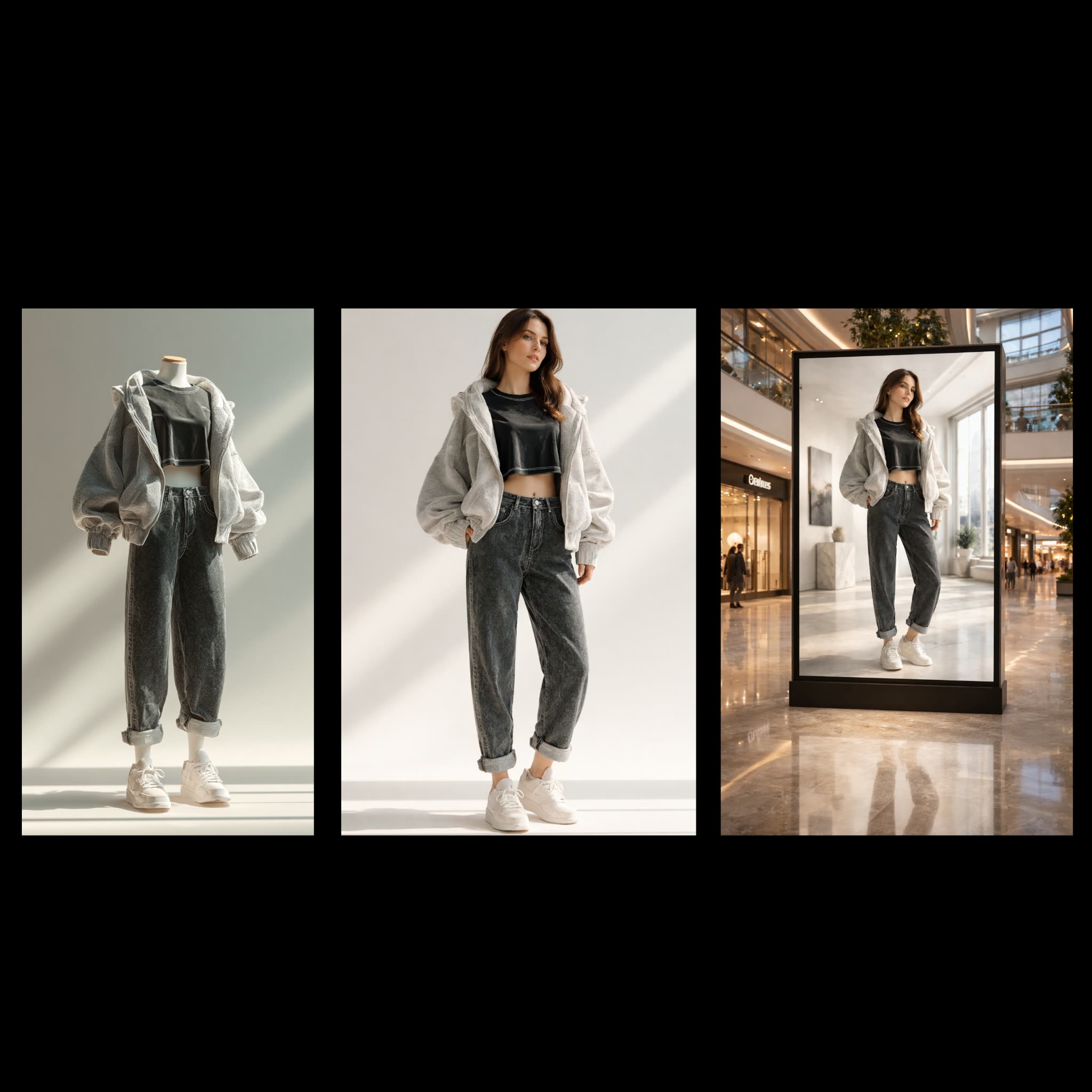
The Fashion Billboard Generator workflow is designed to transform ordinary clothing photos into stunning, professional mall billboard advertisements. This workflow leverages the power of AI to seamlessly integrate clothing items onto realistic fashion models, creating eye-catching visuals suitable for high-impact advertising. At the core of this process is the OpenAIGPTImage1 node, which utilizes advanced generative models to render high-quality images that blend the clothing items with model figures. The workflow begins with the LoadImage node, which imports the original clothing photo. This image is then processed through the OpenAIGPTImage1 node, where the AI model performs the transformation, ensuring that the clothing fits naturally on the model's body. Finally, the SaveImage node stores the completed billboard-ready image for easy access and distribution.
API
Use this workflow from code
Every Comfy workflow is a JSON graph. The payload below is this workflow, exactly as ComfyUI runs it — fetch it from the URL, keep it in version control, or load it in ComfyUI and run it node by node.
Run it from TypeScript or Python with the Comfy SDK. The same code targets Comfy Cloud or a ComfyUI you host yourself — only the base URL changes.
// Install (beta)
npm i @comfyorg/sdk

// Run "Fashion Billboard Generator" (TypeScript)
import { Comfy } from "@comfyorg/sdk";

const client = new Comfy({ apiKey: "comfyui-..." });

// This workflow, exported in API format (see note below)
const wf = await client.workflows.fromFile("api_openai_fashion_billboard_generator_api.json");

const asset = client.assets.fromFile("input.png");
wf.setInput("3", "image", asset);  // LoadImage

const job = await client.run(wf);
await job.getOutputs("2")[0].toFile("output.png");  // SaveImage
The SDK takes a workflow in API format: open this workflow in ComfyUI and use File → Export Workflow (API).
Comfy Cloud API access requires a plan with an API key.
FAQ


















