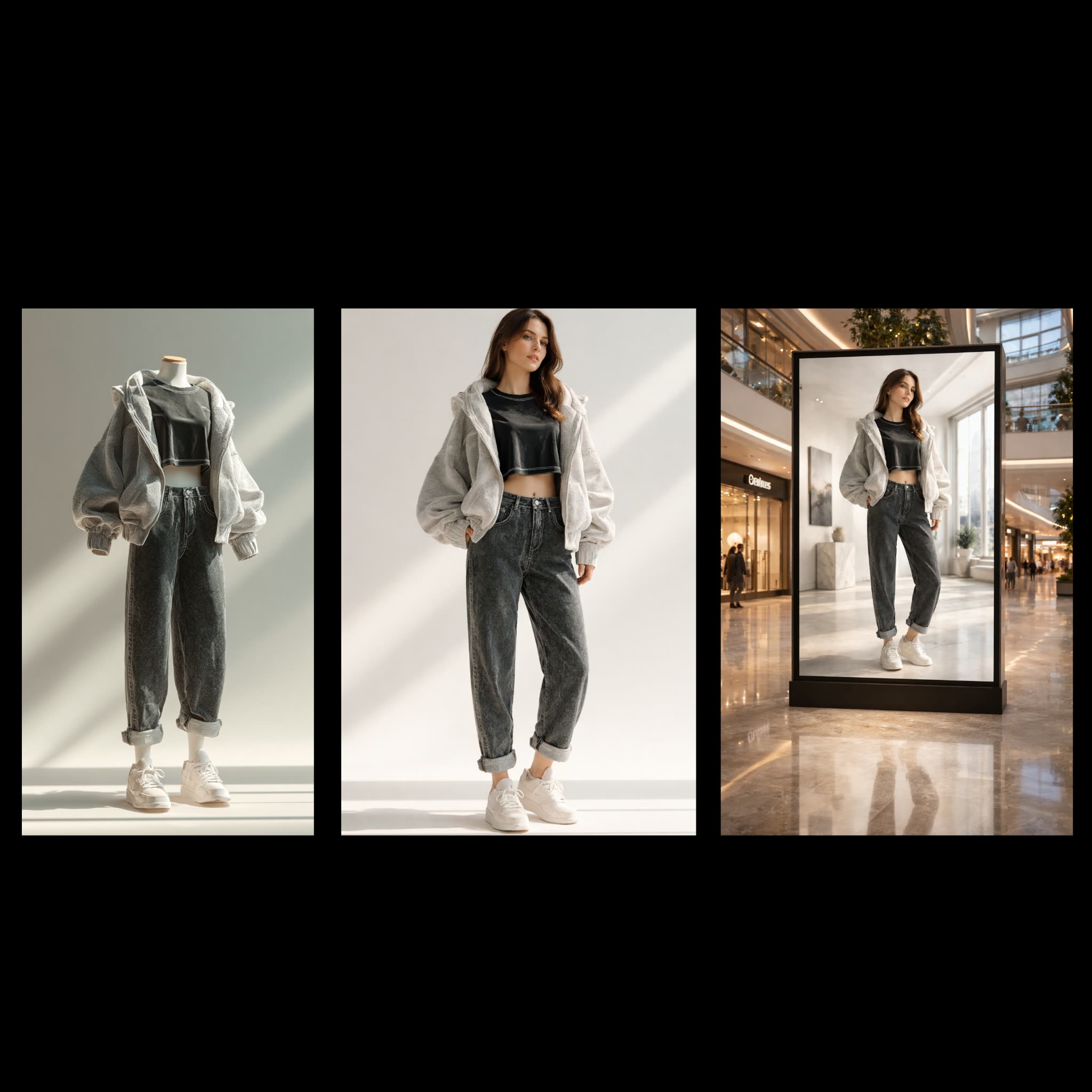
The Fashion Billboard Generator workflow is designed to transform ordinary clothing photos into stunning, professional mall billboard advertisements. This workflow leverages the power of AI to seamlessly integrate clothing items onto realistic fashion models, creating eye-catching visuals suitable for high-impact advertising. At the core of this process is the OpenAIGPTImage1 node, which utilizes advanced generative models to render high-quality images that blend the clothing items with model figures. The workflow begins with the LoadImage node, which imports the original clothing photo. This image is then processed through the OpenAIGPTImage1 node, where the AI model performs the transformation, ensuring that the clothing fits naturally on the model's body. Finally, the SaveImage node stores the completed billboard-ready image for easy access and distribution.
API
從程式碼使用此工作流
每個 Comfy 工作流都是一個 JSON 圖。下方的 payload 就是此工作流,與 ComfyUI 執行時完全相同 — 你可以從此 URL 取得、放入版本控制,或在 ComfyUI 載入並逐節點執行。
使用 Comfy SDK 以 TypeScript 或 Python 執行。相同程式碼可用於 Comfy Cloud 或你自架的 ComfyUI — 只需更改 base URL。
// Install (beta)
npm i @comfyorg/sdk

// Run "時尚廣告牌產生器" (TypeScript)
import { Comfy } from "@comfyorg/sdk";

const client = new Comfy({ apiKey: "comfyui-..." });

// This workflow, exported in API format (see note below)
const wf = await client.workflows.fromFile("api_openai_fashion_billboard_generator_api.json");

const asset = client.assets.fromFile("input.png");
wf.setInput("3", "image", asset);  // LoadImage

const job = await client.run(wf);
await job.getOutputs("2")[0].toFile("output.png");  // SaveImage
SDK 需使用 API 格式的工作流:請在 ComfyUI 開啟此工作流,並使用 檔案 → 匯出工作流(API)。
常見問題


















