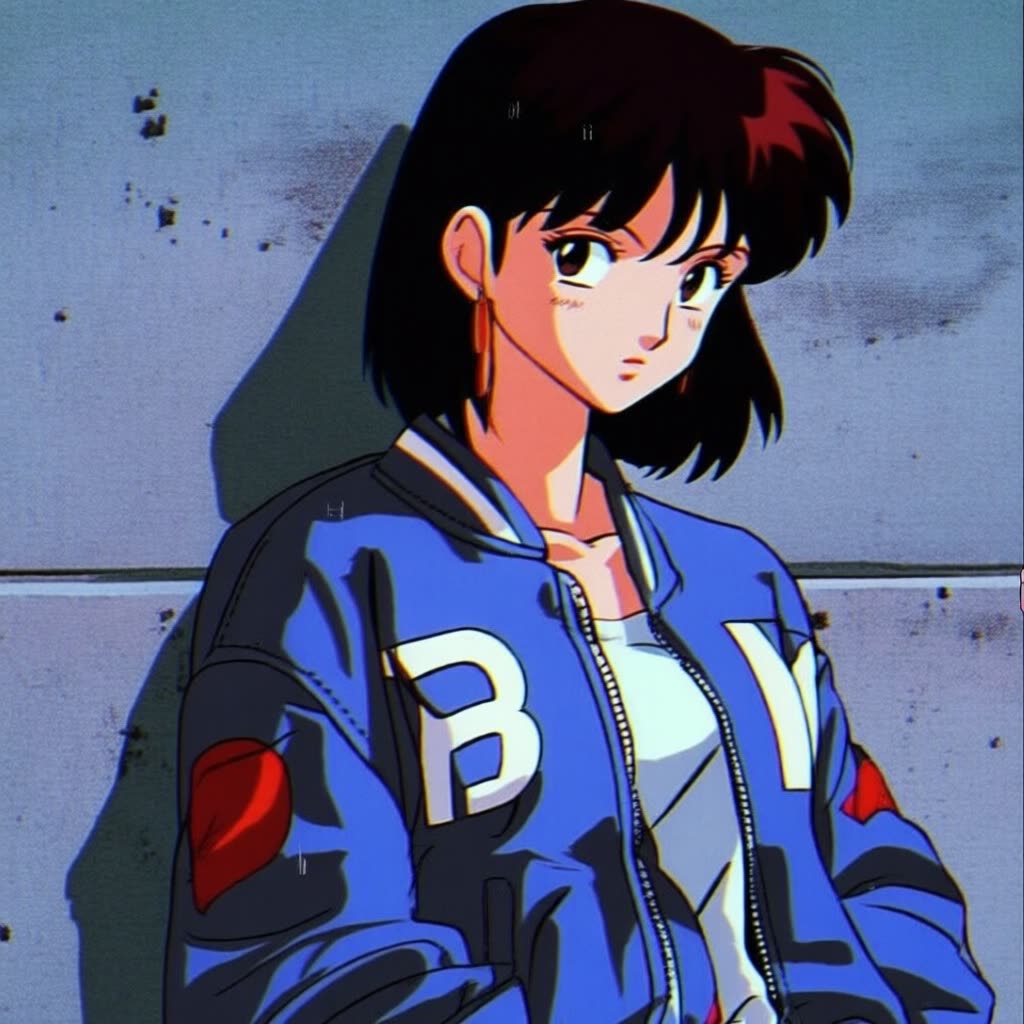
This tutorial workflow pairs the Qwen-Image base model with the Alvdansen Illustration v1.0 style LoRA to turn text prompts into finished illustrations. It’s designed to cover a wide spectrum of illustration looks—cute anime character design, European bande dessinée, indie risograph prints, storybook watercolor, retro shoujo manga, and graphic novel illustration—by steering the base model with a LoRA specifically trained for these aesthetics. The core of the graph is a custom Qwen‑Image generator node (id: e5cfe5ba-2ae0-4bc4-869f-ab2228cb44d3) that accepts your prompt and applies the style LoRA at inference. A MarkdownNote node provides inline usage tips and links, and a SaveImage node writes your results to disk.
Technically, the workflow loads the Qwen-Image checkpoint and blends in the Alvdansen Illustration LoRA weights at a user-defined strength. Your prompt determines subject and composition; the LoRA biases line work, texture, and palette toward the trained style family. You control the look by adjusting LoRA strength (subtle to strong stylization), resolution/aspect ratio, and seed for reproducibility or variation. This setup is useful when you want consistent art direction without retraining—iterate quickly, compare outputs with different seeds, and fine‑tune style intensity before exporting via the SaveImage node.
API
Use this workflow from code
Every Comfy workflow is a JSON graph. The payload below is this workflow, exactly as ComfyUI runs it — fetch it from the URL, keep it in version control, or load it in ComfyUI and run it node by node.
Run it from TypeScript or Python with the Comfy SDK. The same code targets Comfy Cloud or a ComfyUI you host yourself — only the base URL changes.
// Install (beta)
npm i @comfyorg/sdk

// Run "Qwen Image: Illustration LoRA" (TypeScript)
import { Comfy } from "@comfyorg/sdk";

const client = new Comfy({ apiKey: "comfyui-..." });

// This workflow, exported in API format (see note below)
const wf = await client.workflows.fromFile("template_qwen_image_illustration_lora_api.json");

const job = await client.run(wf);
await job.getOutputs("60")[0].toFile("output.png");  // SaveImage
The SDK takes a workflow in API format: open this workflow in ComfyUI and use File → Export Workflow (API).
Comfy Cloud API access requires a plan with an API key.
FAQ


















