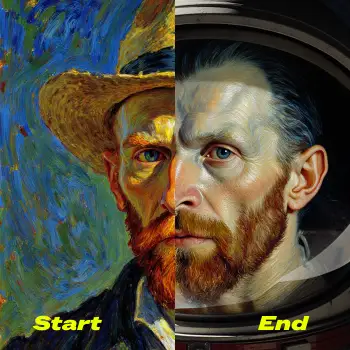

This workflow introduces First–Last Frame to Video (FLF2V) for Wan 2.2 (14B), a conditioning method that lets you specify both the opening and closing frames and have the model synthesize a smooth, prompt-guided journey between them. Instead of expanding from a single keyframe or relying on optical-flow interpolation, the WanFirstLastFrameToVideo node enforces boundary conditions at t=0 and t=1 inside the diffusion process. That means the start and end images are respected as ground truths while the model generates new, coherent in-betweens that follow your text prompt.
Under the hood, the workflow loads Wan 2.2 with UNETLoader, a compatible text encoder via CLIPLoader (UMT5 XXL FP8 scaled), and VAE components, then runs KSamplerAdvanced with an SD3-style schedule (ModelSamplingSD3). An optional “lightning” 4-step LoRA can dramatically speed up renders at a modest quality trade-off. The result is a practical, reproducible pipeline in ComfyUI that improves on prior image-to-video approaches by jointly conditioning on both endpoints, reducing identity drift, preserving scene intent, and producing transitions that feel authored rather than warped.
API
Use this workflow from code
Every Comfy workflow is a JSON graph. The payload below is this workflow, exactly as ComfyUI runs it — fetch it from the URL, keep it in version control, or load it in ComfyUI and run it node by node.
Run it from TypeScript or Python with the Comfy SDK. The same code targets Comfy Cloud or a ComfyUI you host yourself — only the base URL changes.
// Install (beta)
npm i @comfyorg/sdk

// Run "Wan 2.2 14B First-Last Frame to Video" (TypeScript)
import { Comfy } from "@comfyorg/sdk";

const client = new Comfy({ apiKey: "comfyui-..." });

// This workflow, exported in API format (see note below)
const wf = await client.workflows.fromFile("video_wan2_2_14B_flf2v_api.json");

const asset = client.assets.fromFile("input.png");
wf.setInput("68", "image", asset);  // LoadImage

wf.setInput("90", "text", "冰晶组成的小猫突然被惊醒,愤怒的它抬头,渐渐长出色彩毛发变成为一个巨兽,像发现危险一样呲牙,瞪大眼睛");  // CLIPTextEncode

const job = await client.run(wf);
await job.getOutputs("61")[0].toFile("output.png");  // SaveVideo
The SDK takes a workflow in API format: open this workflow in ComfyUI and use File → Export Workflow (API).
Comfy Cloud API access requires a plan with an API key.
FAQ


















