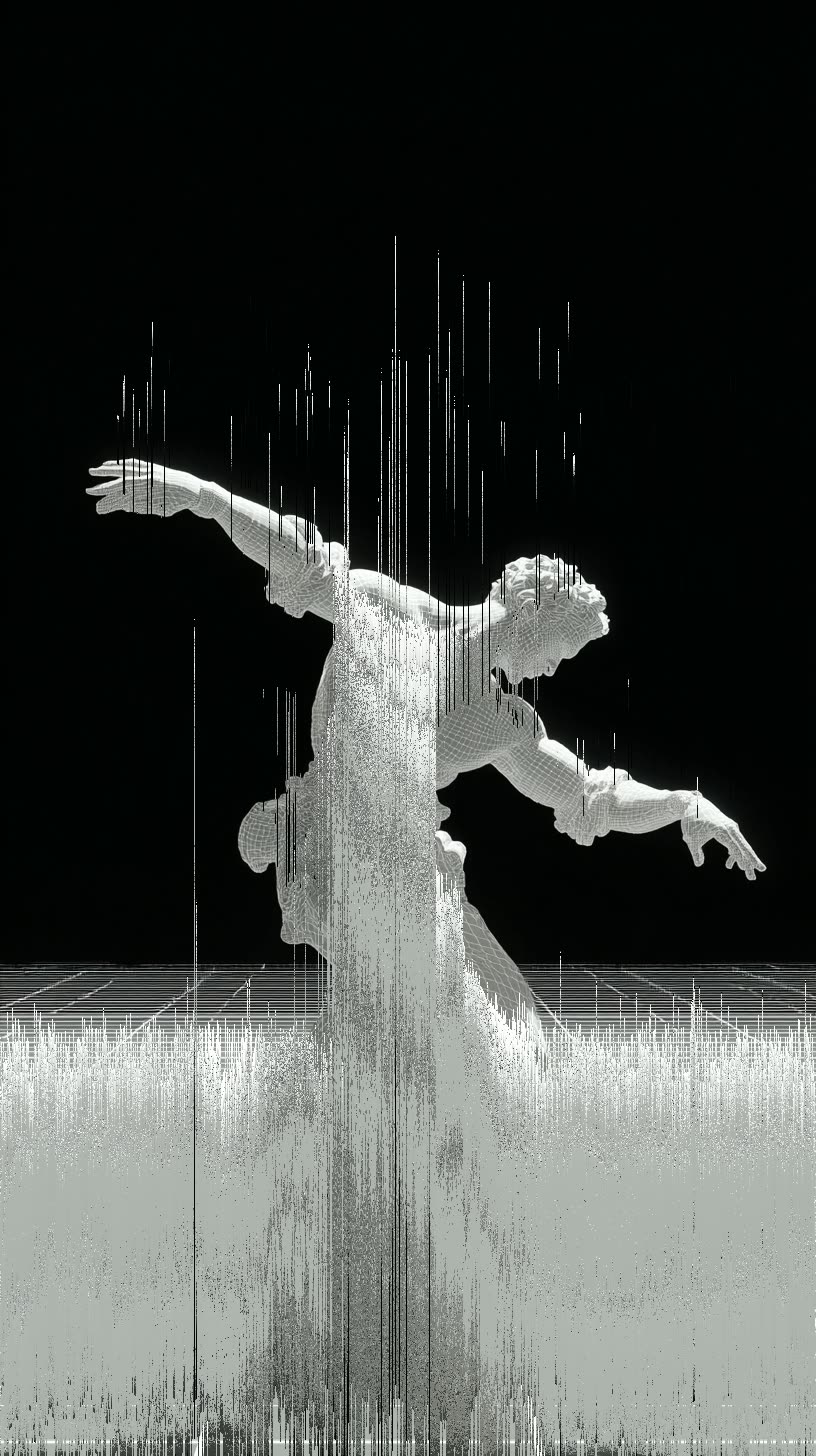
Pixel Sort Glitch Effect Image Transformation - After
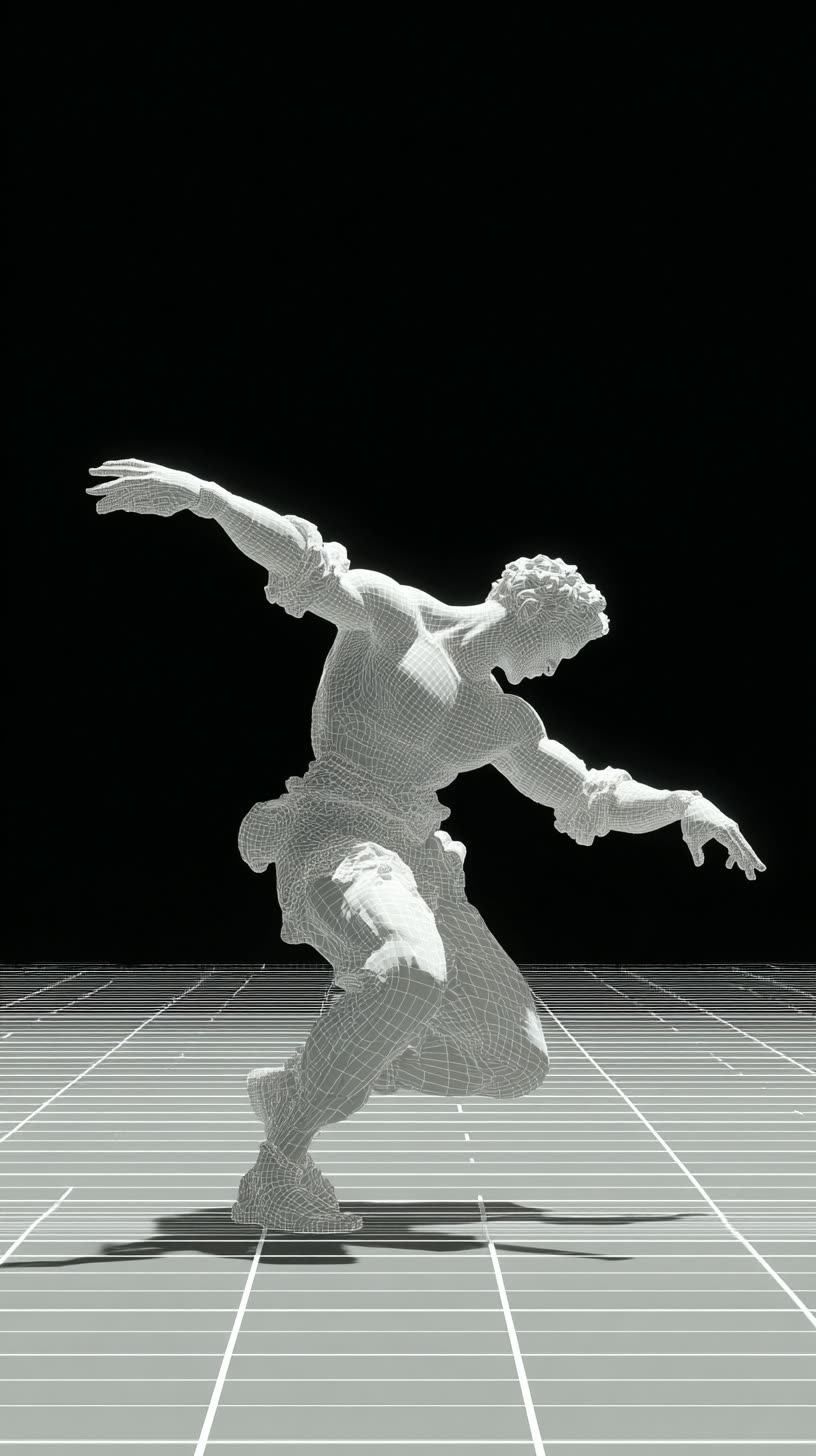
Pixel Sort Glitch Effect Image Transformation - Before

The Pixel Sort Glitch Effect Image Transformation workflow in ComfyUI is designed to transform ordinary images into visually striking glitch art using a pixel sorting algorithm. This technique rearranges pixels based on their brightness, creating a smeared, glitch-like appearance. The workflow leverages the FL_PixelSort node, which allows users to control the direction and intensity of the effect by adjusting parameters such as rotation and threshold. The LoadImage node is used to import the image to be transformed, and the SaveImage node is employed to export the final stylized image. This workflow is particularly useful for artists and designers looking to add a unique, abstract aesthetic to their digital artwork without requiring specific models, making it versatile and easy to use.

FAQ

常見問題

查看所有工作流

Seedance 2.0: Reference to Video

ByteDance
ComfyUIComfyUI
Partner Nodes
Image to Video
Video
Nano Banana 2 Lite: Text to Image

Nano Banana 2 Lite: Text to Image

Nano Banana 2
ComfyUIComfyUI
Partner Nodes
Text to Image
Seedream 5.0 Pro: Image Edit - After
Seedream 5.0 Pro: Image Edit - Before

Seedream 5.0 Pro: Image Edit

ComfyUIComfyUI
Partner Nodes
Image Edit
Krea-2: Text to Image

Krea-2: Text to Image

ComfyUIComfyUI
Text to Image

4K Seedance 2.0 - Reference to Video

Seedance 2.0
PurzPurz
Character
Cinematic
Image to Video
Lip Sync
Multiple Angles
Portrait
Style Reference
Style Transfer
Text to Video
Video Generation
Video
Z-Image-Turbo Text to Image

Z-Image-Turbo Text to Image

ComfyUIComfyUI
Image
Text to Image
Grok: Image Edit - After
Grok: Image Edit - Before

Grok: Image Edit

ComfyUIComfyUI
Partner Nodes
Image Edit
Nano Banana 2 Lite: Image Edit - After
Nano Banana 2 Lite: Image Edit - Before

Nano Banana 2 Lite: Image Edit

ComfyUIComfyUI
Partner Nodes
Image Edit

Grok: Video generation

Grok
ComfyUIComfyUI
Video
Image to Video
Text to Video
Partner Nodes

Seedance2.0 4K: Reference to Video

ComfyUIComfyUI
Partner Nodes
Image to Video
Grok Imagine Image Quality: Generation

Grok Imagine Image Quality: Generation

ComfyUIComfyUI
Text to Image
Partner Nodes

LTX 2.3 - Lipdub LoRA + Voice Clone

RobRob
Audio Editing
Character
Video Edit
Video to Video
Voice Cloning
Text to Audio

1 image input Split Stack - Qwen Multiangle + Wan 2.2

Wan2.2
RobRob
Video

Seedance 2.0 Mini: Reference to Video

ComfyUIComfyUI
Partner Nodes
Image to Video

SCAIL-2: Character Replacement

ComfyUIComfyUI
Video Edit
Ideogram v4: Text to Image

Ideogram v4: Text to Image

ComfyUIComfyUI
Text to Image

Googly Eyes

LTX-2.3
PurzPurz
Video to Video
Video
Video Edit
LoRA

Seedance 2.0 - Viral Videos Character Swap

RobRob
Character Reference
Image to Video
Video to Video
Video Generation
Text Generation

Seedance 2.0 Reference to Video - Concept Art + Stop Motion Style

Seedance 2.0
MintaMinta
Video

Gemini Omni Flash: Image to Video

ComfyUIComfyUI
Image to Video
Nano Banana 2: Image Edit

Nano Banana 2: Image Edit

Google
ComfyUIComfyUI
Partner Nodes
Image Edit
cinematic_annotate_video

cinematic_annotate_video

SirolimSirolim
Video
Video Generation
Image to Video

HappyHorse 1.1: Text to Video

ComfyUIComfyUI
Partner Nodes
Text to Video
Video

HappyHorse 1.1: Image to Video

ComfyUIComfyUI
Image to Video
Video
Partner Nodes

Beeble SwitchX: Video Edit

ComfyUIComfyUI
Image Edit
3x3 Contact Sheet

3x3 Contact Sheet

enigmatic_eenigmatic_e
Image

Restore Archival Footage - LTX 2.3 Dearchive LoRA

RobRob
Video Edit
Video
Video Generation
Video to Video
Seedream 5.0 Pro: Text to Image

Seedream 5.0 Pro: Text to Image

ComfyUIComfyUI
Text to Image
Partner Nodes

Gemini Omni Flash: Text to Video

ComfyUIComfyUI
Partner Nodes
Text to Video

Remove Object from Video - LTX 2.3 Obscura Remova LoRA

RobRob
Video Edit
Video
Video to Video
Showing 30 of 564 templates


















