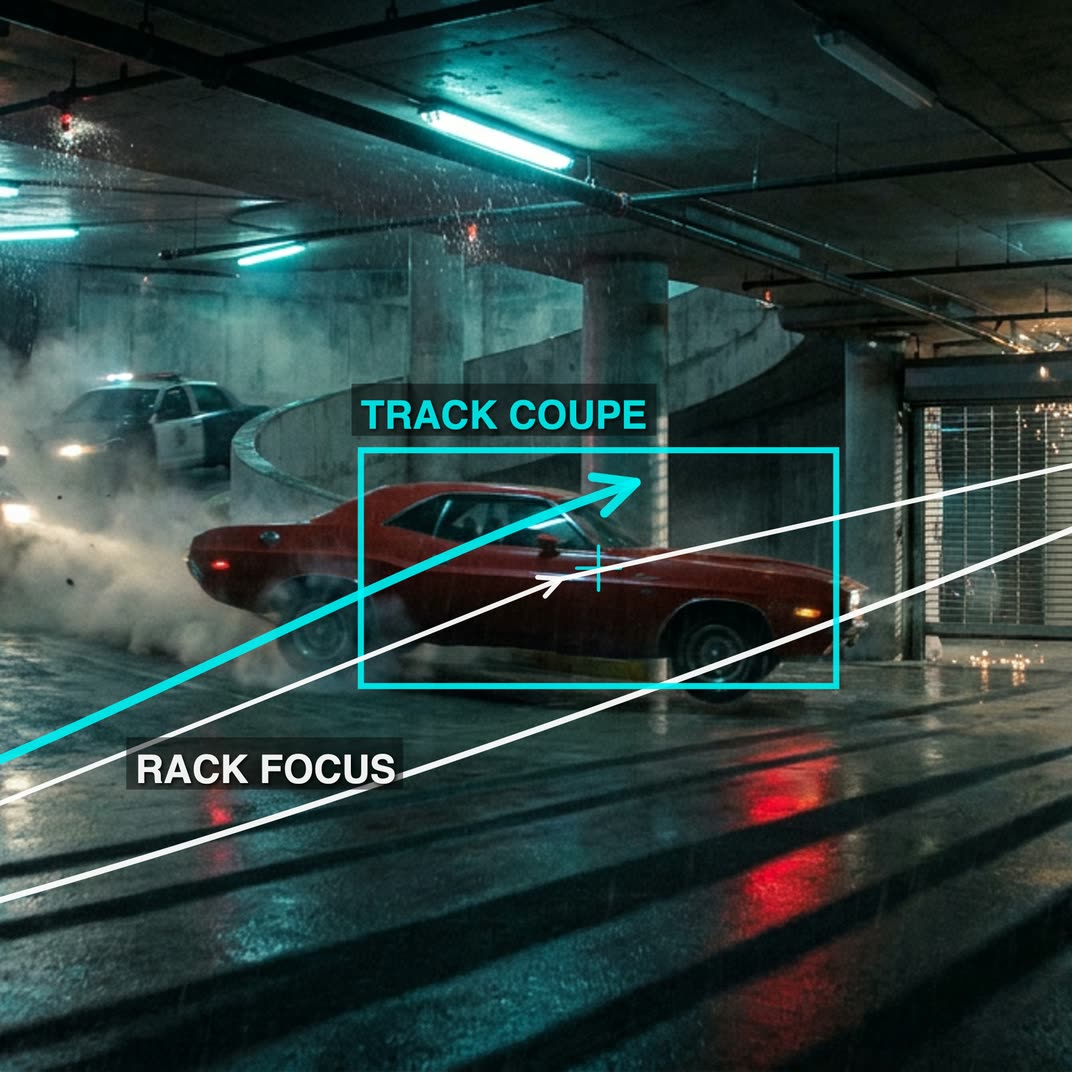
يحوّل cinematic_annotate_video صورة نظيفة واحدة إلى لقطة قصيرة وسلسة بطابع سينمائي عبر كتابة مسار كاميرا تلقائيًا بأسلوب المخرج ثم ترجمته إلى موجه حركة Seedance 2.0. يبدأ سير العمل بـ LoadImage ويمرّر الإطار إلى GeminiImage2Node الذي يحلل المشهد ويولّد تعليمات مسار الكاميرا باستخدام أسلوب التعليق التوضيحي "Nano Banana 2". ثم تقوم GeminiNode بتنقيح هذا النص وتنسيقه إلى مواصفات حركة Seedance 2.0.
يتم تمرير موجه Seedance 2.0 وصورتك الأصلية إلى ByteDance2ReferenceNode لتخليق الحركة مع الحفاظ على مظهر الإطار المصدر. تساعدك PreviewImage وPreviewAny على فحص الإطار المدخل والموجهات النصية التي تم توليدها تلقائيًا قبل الالتزام بالتصيير. أخيرًا يحفظ SaveVideo النتيجة على القرص. تم تنظيم المجموعات للوضوح: Annotate Image (تحليل الصورة وملاحظات الكاميرا)، Prompt (تنسيق LLM إلى Seedance 2.0)، وSeedance 2.0 (توليد فيديو اعتمادًا على المرجع).
API
استخدم سير العمل هذا من الكود
كل سير عمل في Comfy هو رسم بياني بصيغة JSON. الحمولة أدناه هي هذا سير العمل بالضبط كما يشغله ComfyUI — يمكنك جلبه من الرابط، حفظه في نظام التحكم بالإصدارات، أو تحميله في ComfyUI وتشغيله عقدة تلو الأخرى.
شغّله من TypeScript أو Python باستخدام Comfy SDK. نفس الكود يعمل على Comfy Cloud أو ComfyUI الذي تستضيفه بنفسك — فقط عنوان URL الأساسي يتغير.
// Install (beta)
npm i @comfyorg/sdk

// Run this workflow (TypeScript)
import { Comfy } from "@comfyorg/sdk";

const client = new Comfy({ apiKey: "comfyui-..." });
const wf = await client.workflows.fromFile("workflow_api.json");
const job = await client.run(wf);
await job.getOutputs("<output-node-id>")[0].toFile("output.png");
يأخذ SDK سير العمل بصيغة API: افتح هذا سير العمل في ComfyUI واستخدم ملف → تصدير سير العمل (API).
يتطلب الوصول إلى Comfy Cloud API خطة تتضمن مفتاح API.
الأسئلة الشائعة


















