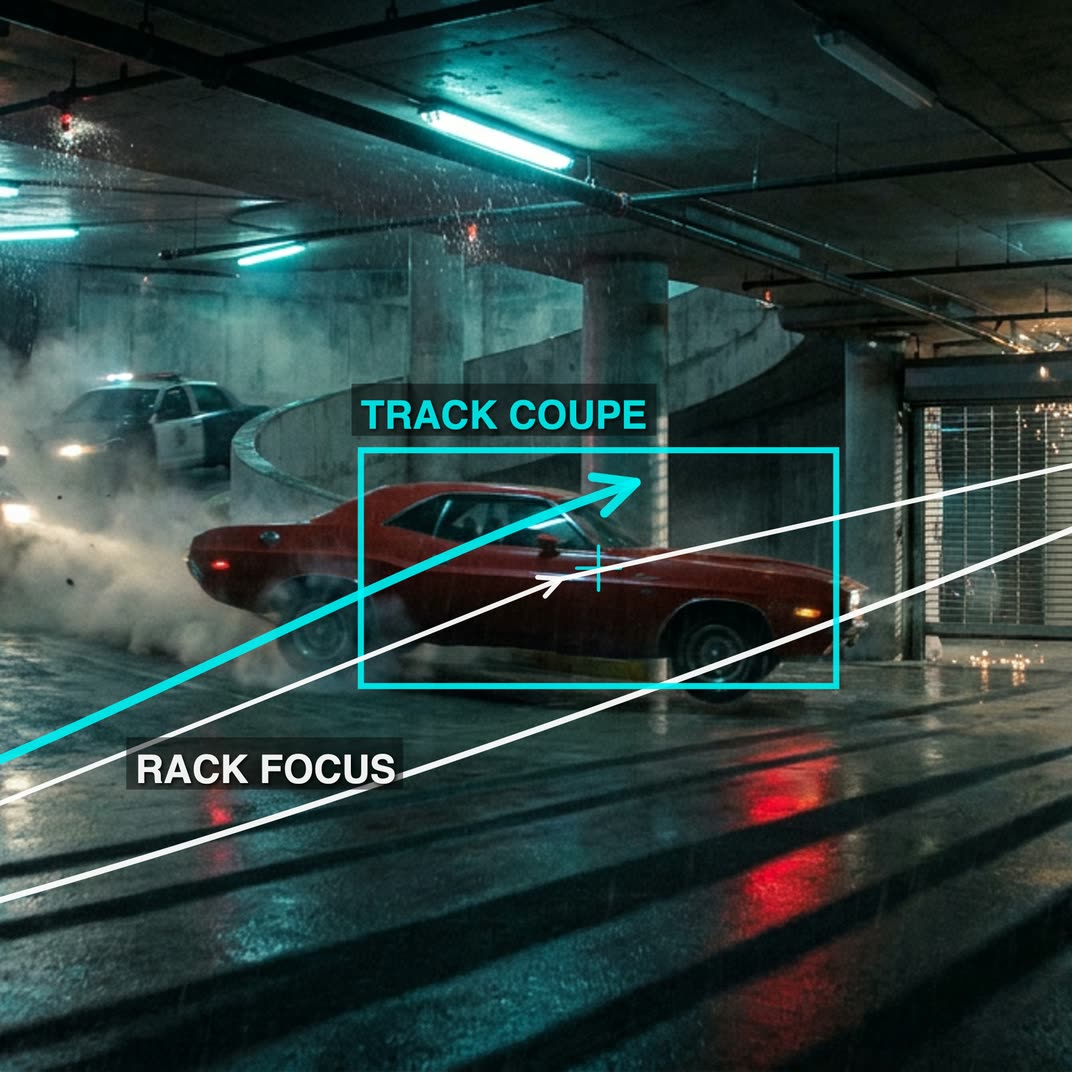
cinematic_annotate_video turns a single clean image into a short, smooth, cinematic shot by auto-writing a director-style camera path and translating it into a Seedance 2.0 motion prompt. The workflow starts with LoadImage and passes your frame into GeminiImage2Node, which analyzes the scene and generates camera-path markup using the "Nano Banana 2" annotation style. That markup is then refined/formatted by GeminiNode into a Seedance 2.0 motion specification.
The Seedance 2.0 prompt and your original image are fed into ByteDance2ReferenceNode to synthesize the motion while preserving the look of the source frame. PreviewImage and PreviewAny help you inspect the input frame and the auto-generated text prompts before you commit to a render. Finally, SaveVideo writes the result to disk. Groups are organized for clarity: Annotate Image (image analysis and camera notes), Prompt (LLM formatting to Seedance 2.0), and Seedance 2.0 (reference-driven video generation).
API
Use this workflow from code
Every Comfy workflow is a JSON graph. The payload below is this workflow, exactly as ComfyUI runs it — fetch it from the URL, keep it in version control, or load it in ComfyUI and run it node by node.
Run it from TypeScript or Python with the Comfy SDK. The same code targets Comfy Cloud or a ComfyUI you host yourself — only the base URL changes.
// Install (beta)
npm i @comfyorg/sdk

// Run this workflow (TypeScript)
import { Comfy } from "@comfyorg/sdk";

const client = new Comfy({ apiKey: "comfyui-..." });
const wf = await client.workflows.fromFile("workflow_api.json");
const job = await client.run(wf);
await job.getOutputs("<output-node-id>")[0].toFile("output.png");
The SDK takes a workflow in API format: open this workflow in ComfyUI and use File → Export Workflow (API).
Comfy Cloud API access requires a plan with an API key.
FAQ


















