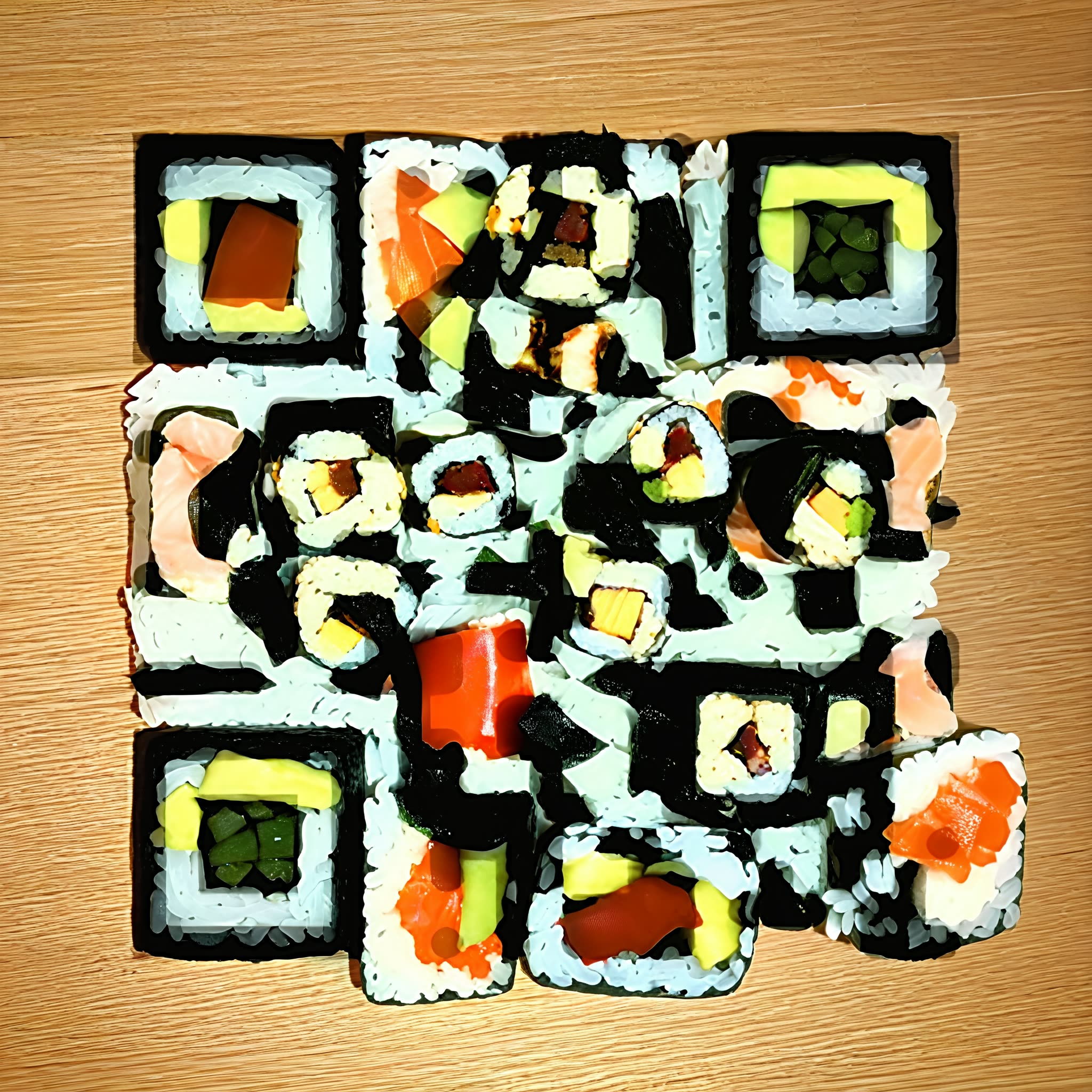
Ce flux de travail transforme un QR code simple en une image stylisée où le motif du code est intégré aux textures, ombres et formes plutôt que superposé. Vous fournissez un lien (ou n’importe quelle donnée QR) et soit un prompt texte, soit une image de référence pour décrire le rendu souhaité. Le système produit une illustration qui reste scannable de manière fiable avec une caméra de téléphone tout en étant suffisamment propre pour des affiches, pochettes d’album, cartes de visite ou étiquettes produit.
Techniquement, l’essentiel se fait dans un seul nœud personnalisé (UUID: 323b0c6a-e2f0-42c3-93b4-36b7878136fd). Ce nœud encode votre URL en matrice QR, puis synthétise ou stylise une image de sorte que le contraste local et les contours s’alignent sur les modules QR, en conservant un motif lisible dans la composition. Vous pouvez équilibrer esthétique et lisibilité en ajustant la force de style et la visibilité du QR. L’image finale est écrite sur disque par le nœud SaveImage au format PNG dans le dossier de sortie de ComfyUI.
API
Utiliser ce workflow depuis le code
Chaque workflow Comfy est un graphe JSON. Le contenu ci-dessous est ce workflow, exactement comme ComfyUI l’exécute — récupérez-le depuis l’URL, gardez-le dans le contrôle de version, ou chargez-le dans ComfyUI et exécutez-le nœud par nœud.
Exécutez-le depuis TypeScript ou Python avec le Comfy SDK. Le même code cible Comfy Cloud ou un ComfyUI auto-hébergé — seule l’URL de base change.
// Install (beta)
npm i @comfyorg/sdk

// Run this workflow (TypeScript)
import { Comfy } from "@comfyorg/sdk";

const client = new Comfy({ apiKey: "comfyui-..." });
const wf = await client.workflows.fromFile("workflow_api.json");
const job = await client.run(wf);
await job.getOutputs("<output-node-id>")[0].toFile("output.png");
Le SDK prend un workflow au format API : ouvrez ce workflow dans ComfyUI et utilisez Fichier → Exporter le workflow (API).
L’accès à l’API Comfy Cloud nécessite un forfait avec clé API.
FAQ


















