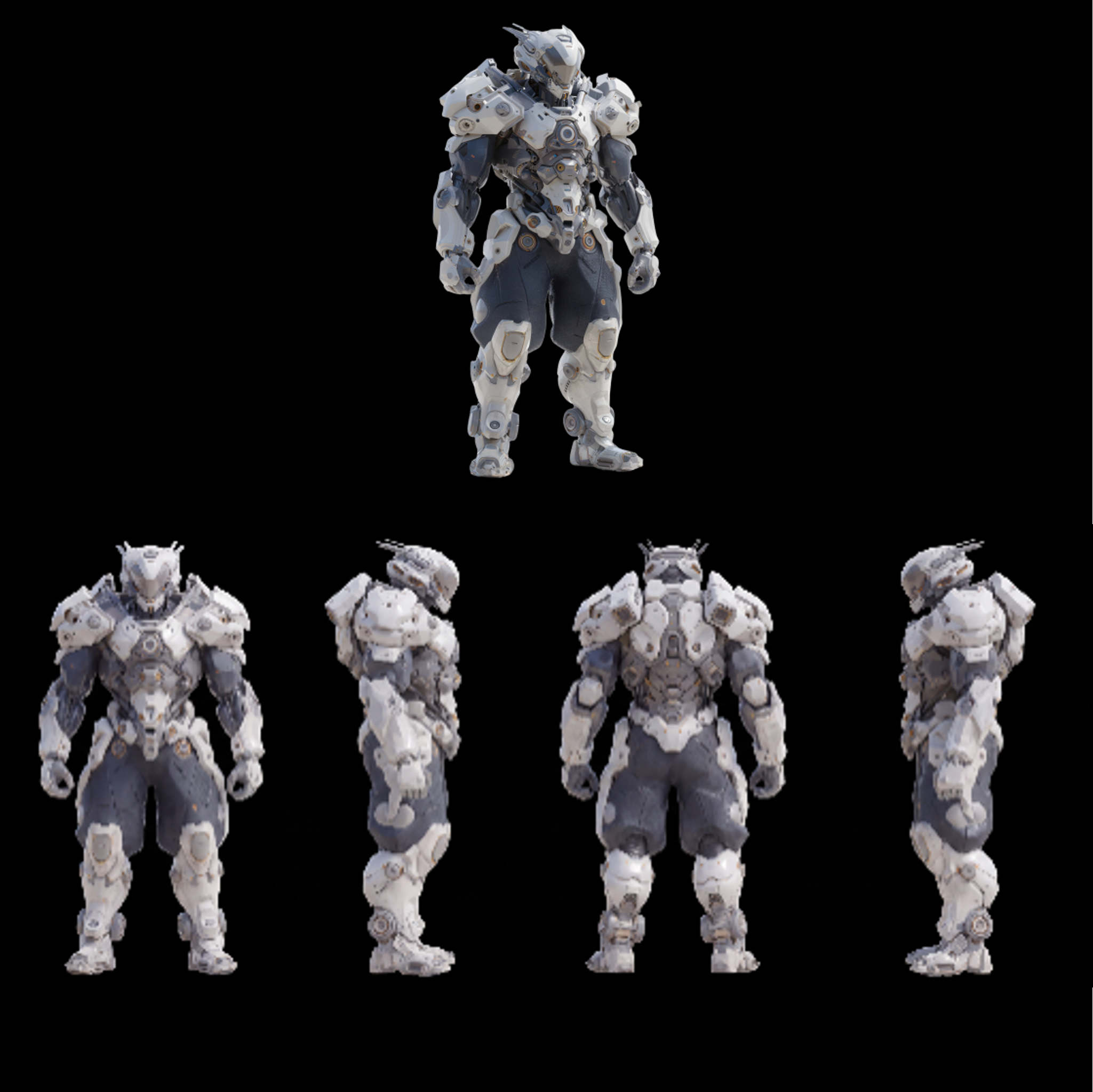
This workflow generates a clean, orthographic character turnaround (front, side, and back) from a single reference image—ideal for sci‑fi mechs and armor designs. It starts with LoadImage to bring in a front orthographic reference (a sample white_mech_front_ortho.png is included). That image is then passed to GeminiImage2Node, which calls a Google Generative image API and uses your text instructions plus the reference to synthesize additional angles while preserving key features like silhouette, plate layout, decals, and color scheme. SaveImageAdvanced writes each view to disk with predictable filenames so you can assemble them into a final sheet in your design tool. A MarkdownNote in the graph provides inline guidance and prompt tips.
Technically, consistency across views is encouraged by conditioning GeminiImage2Node with the same reference image and carefully worded prompts (e.g., “orthographic side view of the same mech as the reference; match plating, helmet, and markings; no perspective; white background”). Because this template relies on an external API rather than local checkpoints, it’s quick to set up—no model downloads are required—making it a practical tool for concept artists and product designers who need fast, multi‑view explorations of a single design.
API
Utiliser ce workflow depuis le code
Chaque workflow Comfy est un graphe JSON. Le contenu ci-dessous est ce workflow, exactement comme ComfyUI l’exécute — récupérez-le depuis l’URL, gardez-le dans le contrôle de version, ou chargez-le dans ComfyUI et exécutez-le nœud par nœud.
Exécutez-le depuis TypeScript ou Python avec le Comfy SDK. Le même code cible Comfy Cloud ou un ComfyUI auto-hébergé — seule l’URL de base change.
// Install (beta)
npm i @comfyorg/sdk

// Run this workflow (TypeScript)
import { Comfy } from "@comfyorg/sdk";

const client = new Comfy({ apiKey: "comfyui-..." });
const wf = await client.workflows.fromFile("workflow_api.json");
const job = await client.run(wf);
await job.getOutputs("<output-node-id>")[0].toFile("output.png");
Le SDK prend un workflow au format API : ouvrez ce workflow dans ComfyUI et utilisez Fichier → Exporter le workflow (API).
L’accès à l’API Comfy Cloud nécessite un forfait avec clé API.


















