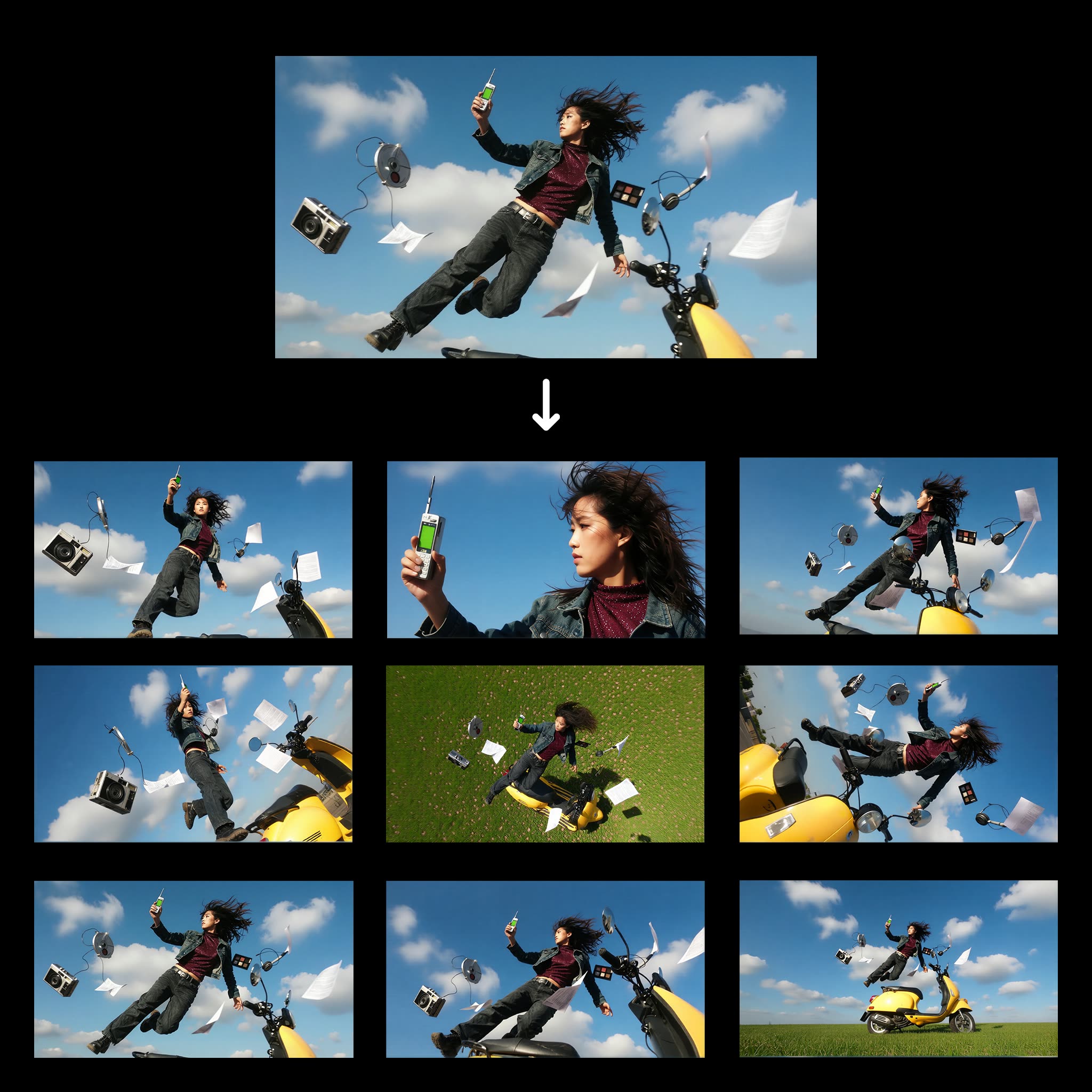
Ce workflow ComfyUI, intitulé '1 Clic : Multiples Angles de Personnage', permet de transformer une seule image de personnage en plusieurs vues sous différents angles. En s’appuyant sur le modèle Qwen-Image-Edit, ce workflow traite efficacement l’image d’entrée pour générer diverses perspectives, ce qui est particulièrement utile pour les artistes et designers qui souhaitent visualiser un personnage en 3D sans redessiner chaque angle. Le workflow utilise des nœuds clés comme LoadImage pour importer l’image du personnage et SaveImage pour exporter les vues générées. Les nœuds 0f47377a-2933-4dba-9791-a9c54b078226 et b7908082-f5ff-497d-8e80-e4b0ffde0419 sont essentiels pour le traitement et la transformation des images, garantissant une sortie de qualité. Ce workflow fait gagner du temps et stimule la créativité en fournissant rapidement des perspectives variées.
API
Utiliser ce workflow depuis le code
Chaque workflow Comfy est un graphe JSON. Le contenu ci-dessous est ce workflow, exactement comme ComfyUI l’exécute — récupérez-le depuis l’URL, gardez-le dans le contrôle de version, ou chargez-le dans ComfyUI et exécutez-le nœud par nœud.
Exécutez-le depuis TypeScript ou Python avec le Comfy SDK. Le même code cible Comfy Cloud ou un ComfyUI auto-hébergé — seule l’URL de base change.
// Install (beta)
npm i @comfyorg/sdk

// Run "Multi-angle personnage" (TypeScript)
import { Comfy } from "@comfyorg/sdk";

const client = new Comfy({ apiKey: "comfyui-..." });

// This workflow, exported in API format (see note below)
const wf = await client.workflows.fromFile("templates-1_click_multiple_character_angles-v1.0_api.json");

const asset = client.assets.fromFile("input.png");
wf.setInput("25", "image", asset);  // LoadImage

const job = await client.run(wf);
await job.getOutputs("373")[0].toFile("output.png");  // SaveImage
Le SDK prend un workflow au format API : ouvrez ce workflow dans ComfyUI et utilisez Fichier → Exporter le workflow (API).
L’accès à l’API Comfy Cloud nécessite un forfait avec clé API.
FAQ


















