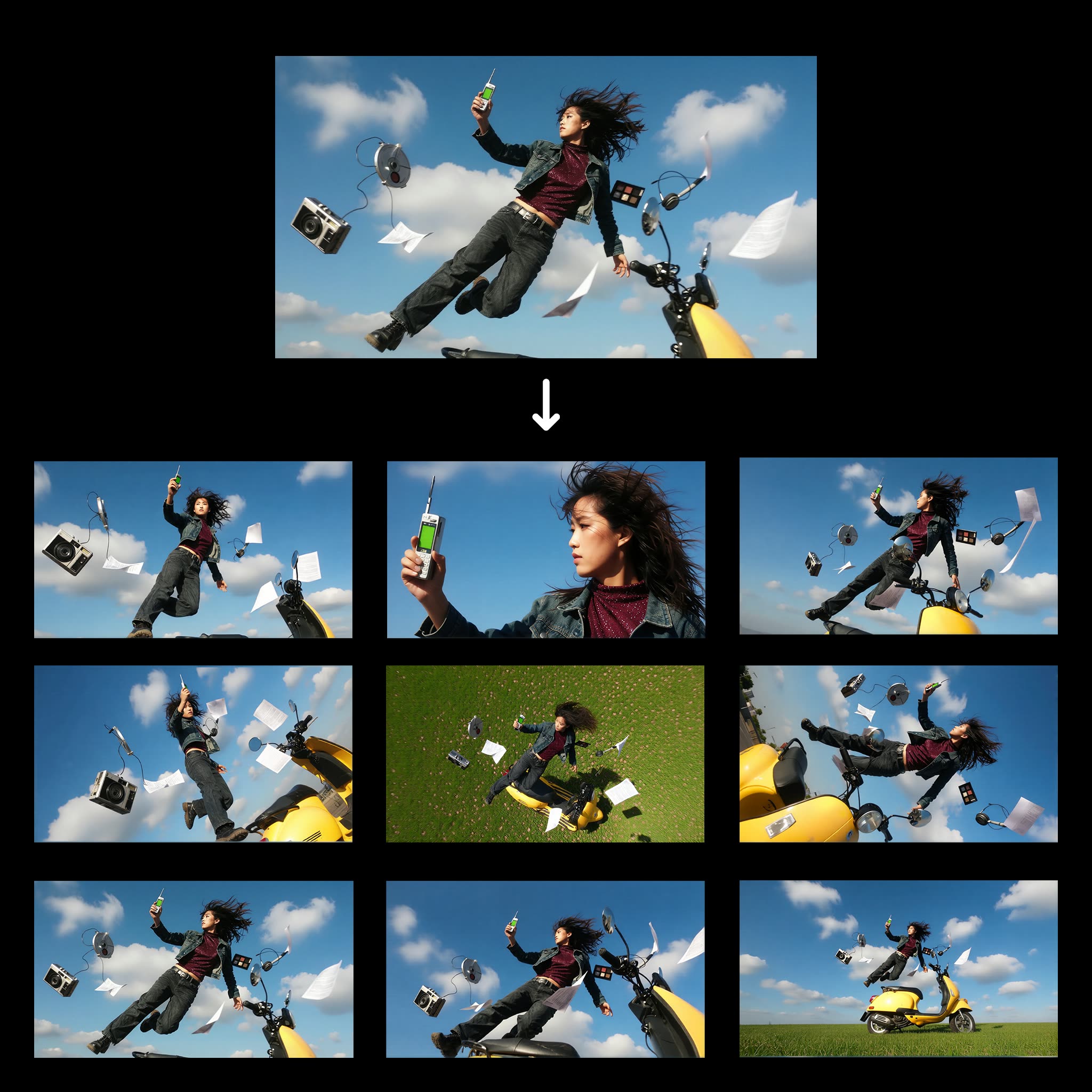
This ComfyUI workflow, titled '1 Click Multiple Character Angles,' is designed to transform a single character image into multiple views from different angles. By leveraging the Qwen-Image-Edit model, this workflow efficiently processes the input image to generate varied perspectives, making it particularly useful for artists and designers who need to visualize characters in a 3D space without manually redrawing each angle. The workflow employs several key nodes, including LoadImage for importing the character image, and SaveImage for exporting the newly generated views. Nodes like 0f47377a-2933-4dba-9791-a9c54b078226 and b7908082-f5ff-497d-8e80-e4b0ffde0419 are crucial in processing and transforming the images, ensuring high-quality output. This workflow is not only a time-saver but also enhances creativity by providing diverse visual perspectives with minimal effort.
API
Use this workflow from code
Every Comfy workflow is a JSON graph. The payload below is this workflow, exactly as ComfyUI runs it — fetch it from the URL, keep it in version control, or load it in ComfyUI and run it node by node.
Run it from TypeScript or Python with the Comfy SDK. The same code targets Comfy Cloud or a ComfyUI you host yourself — only the base URL changes.
// Install (beta)
npm i @comfyorg/sdk

// Run "1 Click Multiple Character Angles" (TypeScript)
import { Comfy } from "@comfyorg/sdk";

const client = new Comfy({ apiKey: "comfyui-..." });

// This workflow, exported in API format (see note below)
const wf = await client.workflows.fromFile("templates-1_click_multiple_character_angles-v1.0_api.json");

const asset = client.assets.fromFile("input.png");
wf.setInput("25", "image", asset);  // LoadImage

const job = await client.run(wf);
await job.getOutputs("373")[0].toFile("output.png");  // SaveImage
The SDK takes a workflow in API format: open this workflow in ComfyUI and use File → Export Workflow (API).
Comfy Cloud API access requires a plan with an API key.
FAQ


















