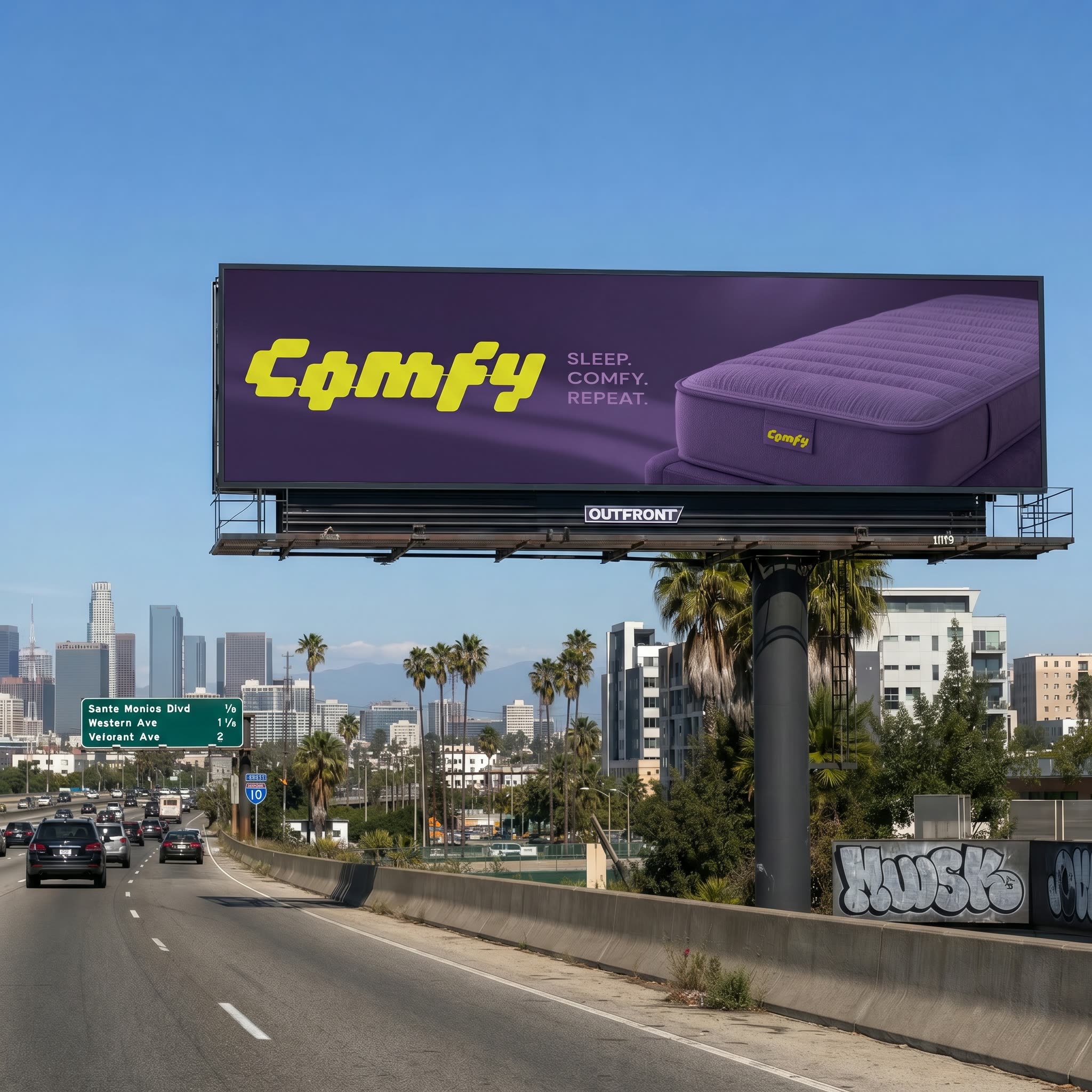
Этот рабочий процесс ComfyUI помогает бренд- и креатив-командам быстро поместить готовый постер в реалистичные Out-of-Home (OOH) сценарии. Он организован в два понятных этапа. STEP 1 – POSTER REFORMAT берёт исходный постер и без разрушения исходника переразмечает его под несколько соотношений сторон (вертикальное, горизонтальное, квадратное или пользовательское), сохраняя оригинальный дизайн. Этап основан на LoadImage, PrimitiveNode (для значений ширины/высоты), PrimitiveBoolean (вкл/выкл форматов), ComfySwitchNode (маршрутизация только нужных форматов) и BatchImagesNode (упаковка нескольких выходов). SaveImage сохраняет чистые, переразмеченные версии, готовые к размещению.
STEP 2 – OOH VISUALIZATION делает композит выбранного переразмеченного постера в реальную или описанную среду. Вы можете дать фото локации через LoadImage в группе IMAGE ENVIRONMENT или описать сцену простыми словами (например, «OOH билборд в центре Сан-Франциско, на крыше двухэтажного здания, на уровне глаз пешехода») в группе PROMPT ENVIRONMENT. GeminiImage2Node используется как помощник по промптам: он превращает описание на естественном языке в структурированные заметки о сцене и контекст для имени файла. Две пользовательские ноды обработки (ae42e662-5e2b-4f52-b31d-267bd68f1c6f и 88b611c3-ce43-4e7a-a59f-dd16f57a8853) отвечают за перспективную проекцию и смешивание постера с поверхностью, чтобы Вы могли точно настроить масштаб, наклон и силу наложения для правдоподобного размещения. Затем SaveImage выводит финальные мокапы, при необходимости пакетно, чтобы можно было сравнить форматы и сцены бок о бок.
API
Использовать этот рабочий процесс из кода
Каждый рабочий процесс Comfy — это JSON-граф. Ниже представлен payload этого процесса, точно так же, как его запускает ComfyUI: получите его по ссылке, храните в системе контроля версий или загрузите в ComfyUI и выполняйте по узлам.
Запустите его на TypeScript или Python с помощью Comfy SDK. Один и тот же код работает с Comfy Cloud или вашим собственным ComfyUI — меняется только базовый URL.
// Install (beta)
npm i @comfyorg/sdk

// Run this workflow (TypeScript)
import { Comfy } from "@comfyorg/sdk";

const client = new Comfy({ apiKey: "comfyui-..." });
const wf = await client.workflows.fromFile("workflow_api.json");
const job = await client.run(wf);
await job.getOutputs("<output-node-id>")[0].toFile("output.png");
SDK принимает рабочий процесс в API-формате: откройте этот процесс в ComfyUI и используйте Файл → Экспортировать рабочий процесс (API).
Доступ к API Comfy Cloud требует плана с API-ключом.
FAQ


















