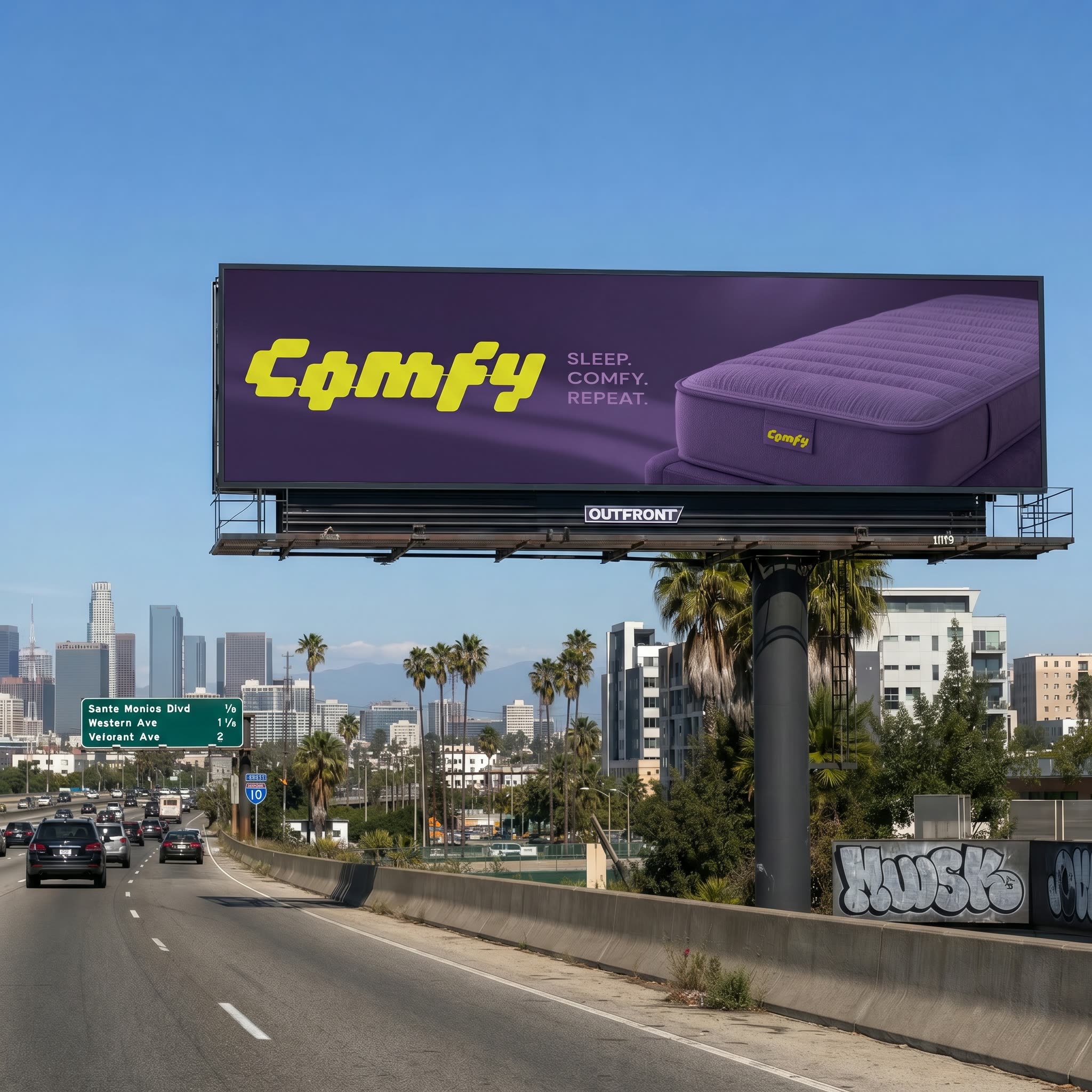
This ComfyUI workflow helps brand and creative teams quickly place an existing poster into realistic Out-of-Home (OOH) scenarios. It’s organized in two clear stages. STEP 1 – POSTER REFORMAT takes your source poster and non-destructively reformats it to multiple aspect ratios (vertical, horizontal, square, or custom) while preserving the original design. This stage is driven by LoadImage, PrimitiveNode (for width/height values), PrimitiveBoolean (to enable/disable formats), ComfySwitchNode (to route only the formats you want), and BatchImagesNode (to package multiple outputs). SaveImage captures clean, reformatted versions ready for placement.
STEP 2 – OOH VISUALIZATION composites a chosen reformatted poster into a real or described environment. You can supply a location photo with LoadImage via the IMAGE ENVIRONMENT group or describe a scene in plain language (for example, "OOH billboard in downtown San Francisco, on top of a two-story building, pedestrian eye level") in the PROMPT ENVIRONMENT group. GeminiImage2Node is used as a prompt helper to convert your plain-language description into structured scene notes and file-name context. Two custom processing nodes (ae42e662-5e2b-4f52-b31d-267bd68f1c6f and 88b611c3-ce43-4e7a-a59f-dd16f57a8853) handle the perspective mapping and blending of the poster onto the target surface, so you can fine-tune scale, skew, and overlay strength for believable placement. SaveImage then outputs the final mockups, optionally in batches, so you can compare formats and scenes side by side.
API
Use this workflow from code
Every Comfy workflow is a JSON graph. The payload below is this workflow, exactly as ComfyUI runs it — fetch it from the URL, keep it in version control, or load it in ComfyUI and run it node by node.
Run it from TypeScript or Python with the Comfy SDK. The same code targets Comfy Cloud or a ComfyUI you host yourself — only the base URL changes.
// Install (beta)
npm i @comfyorg/sdk

// Run this workflow (TypeScript)
import { Comfy } from "@comfyorg/sdk";

const client = new Comfy({ apiKey: "comfyui-..." });
const wf = await client.workflows.fromFile("workflow_api.json");
const job = await client.run(wf);
await job.getOutputs("<output-node-id>")[0].toFile("output.png");
The SDK takes a workflow in API format: open this workflow in ComfyUI and use File → Export Workflow (API).
Comfy Cloud API access requires a plan with an API key.
FAQ


















