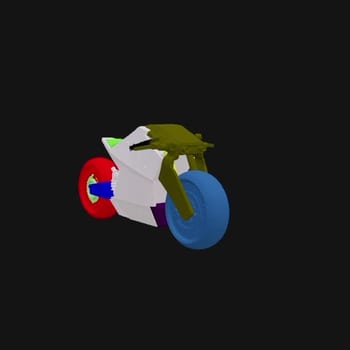
The HY 3D: 3D Parts Decomposition workflow is designed to simplify the process of segmenting a 3D model into its individual components. By leveraging the Hunyuan3D model, this workflow automatically analyzes and breaks down complex 3D assets into manageable parts, making it easier for designers and developers to edit, reuse, and enhance 3D models. The workflow begins with the Load3D node, which imports the 3D model in FBX format. It then utilizes the Tencent3DPartNode to perform the decomposition, identifying and separating the model's constituent parts. Finally, the SaveGLB node allows users to export the decomposed model as a GLB file, ready for further use or modification. This process is particularly useful for game developers, 3D artists, and engineers who need to work with detailed models without manually segmenting them. The workflow's efficiency and precision in handling 3D assets make it a valuable tool in the digital content creation pipeline.
API
Use this workflow from code
Every Comfy workflow is a JSON graph. The payload below is this workflow, exactly as ComfyUI runs it — fetch it from the URL, keep it in version control, or load it in ComfyUI and run it node by node.
Run it from TypeScript or Python with the Comfy SDK. The same code targets Comfy Cloud or a ComfyUI you host yourself — only the base URL changes.
// Install (beta)
npm i @comfyorg/sdk

// Run "HY 3D: 3D Parts Decomposition" (TypeScript)
import { Comfy } from "@comfyorg/sdk";

const client = new Comfy({ apiKey: "comfyui-..." });

// This workflow, exported in API format (see note below)
const wf = await client.workflows.fromFile("api_hunyuan3d_part_api.json");

const job = await client.run(wf);
await job.getOutputs("38")[0].toFile("output.png");  // SaveGLB
The SDK takes a workflow in API format: open this workflow in ComfyUI and use File → Export Workflow (API).
Comfy Cloud API access requires a plan with an API key.
FAQ


















