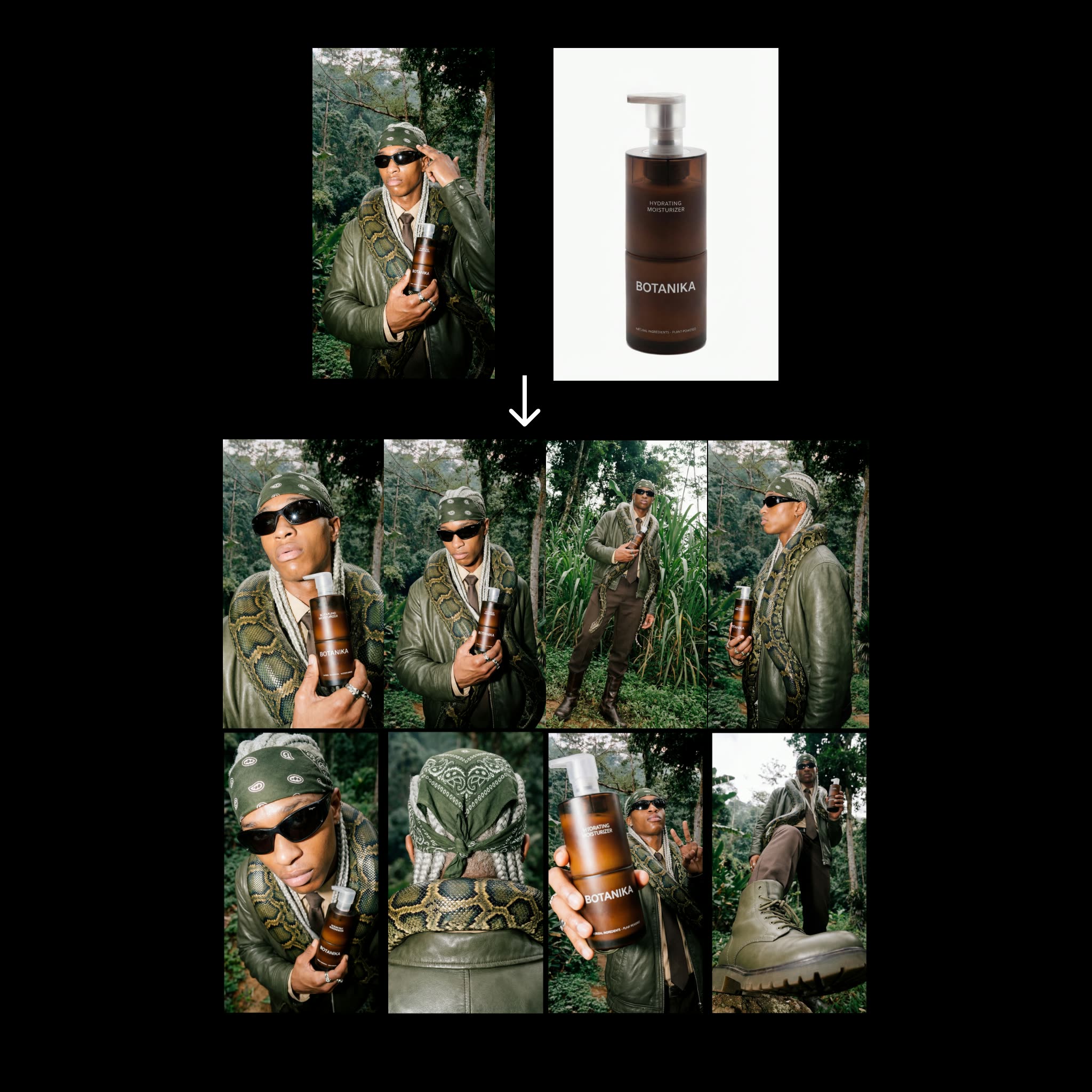
This ComfyUI workflow builds a fast, repeatable contact-sheet generator for fashion products. You provide two inputs—a fashion editorial reference and a clean product image—and the graph produces eight distinct angle variations while preserving product identity. The pipeline pivots on Nano Banana Pro for image generation and uses a small, consistent set of prompts to drive variety without drifting from the product look. Outputs are compiled into a vertical 9:16 contact sheet at 4K resolution (2160x3840) for quick review or social/merchandising handoff.
Technically, the graph uses LoadImage to bring in your editorial reference and product packshot. A PrimitiveStringMultiline node holds the eight angle directives (you can edit these to change viewpoints), while a PrimitiveNode stores simple numeric settings (such as the number of angles or seeds). GeminiImage2Node (configured for gemini-3-pro-image-preview) can be used as a helper to analyze the editorial reference or produce caption text that feeds into your prompt block. Two essentials nodes (UUIDs 68c58c16-e698-45a4-97f9-54ae8eb9dee9 and 487baed2-dc27-49c3-a6b2-0bf45a53e64d from comfyui_essentials) handle image collation and layout with BatchImagesNode assembling the eight results, RegexReplace cleaning file names, and SaveImage writing a single 8-up contact sheet plus optional individual frames. The result is a compact, reliable step that expands only two Nano Banana generations into eight consistent angles.
API
Use this workflow from code
Every Comfy workflow is a JSON graph. The payload below is this workflow, exactly as ComfyUI runs it — fetch it from the URL, keep it in version control, or load it in ComfyUI and run it node by node.
Run it from TypeScript or Python with the Comfy SDK. The same code targets Comfy Cloud or a ComfyUI you host yourself — only the base URL changes.
// Install (beta)
npm i @comfyorg/sdk

// Run "Step 2: Contact Sheet Workflow" (TypeScript)
import { Comfy } from "@comfyorg/sdk";

const client = new Comfy({ apiKey: "comfyui-..." });

// This workflow, exported in API format (see note below)
const wf = await client.workflows.fromFile("template_contact_sheet-step_2.app_api.json");

const asset = client.assets.fromFile("input.png");
wf.setInput("16", "image", asset);  // LoadImage

const job = await client.run(wf);
await job.getOutputs("88")[0].toFile("output.png");  // SaveImage
The SDK takes a workflow in API format: open this workflow in ComfyUI and use File → Export Workflow (API).
Comfy Cloud API access requires a plan with an API key.
FAQ


















