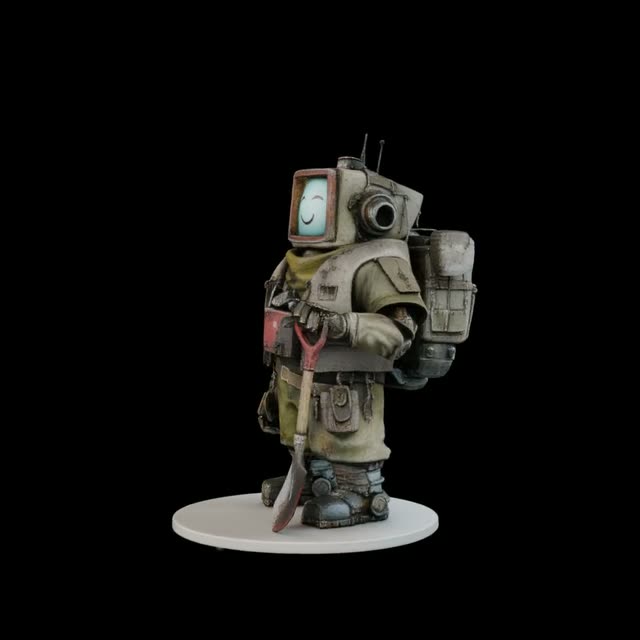
此 Image to 3D 工作流程可把單張參考圖片轉換為輕量的 3D Gaussian Splat 場景,接著渲染繞行的轉盤影片,並匯出可用於後續流程的 3D 檔案。流程從 LoadImage 讀入來源圖片開始,接著送入單張圖片 3D 估計節點(b64333d5-4e6f-4e99-9506-2ec4f63259fe),由照片預測 3D 點雲/噴濺(splat)表示。CreateCameraInfo 會建立繞行相機路徑(半徑、仰角與影格數),RenderSplat 依該路徑渲染序列。CreateVideo 將影格組成影片,SaveVideo 把最終繞行片段輸出到磁碟。
在 3D 匯出方面,splat 場景有兩種路徑:SplatToFile3D 直接儲存 3D 檔(常見為 .obj);或先用 SplatToMesh 把 splat 轉為三角網格,再用 SaveGLB 輸出為 .glb。splat 路徑較快且更忠於重建結果;mesh 路徑則在 DCC 工具與遊戲引擎上相容性更高。由於這是實驗性的單張圖重建,建議使用主體明確、背景乾淨的物件照片;被遮擋或未拍到的區域會被合理推測,可能需要在你的 3D 工具中後續清理。
API
從程式碼使用此工作流
每個 Comfy 工作流都是一個 JSON 圖。下方的 payload 就是此工作流,與 ComfyUI 執行時完全相同 — 你可以從此 URL 取得、放入版本控制,或在 ComfyUI 載入並逐節點執行。
使用 Comfy SDK 以 TypeScript 或 Python 執行。相同程式碼可用於 Comfy Cloud 或你自架的 ComfyUI — 只需更改 base URL。
// Install (beta)
npm i @comfyorg/sdk

// Run this workflow (TypeScript)
import { Comfy } from "@comfyorg/sdk";

const client = new Comfy({ apiKey: "comfyui-..." });
const wf = await client.workflows.fromFile("workflow_api.json");
const job = await client.run(wf);
await job.getOutputs("<output-node-id>")[0].toFile("output.png");
SDK 需使用 API 格式的工作流:請在 ComfyUI 開啟此工作流,並使用 檔案 → 匯出工作流(API)。
常見問題


















