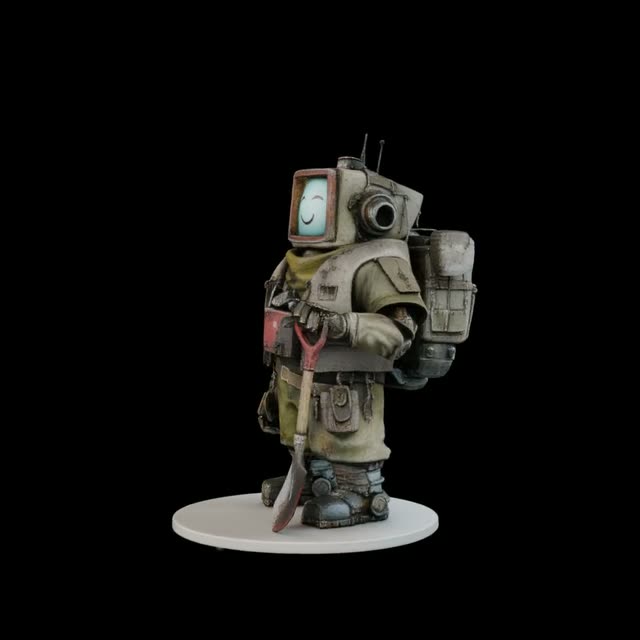
This Image to 3D workflow turns a single reference image into a lightweight 3D Gaussian Splat scene, then renders an orbiting turntable video and exports a 3D file you can use downstream. It starts with LoadImage to ingest your source, then passes it to a single-image 3D estimator node (b64333d5-4e6f-4e99-9506-2ec4f63259fe), which predicts a 3D point/splat representation from the photo. CreateCameraInfo builds an orbit camera path (radius, elevation, and frame count), and RenderSplat renders the sequence along that path. CreateVideo assembles the frames and SaveVideo writes the final orbit clip to disk.
For 3D export, the splat scene can go two ways: SplatToFile3D saves a direct 3D file (commonly .obj), while SplatToMesh converts the splats into a triangle mesh suitable for SaveGLB (for .glb). The splat path is fast and faithful to the reconstruction, while the mesh path increases compatibility with DCC tools and game engines. Because this is an experimental single-image reconstruction, it works best on object-centered photos with clean backgrounds—occluded or unseen regions are plausibly inferred and may need cleanup in your 3D tool of choice.
API
通过代码使用此工作流
每个 Comfy 工作流都是一个 JSON 图。下面的内容就是此工作流的完整数据,ComfyUI 运行时也是如此——你可以从该 URL 获取、放入版本控制,或在 ComfyUI 中加载并逐节点运行。
使用 Comfy SDK 从 TypeScript 或 Python 运行。相同代码可用于 Comfy Cloud 或你自托管的 ComfyUI——只需更改基础 URL。
// Install (beta)
npm i @comfyorg/sdk

// Run this workflow (TypeScript)
import { Comfy } from "@comfyorg/sdk";

const client = new Comfy({ apiKey: "comfyui-..." });
const wf = await client.workflows.fromFile("workflow_api.json");
const job = await client.run(wf);
await job.getOutputs("<output-node-id>")[0].toFile("output.png");
SDK 需要 API 格式的工作流:在 ComfyUI 中打开此工作流,使用 文件 → 导出工作流(API)。
常见问题


















