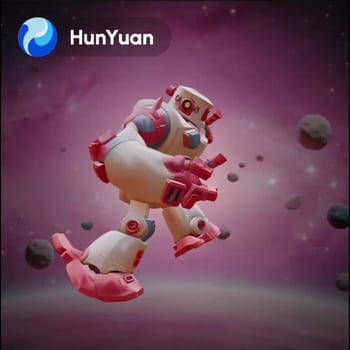
The 'HY 3D: Image to Model' workflow in ComfyUI is a powerful tool designed to convert 2D images into detailed 3D models, complete with geometry and PBR (Physically Based Rendering) textures. This workflow leverages the Hunyuan3D model, known for its advanced capabilities in interpreting image data and generating accurate 3D representations. The process begins with the LoadImage node, which allows users to upload their desired image. The core transformation is handled by the TencentImageToModelNode, which processes the image data and constructs a 3D model. This node utilizes sophisticated algorithms to ensure that the resulting model maintains high fidelity to the original image's features.
Once the model is generated, the SaveGLB node is used to export the model in the GLB format, which is widely supported for 3D assets and ensures easy integration into various applications. Additionally, the Preview3D node provides a real-time visualization of the model, allowing users to inspect the geometry and textures before finalizing the output. This workflow is particularly useful for artists and developers looking to quickly prototype 3D assets from existing 2D designs, offering a seamless transition from concept to 3D model.
API
通过代码使用此工作流
每个 Comfy 工作流都是一个 JSON 图。下面的内容就是此工作流的完整数据,ComfyUI 运行时也是如此——你可以从该 URL 获取、放入版本控制,或在 ComfyUI 中加载并逐节点运行。
使用 Comfy SDK 从 TypeScript 或 Python 运行。相同代码可用于 Comfy Cloud 或你自托管的 ComfyUI——只需更改基础 URL。
// Install (beta)
npm i @comfyorg/sdk

// Run "混元3D:图生模型" (TypeScript)
import { Comfy } from "@comfyorg/sdk";

const client = new Comfy({ apiKey: "comfyui-..." });

// This workflow, exported in API format (see note below)
const wf = await client.workflows.fromFile("api_hunyuan3d_image_to_model_api.json");

const asset = client.assets.fromFile("input.png");
wf.setInput("1", "image", asset);  // LoadImage

const job = await client.run(wf);
await job.getOutputs("14")[0].toFile("output.png");  // SaveGLB
SDK 需要 API 格式的工作流:在 ComfyUI 中打开此工作流,使用 文件 → 导出工作流(API)。
常见问题


















