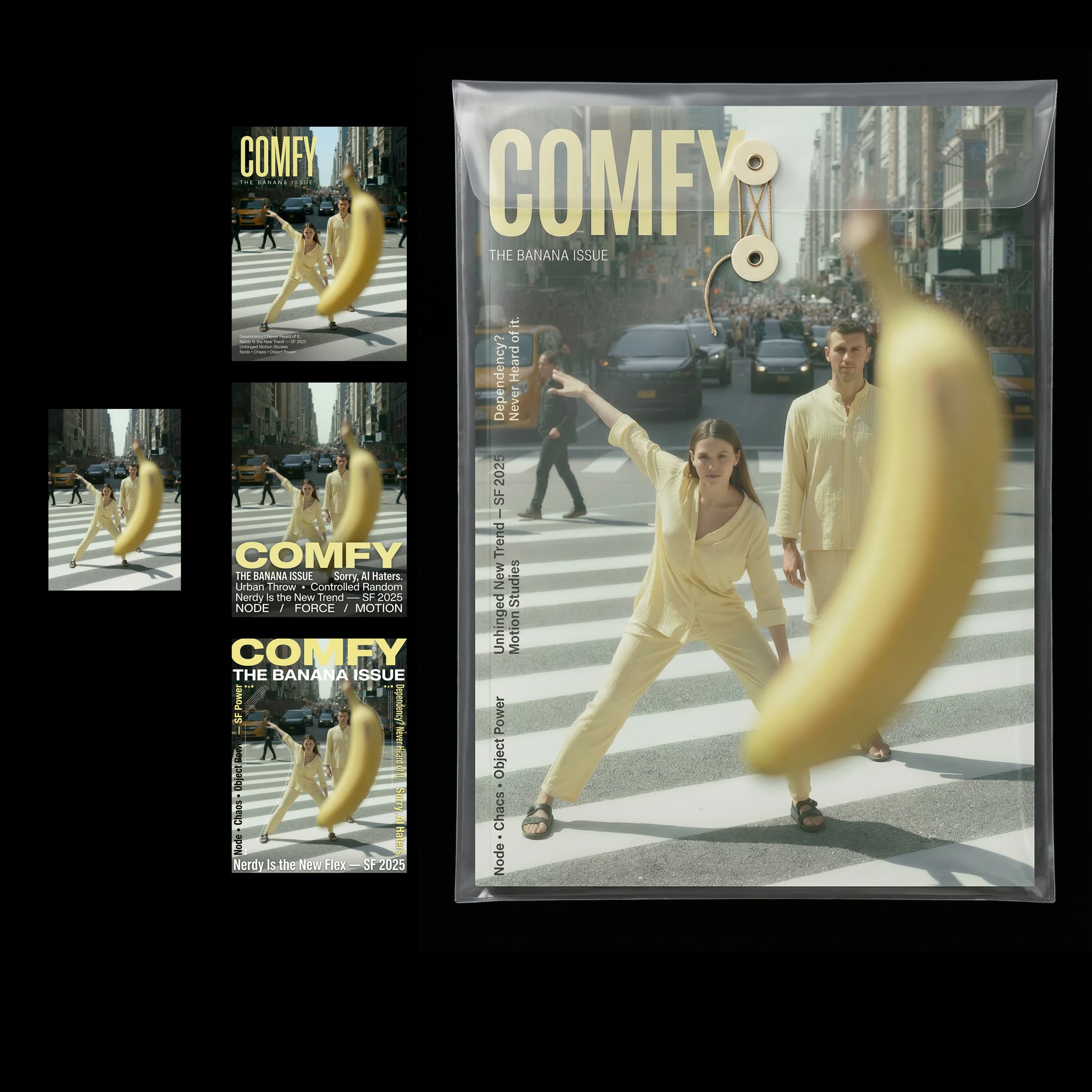
This ComfyUI workflow is designed to assist users in creating professional magazine cover designs and exploring packaging options. It leverages the power of the Nano Banana Pro model to generate high-quality images and layouts, ensuring that your magazine cover stands out with a polished and appealing look. The workflow begins with the LoadImage node, which allows users to import their base image or photo. This image is then processed using the GeminiImage2Node, which applies advanced text layout techniques to seamlessly integrate titles, headlines, and other text elements onto the cover. Finally, the SaveImage node ensures that the finished design is saved in the desired format for easy sharing or printing.
Technically, this workflow is efficient and user-friendly, making it an excellent choice for both beginners and experienced designers. The use of the Google model in conjunction with Nano Banana Pro enhances the workflow's ability to handle complex design tasks, such as balancing text and image elements for optimal visual appeal. This workflow is particularly useful for those in the publishing industry or anyone looking to create eye-catching magazine covers and packaging designs with minimal effort.
API
通过代码使用此工作流
每个 Comfy 工作流都是一个 JSON 图。下面的内容就是此工作流的完整数据,ComfyUI 运行时也是如此——你可以从该 URL 获取、放入版本控制,或在 ComfyUI 中加载并逐节点运行。
使用 Comfy SDK 从 TypeScript 或 Python 运行。相同代码可用于 Comfy Cloud 或你自托管的 ComfyUI——只需更改基础 URL。
// Install (beta)
npm i @comfyorg/sdk

// Run "杂志封面与包装设计" (TypeScript)
import { Comfy } from "@comfyorg/sdk";

const client = new Comfy({ apiKey: "comfyui-..." });

// This workflow, exported in API format (see note below)
const wf = await client.workflows.fromFile("template-multistyle-magazine-cover-nanobananapro_api.json");

const asset = client.assets.fromFile("input.png");
wf.setInput("2", "image", asset);  // LoadImage

const job = await client.run(wf);
await job.getOutputs("5")[0].toFile("output.png");  // SaveImage
SDK 需要 API 格式的工作流:在 ComfyUI 中打开此工作流,使用 文件 → 导出工作流(API)。
常见问题


















