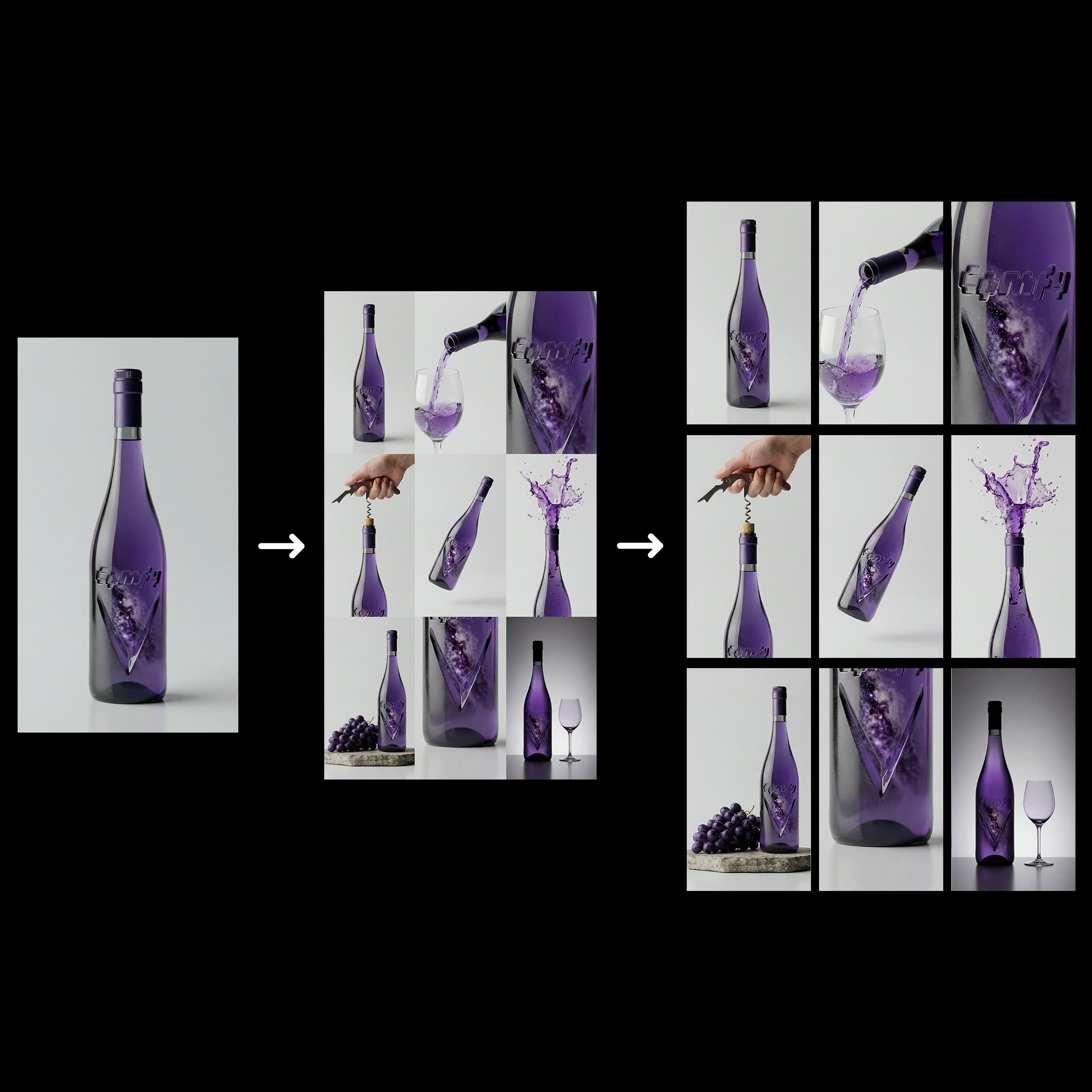
The '3x3 Grid For Product Ads' workflow is designed to streamline the process of generating visually appealing product images for advertising purposes. By leveraging a 3x3 grid layout, this workflow allows users to upload a product image and provide a distinct prompt for each grid position. This setup results in the generation of nine unique images, each tailored to highlight different aspects or features of the product. The workflow utilizes the Nano Banana Pro model, known for its ability to maintain product integrity while adding creative variations, and the Google model for reliable image enhancement.
Technically, the workflow employs a variety of nodes to achieve its functionality. The GeminiImage2Node is crucial for image generation, while the LoadImage and SaveImage nodes manage the input and output processes. The workflow also includes custom nodes from ComfyUI-KJNodes and ComfyUI_essentials, which enhance the flexibility and customization options available to users. A unique feature of this workflow is its capability to upscale selected images to 4K resolution, ensuring high-quality outputs suitable for professional advertising. This is particularly useful for businesses looking to create impactful visual content with minimal effort.
API
通过代码使用此工作流
每个 Comfy 工作流都是一个 JSON 图。下面的内容就是此工作流的完整数据,ComfyUI 运行时也是如此——你可以从该 URL 获取、放入版本控制,或在 ComfyUI 中加载并逐节点运行。
使用 Comfy SDK 从 TypeScript 或 Python 运行。相同代码可用于 Comfy Cloud 或你自托管的 ComfyUI——只需更改基础 URL。
// Install (beta)
npm i @comfyorg/sdk

// Run "3x3产品广告生成" (TypeScript)
import { Comfy } from "@comfyorg/sdk";

const client = new Comfy({ apiKey: "comfyui-..." });

// This workflow, exported in API format (see note below)
const wf = await client.workflows.fromFile("templates-9grid_social_media-v2.0_api.json");

const asset = client.assets.fromFile("input.png");
wf.setInput("11", "image", asset);  // LoadImage

const job = await client.run(wf);
await job.getOutputs("59")[0].toFile("output.png");  // SaveImage
SDK 需要 API 格式的工作流:在 ComfyUI 中打开此工作流,使用 文件 → 导出工作流(API)。
常见问题


















