Nvidia VFX Nodes

Three custom nodes powered by Nvidia's RTX technology for ultra fast video super resolution, frame generation and SDR-to-HDR conversion. Built for VFX artists and professional video creators.

Super Resolution up to 4×Frame Rate up to 16×SDR-to-HDR

One clip, two states.

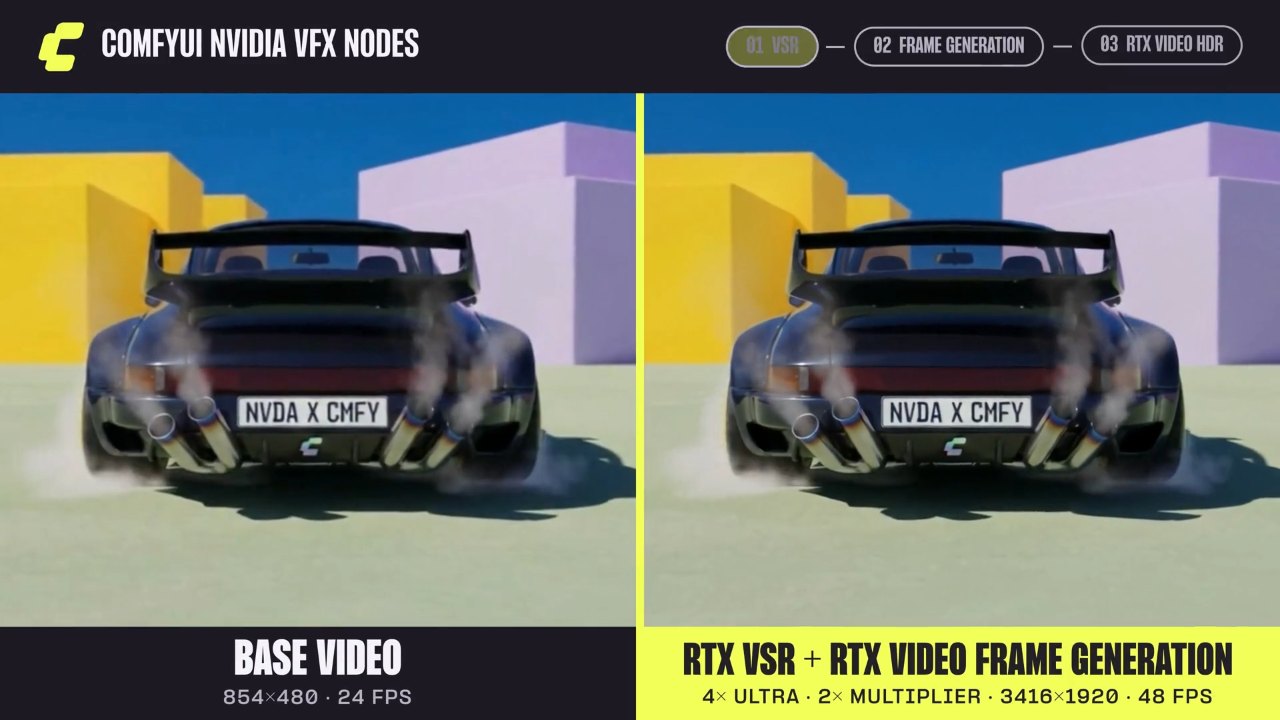
Source on one side, output on the other. Drag the line to compare them frame by frame.

Upscale low-resolution footage up to 4× with Super Resolution.

BeforeAfter

Made on NVIDIA RTX

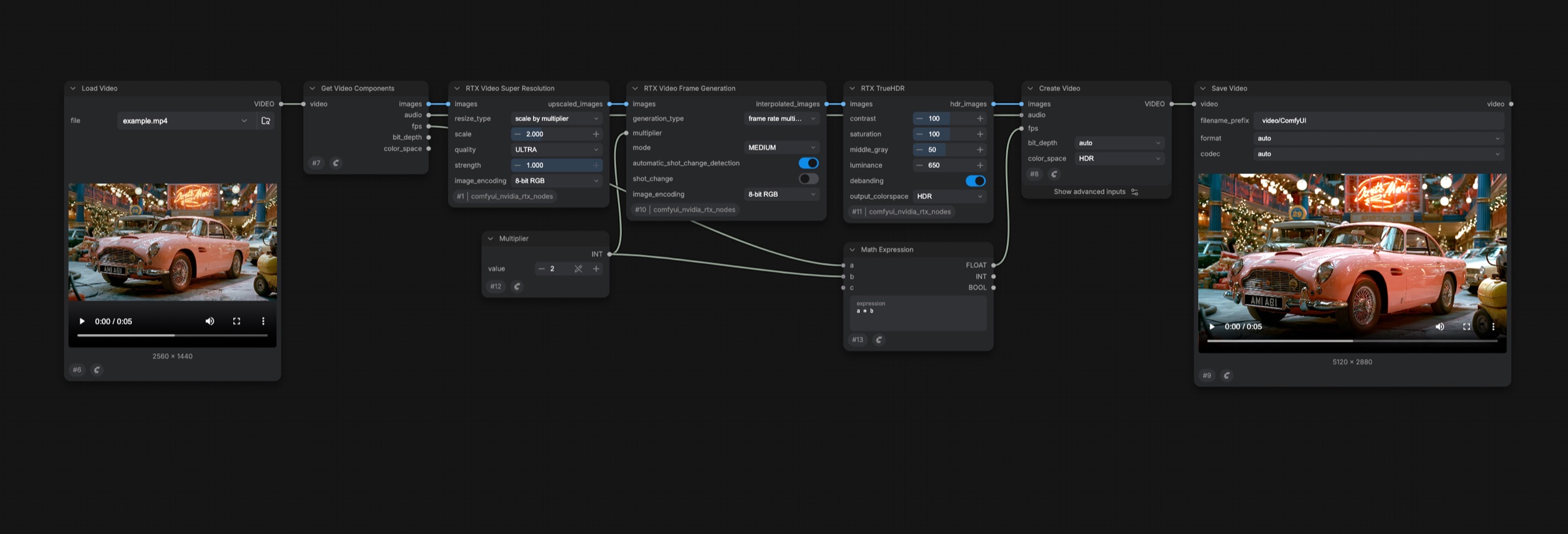
Super Resolution, Frame Generation and Video HDR nodes chained in one ComfyUI workflow

Chain all three nodes in one workflow and run it on your RTX GPU.

Prefer running locally?

  1. Step 01

    Download Comfy Desktop

    The desktop app sets up ComfyUI for you on your computer.

  2. Step 02

    Install the ComfyUI Nvidia VFX Nodes

    Open the example workflows from the custom node.

  3. Step 03

    Run it on your Nvidia RTX GPU

    No cloud, no credits, no uploads.

Q&A

One engine, every way to run it

Run on your RTX PC today. Move the same workflow to Comfy Cloud or the API when a job outgrows your desk.

COMFY AGENT

Now live in Comfy Desktop. Describe what you want, and it plans, builds, and runs the workflow side by side with you. Every step stays on the canvas for you to adjust.

TRY IN COMFY DESKTOP

4+ million Comfy creators say

"Comfy has innovated a new and powerful ecosystem for creativity without compromising creative control. It has been amazing to watch technical artists and curious creative minds leverage Comfy to explore the full surface area of their ideas."

Scott Belsky,
Founder of Behance

"The best part for me is the node-based workflow: it offers a lot of possibilities and enables many different combinations. I also appreciate the optimization options and the automatic memory handling, even when working with tight models."

Richard N.,
Owner

"I appreciate being able to use models that my computer can no longer keep up with. I prefer the node-based approach because it is adjustable, rather than being behind a closed door."

MaryAnn E.,
Broker at Pop RV's

"The UI and UX of ComfyUI are intuitive and user-friendly, making navigation straightforward and efficient. Its integrations with other tools streamline workflows and enhance overall productivity."

Alan M.,
Co-Founder

"I use ComfyUI to help me create VFX for my animated show. It's easy to use, especially with importing a Comfy pipeline on the cloud, and I really like the clean UI and how straightforward it is."

Kirk H.

"I love that ComfyUI is extremely fast and very reliable. It gives me so much freedom to create the characters I want."

Fred C.

"The one-click workflows are something I do love, as they simplify many processes for me. The setup was very easy, even for someone who isn't familiar with it all."

Matthew P.

"I like how in-depth ComfyUI can be. It makes me feel like the software itself isn't limited, which encourages me to keep experimenting and learning."

Verified User

"A holistic approach and visualisation through an endless whiteboard."

Nikolai K.,
3D Artist

"Having full control of the GenAI process, and being able to use it unlimited times, integrating it into your workflow whenever you need to create."

Leonardo S.,
Social Media Marketing Expert

"Helps me run AI models locally and generate images, video, and audio, all free of cost."

Verified User,
Computer Software