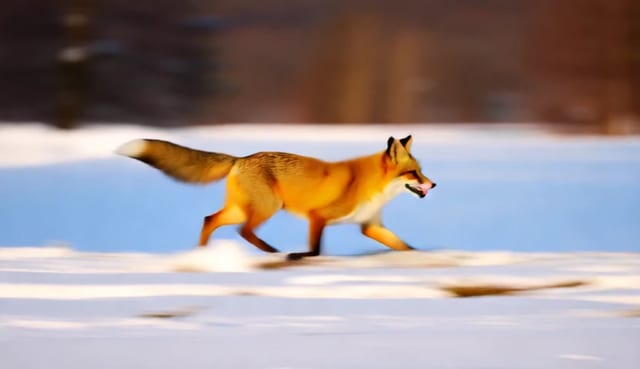
Рабочий процесс «Wan 2.1 Текст в видео» предназначен для преобразования текстовых промптов в динамическое видео с помощью модели Wan 2.1. Этот рабочий процесс использует ряд специализированных узлов в ComfyUI, включая KSampler, CLIPTextEncode и VAEDecode, чтобы интерпретировать текстовые описания и генерировать соответствующие видеопоследовательности. Используя узлы CLIPLoader и UNETLoader, рабочий процесс обеспечивает точное кодирование и декодирование промптов в визуальные представления, а VAELoader и EmptyHunyuanLatentVideo управляют латентным видеопространством и процессом генерации видео. Финальный результат формируется с помощью узлов CreateVideo и SaveVideo, которые собирают сгенерированные кадры в единый видеофайл.
Этот рабочий процесс особенно полезен для создателей контента и digital‑художников, которым нужно быстро набросать видеоконцепт по описанию. Модель Wan 2.1 позволяет получать видео высокого качества и аккуратно интерпретировать сложные промпты. Структурированный подход к загрузке моделей и настройке размера видео помогает быстро переходить от текстового ввода к видео-выводу, что делает его практичным инструментом как для экспериментов, так и для профессиональных задач генерации видео.
API
Использовать этот рабочий процесс из кода
Каждый рабочий процесс Comfy — это JSON-граф. Ниже представлен payload этого процесса, точно так же, как его запускает ComfyUI: получите его по ссылке, храните в системе контроля версий или загрузите в ComfyUI и выполняйте по узлам.
Запустите его на TypeScript или Python с помощью Comfy SDK. Один и тот же код работает с Comfy Cloud или вашим собственным ComfyUI — меняется только базовый URL.
// Install (beta)
npm i @comfyorg/sdk

// Run "Wan 2.1 текст в видео" (TypeScript)
import { Comfy } from "@comfyorg/sdk";

const client = new Comfy({ apiKey: "comfyui-..." });

// This workflow, exported in API format (see note below)
const wf = await client.workflows.fromFile("text_to_video_wan_api.json");

wf.setInput("6", "text", "a fox moving quickly in a beautiful winter scenery nature trees mountains daytime tracking camera");  // CLIPTextEncode

const job = await client.run(wf);
await job.getOutputs("50")[0].toFile("output.png");  // SaveVideo
SDK принимает рабочий процесс в API-формате: откройте этот процесс в ComfyUI и используйте Файл → Экспортировать рабочий процесс (API).
Доступ к API Comfy Cloud требует плана с API-ключом.
FAQ


















