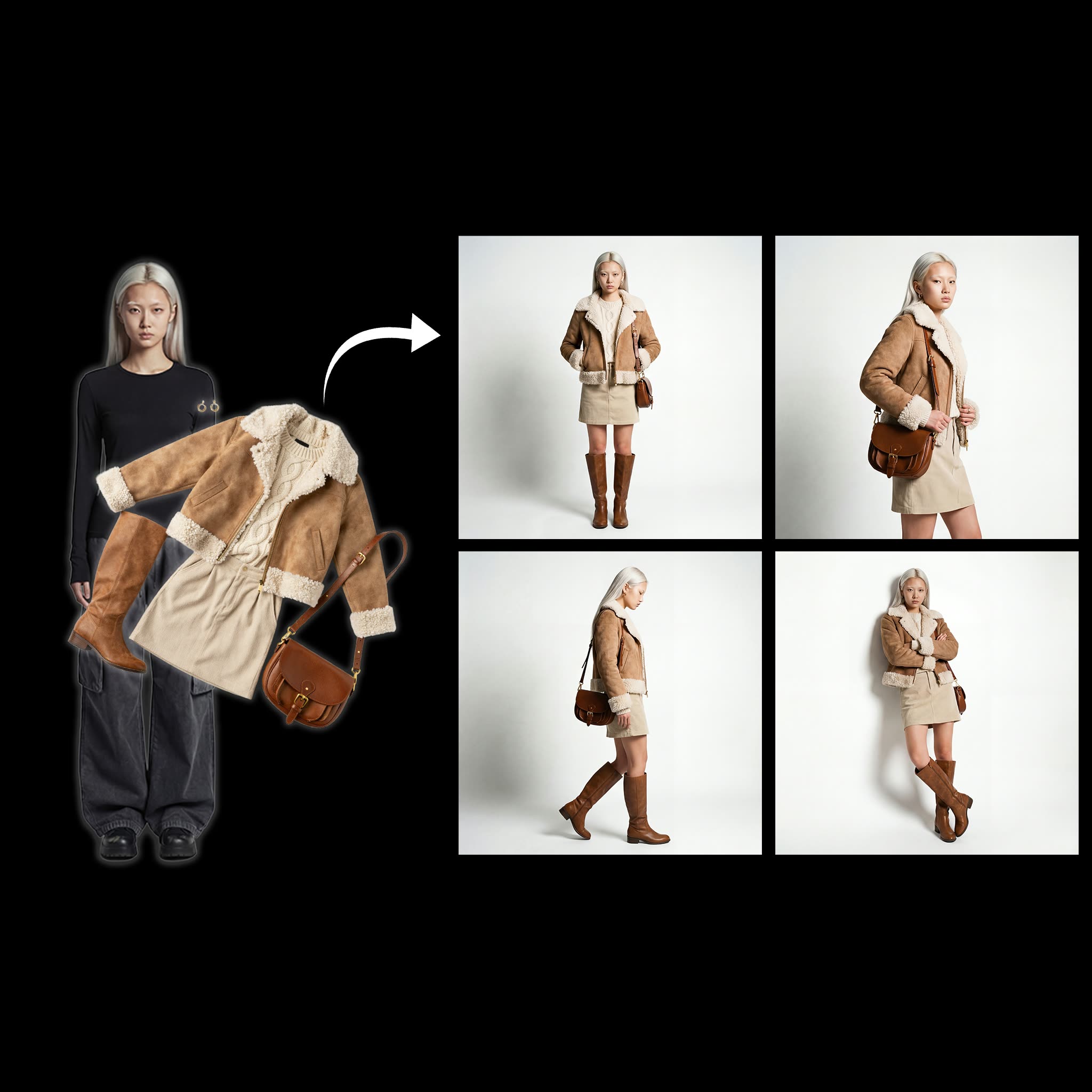
This workflow builds a fast, reference-guided virtual try‑on pipeline for characters. You provide two images via LoadImage: a clear character image (face and body framing) and a flat‑lay of the clothing. A prompt entered with PrimitiveStringMultiline describes pose, studio lighting, background, and styling cues. OpenAIGPTImageNodeV2 then generates a batch of four fashion‑editorial variations and arranges them into a 2×2 contact sheet for quick review. PreviewImage shows the grid, and ImageCompare can be used to examine differences side‑by‑side.
Under the hood, the same references (character and clothing) drive both the initial batch and the upscale path to preserve facial identity and outfit details. A utility node (663da6e9-8b62-4291-a9d6-e4b8fd672197) in this graph is wired to handle the 2×2 grid output and crop it back into four 1K (approx. 1024×1024) tiles. You select one tile with ImageFromBatch by setting batch_index (0–3, starting at top‑left) and feed it into the Upscale Selected Image group. The upscale pass uses OpenAIGPTImageNodeV2 again at 2048×2048 while reusing your original references for consistency, then writes results with SaveImage. MarkdownNote and Note nodes in the canvas provide inline reminders and tips.
API
Use this workflow from code
Every Comfy workflow is a JSON graph. The payload below is this workflow, exactly as ComfyUI runs it — fetch it from the URL, keep it in version control, or load it in ComfyUI and run it node by node.
Run it from TypeScript or Python with the Comfy SDK. The same code targets Comfy Cloud or a ComfyUI you host yourself — only the base URL changes.
// Install (beta)
npm i @comfyorg/sdk

// Run this workflow (TypeScript)
import { Comfy } from "@comfyorg/sdk";

const client = new Comfy({ apiKey: "comfyui-..." });
const wf = await client.workflows.fromFile("workflow_api.json");
const job = await client.run(wf);
await job.getOutputs("<output-node-id>")[0].toFile("output.png");
The SDK takes a workflow in API format: open this workflow in ComfyUI and use File → Export Workflow (API).
Comfy Cloud API access requires a plan with an API key.
FAQ


















