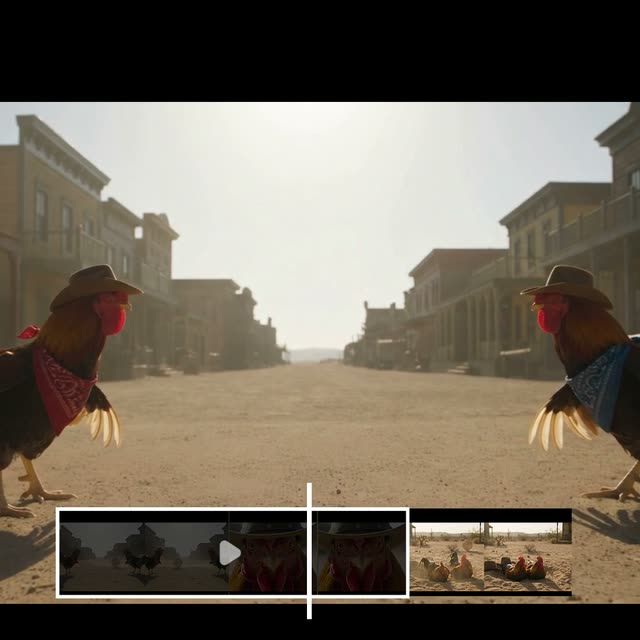
This ComfyUI tutorial workflow shows how to extend an existing video in coherent, story-aware chunks using the GeminiVideoOmniV2 node (Gemini Omni 1.1 Flash). It loads your clip with LoadVideo, extracts the final moments as context via Video Slice, and asks Gemini to continue the scene for up to 10 seconds per run. The model reads the last 10 seconds of visual context so characters, motion, camera framing, and scene layout carry forward naturally instead of restarting from scratch. SaveVideo then exports the extended result as a new clip.
Technically, the pipeline is a loop-friendly chain: LoadVideo → Video Slice (tail window) → GeminiVideoOmniV2 (prompted continuation) → SaveVideo. You can iterate this up to four times to build a 40-second story, or branch at any step by changing the prompt. The GeminiVideoOmniV2 node also supports optional image references, which you can attach mid-story to introduce new characters or props while maintaining continuity with the previous scene. The included MarkdownNote explains the required input asset path and tips for best results.
API
從程式碼使用此工作流
每個 Comfy 工作流都是一個 JSON 圖。下方的 payload 就是此工作流,與 ComfyUI 執行時完全相同 — 你可以從此 URL 取得、放入版本控制,或在 ComfyUI 載入並逐節點執行。
使用 Comfy SDK 以 TypeScript 或 Python 執行。相同程式碼可用於 Comfy Cloud 或你自架的 ComfyUI — 只需更改 base URL。
// Install (beta)
npm i @comfyorg/sdk

// Run this workflow (TypeScript)
import { Comfy } from "@comfyorg/sdk";

const client = new Comfy({ apiKey: "comfyui-..." });
const wf = await client.workflows.fromFile("workflow_api.json");
const job = await client.run(wf);
await job.getOutputs("<output-node-id>")[0].toFile("output.png");
SDK 需使用 API 格式的工作流:請在 ComfyUI 開啟此工作流,並使用 檔案 → 匯出工作流(API)。


















