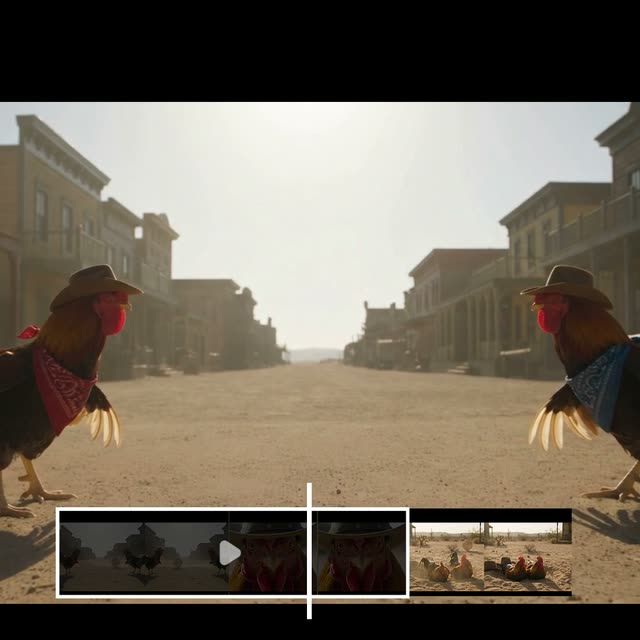
This ComfyUI tutorial workflow shows how to extend an existing video in coherent, story-aware chunks using the GeminiVideoOmniV2 node (Gemini Omni 1.1 Flash). It loads your clip with LoadVideo, extracts the final moments as context via Video Slice, and asks Gemini to continue the scene for up to 10 seconds per run. The model reads the last 10 seconds of visual context so characters, motion, camera framing, and scene layout carry forward naturally instead of restarting from scratch. SaveVideo then exports the extended result as a new clip.
Technically, the pipeline is a loop-friendly chain: LoadVideo → Video Slice (tail window) → GeminiVideoOmniV2 (prompted continuation) → SaveVideo. You can iterate this up to four times to build a 40-second story, or branch at any step by changing the prompt. The GeminiVideoOmniV2 node also supports optional image references, which you can attach mid-story to introduce new characters or props while maintaining continuity with the previous scene. The included MarkdownNote explains the required input asset path and tips for best results.
API
코드에서 이 워크플로우 사용하기
모든 Comfy 워크플로우는 JSON 그래프입니다. 아래 페이로드는 이 워크플로우 그 자체로, ComfyUI에서 실행되는 것과 동일합니다 — URL에서 가져오거나, 버전 관리에 보관하거나, ComfyUI에서 불러와 노드별로 실행할 수 있습니다.
Comfy SDK로 TypeScript 또는 Python에서 실행하세요. 동일한 코드는 Comfy Cloud 또는 직접 호스팅하는 ComfyUI 모두에 적용됩니다 — 기본 URL만 다릅니다.
// Install (beta)
npm i @comfyorg/sdk

// Run this workflow (TypeScript)
import { Comfy } from "@comfyorg/sdk";

const client = new Comfy({ apiKey: "comfyui-..." });
const wf = await client.workflows.fromFile("workflow_api.json");
const job = await client.run(wf);
await job.getOutputs("<output-node-id>")[0].toFile("output.png");
SDK는 API 형식의 워크플로우를 사용합니다: 이 워크플로우를 ComfyUI에서 열고 파일 → 워크플로우 내보내기(API)를 사용하세요.


















