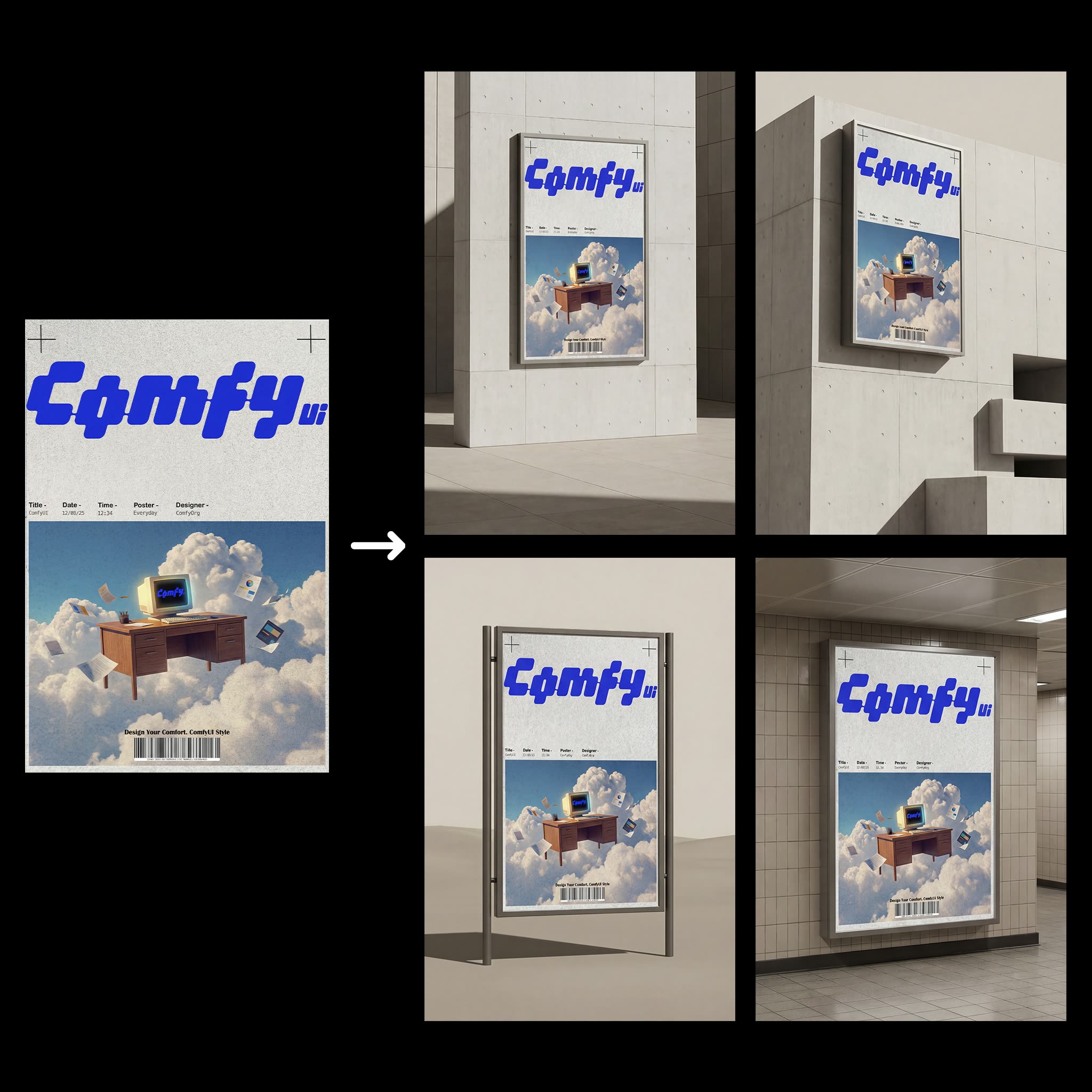
The 'Poster Scene Mockups' workflow is designed to streamline the process of creating realistic mockups for poster or advertisement designs. By leveraging the power of AI models such as Nano Banana Pro and Google, this workflow allows users to input a design and a brief description of their brand to generate four distinct mockups in various scenes. The workflow utilizes a series of nodes, including the GeminiImage2Node for image processing, LoadImage for uploading the initial design, and SaveImage for storing the final mockups. The comfyui_essentials custom nodes are integral to this workflow, providing additional functionalities that enhance the image editing and mockup generation process.
Technically, the workflow begins with the LoadImage node, which imports the user's design. The PrimitiveStringMultiline node captures the brand description, which is then processed alongside the design through nodes like RegexReplace and ResizeAndPadImage to ensure the mockups are correctly formatted and visually appealing. The ImageBatch and ImageFromBatch nodes are used to handle multiple images efficiently, while SimpleMath+ and GetImageSize help in adjusting dimensions and scaling. This workflow is particularly useful for designers and marketers looking to quickly visualize how their posters will appear in real-world settings, saving time and resources in the mockup creation process.
API
從程式碼使用此工作流
每個 Comfy 工作流都是一個 JSON 圖。下方的 payload 就是此工作流,與 ComfyUI 執行時完全相同 — 你可以從此 URL 取得、放入版本控制,或在 ComfyUI 載入並逐節點執行。
使用 Comfy SDK 以 TypeScript 或 Python 執行。相同程式碼可用於 Comfy Cloud 或你自架的 ComfyUI — 只需更改 base URL。
// Install (beta)
npm i @comfyorg/sdk

// Run "海報場景樣機" (TypeScript)
import { Comfy } from "@comfyorg/sdk";

const client = new Comfy({ apiKey: "comfyui-..." });

// This workflow, exported in API format (see note below)
const wf = await client.workflows.fromFile("templates-poster_to_2x2_mockups-v2.0_api.json");

const asset = client.assets.fromFile("input.png");
wf.setInput("2", "image", asset);  // LoadImage

const job = await client.run(wf);
await job.getOutputs("20")[0].toFile("output.png");  // SaveImage
SDK 需使用 API 格式的工作流:請在 ComfyUI 開啟此工作流,並使用 檔案 → 匯出工作流(API)。
常見問題


















