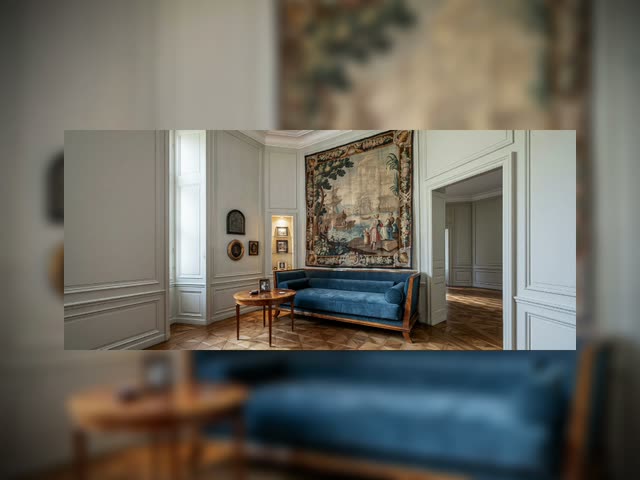
扩展图像是一个引导式外扩工作流,可将单张照片扩展为任意目标宽高比,无需裁剪或拉伸原始像素。流程会用纯绿色边框包裹原图以达到新画布尺寸,然后用 Qwen Image Edit 2511 仅替换绿色区域,实现可信的场景延续。核心节点——GetImageSize、ImageResizeKJv2、CustomCombo 和 ComfyNumberConvert——自动计算新尺寸和边距,确保原图居中且不被修改,周围边框为可编辑区域。
为保证新内容风格和主题一致,工作流可自动用 TextGenerateLTX2Prompt 和本地 VLM 后端(需自行配置)为缺失区域生成场景描述,再用 JsonExtractString 解析结果。ComfySwitchNode 可在自动描述和手动输入(PrimitiveStringMultiline)间切换。最终指令由 StringConcatenate 组装,并结合 CLIPLoader(如编辑模型需文本条件)引导 Qwen Image Edit 2511 合成与原图光影、材质和透视一致的新内容。PreviewAny 和 ImageCompare 便于对比和评估,SaveImageAdvanced 保存结果及元数据,便于复现。
API
通过代码使用此工作流
每个 Comfy 工作流都是一个 JSON 图。下面的内容就是此工作流的完整数据,ComfyUI 运行时也是如此——你可以从该 URL 获取、放入版本控制,或在 ComfyUI 中加载并逐节点运行。
使用 Comfy SDK 从 TypeScript 或 Python 运行。相同代码可用于 Comfy Cloud 或你自托管的 ComfyUI——只需更改基础 URL。
// Install (beta)
npm i @comfyorg/sdk

// Run this workflow (TypeScript)
import { Comfy } from "@comfyorg/sdk";

const client = new Comfy({ apiKey: "comfyui-..." });
const wf = await client.workflows.fromFile("workflow_api.json");
const job = await client.run(wf);
await job.getOutputs("<output-node-id>")[0].toFile("output.png");
SDK 需要 API 格式的工作流:在 ComfyUI 中打开此工作流,使用 文件 → 导出工作流(API)。
常见问题


















