
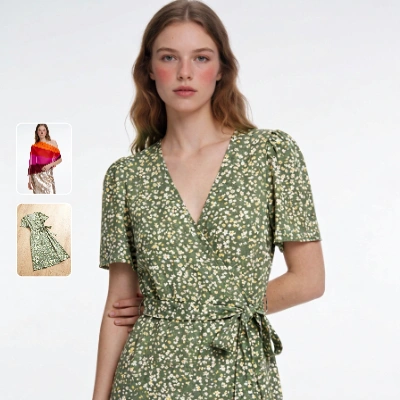
This workflow compares how different garment image types—flat-lay, mannequin, and on-model—perform in a virtual try-on using the Kling model. Two LoadImage nodes bring in a person photo and a garment image; the KlingTryOnNode then generates a realistic try-on while preserving the subject’s face and pose. The ImageCompare node assembles a side-by-side view of the original person photo and the generated try-on so you can visually judge fit alignment, drape plausibility, color/pattern fidelity, and identity preservation. SaveImageAdvanced stores both the try-on and the comparison output, and a MarkdownNote provides in-graph guidance.
To make this a fair comparison, keep the same person image while swapping the garment source across flat-lay, mannequin, and on-model product shots. Normalize garment framing and scale before each run so the KlingTryOnNode sees similar inputs. Expect trade-offs: flat-lay images are clean and easy to segment but offer fewer 3D cues; mannequin shots add structure without pose conflict; on-model shots carry natural drape cues but may introduce pose/shadow mismatches. The side-by-side ImageCompare output helps you quantify which input style yields the fewest artifacts for your catalog or campaign.
API
Usa este flujo de trabajo desde código
Cada flujo de trabajo de Comfy es un grafo JSON. El siguiente payload es este flujo de trabajo, exactamente como lo ejecuta ComfyUI: descárgalo desde la URL, guárdalo en control de versiones o cárgalo en ComfyUI y ejecútalo nodo por nodo.
Ejecuta desde TypeScript o Python con el Comfy SDK. El mismo código funciona en Comfy Cloud o en un ComfyUI propio: solo cambia la URL base.
// Install (beta)
npm i @comfyorg/sdk

// Run this workflow (TypeScript)
import { Comfy } from "@comfyorg/sdk";

const client = new Comfy({ apiKey: "comfyui-..." });
const wf = await client.workflows.fromFile("workflow_api.json");
const job = await client.run(wf);
await job.getOutputs("<output-node-id>")[0].toFile("output.png");
El SDK utiliza un flujo de trabajo en formato API: abre este flujo de trabajo en ComfyUI y usa Archivo → Exportar flujo de trabajo (API).
El acceso a la API de Comfy Cloud requiere un plan con clave API.



















