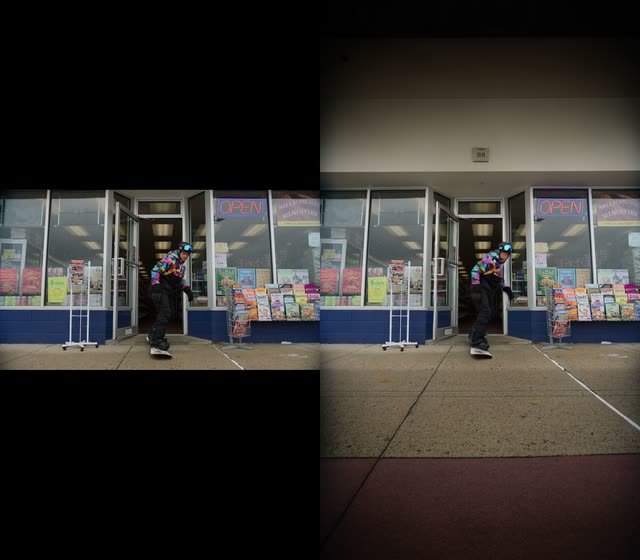
This ComfyUI workflow performs video outpainting: it expands the canvas of each frame in your clip and synthesizes believable new content around the original footage. It loads your source video with VHS_LoadVideo, processes the frames with a custom outpainting processor configured to use the LTX 2.3 Video Outpainting IC LoRA, and reassembles the frames into a finished video with VHS_VideoCombine. A MarkdownNote in the graph provides inline guidance.
Technically, the core outpainting step (custom node ID: 2e37ecc9-770a-4ac2-972c-e953901f49d3) pads the frame in your chosen direction(s) and inpaints the newly added regions while preserving the original content. The LTX 2.3 Video Outpainting IC LoRA conditions the diffusion process so the generated edges stay stylistically and semantically consistent from frame to frame. The workflow exposes two key timeline controls: skip_first_frames (trim frames from the start) and frame_count (how many frames to process after the skip). For example, on a 600‑frame clip you can set skip_first_frames: 60 and frame_count: 480 to process frames 60–539. This makes it easy to test short segments before rendering the entire video.
Because it’s built on VHS nodes, you get reliable frame extraction and recombination, plus straightforward control over frame rate and output location. Use this when you need to convert vertical footage to widescreen, add headroom/side padding for reframing, or extend a background to fit new aspect ratios without obvious cropping.
API
Use this workflow from code
Every Comfy workflow is a JSON graph. The payload below is this workflow, exactly as ComfyUI runs it — fetch it from the URL, keep it in version control, or load it in ComfyUI and run it node by node.
Run it from TypeScript or Python with the Comfy SDK. The same code targets Comfy Cloud or a ComfyUI you host yourself — only the base URL changes.
// Install (beta)
npm i @comfyorg/sdk

// Run this workflow (TypeScript)
import { Comfy } from "@comfyorg/sdk";

const client = new Comfy({ apiKey: "comfyui-..." });
const wf = await client.workflows.fromFile("workflow_api.json");
const job = await client.run(wf);
await job.getOutputs("<output-node-id>")[0].toFile("output.png");
The SDK takes a workflow in API format: open this workflow in ComfyUI and use File → Export Workflow (API).
Comfy Cloud API access requires a plan with an API key.
FAQ


















