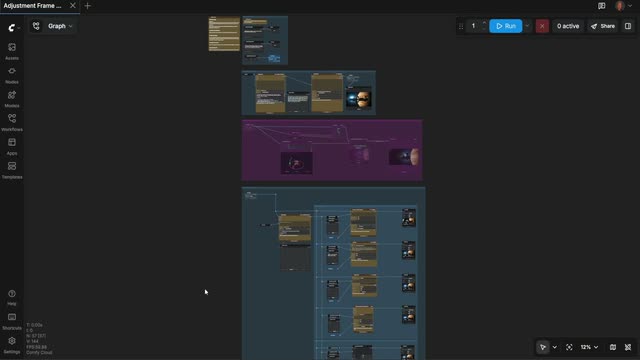
Adjustment Frame Workflowは、文章で書いたショット案を、比較できる複数の仕上げ済み動画テイクに変換するディレクター型パイプラインです。実際の撮影現場のように段取りを組み、まず静止画でブロッキングし、次にカメラを詰め、最後に複数のモデルバックエンドで複数テイクを回します。Text Multilineノードでプロンプト(画像の内容と求める動き)を入力し、1A) GENERATE SHOT STILLグループで参照フレームを生成します。クレジットを消費する前に、PreviewImage/PreviewAnyで確認できます。
次に、1B) CONTROL CAMERA ANGLEグループでQwenMultiangleCameraNodeに通し、カメラ意識のバリエーション(例: ワイド/寄り、ロー/ハイアングル、焦点距離の手がかり)を生成します。RegexExtractやComfyMathExpressionなどのユーティリティノードで、テキストからカメラ指示を抽出し、duration、fps、解像度などの値を正規化します。2) GENERATE VIDEO(S)では、承認した構図を1つ以上のAPIパートナー(GrokVideoNode、KlingVideoNode、GeminiNode)に送れます。必要に応じてByteDance2ReferenceNodeで同一人物性やスタイルを固定します。Image Resizeで各モデルに合う解像度に揃え、PreviewAnyでテイクを並べて比較し、SaveVideoでベスト結果を書き出します。SetNode/GetNodeでグループ間の主要パラメータを受け渡すため、ショット意図、カメラメモ、タイミングを一貫させやすいです。このワークフローは、フレームとアングルに納得してから「回す」ため、クレジットの無駄を避けつつ、上位モデルの比較可能な出力を得られる点が有用です。
API
このワークフローをコードから利用
すべてのComfyワークフローはJSONグラフです。以下のペイロードは、このワークフローそのものであり、ComfyUIが実行する内容と同じです — このURLから取得し、バージョン管理に保存したり、ComfyUIで読み込んでノードごとに実行できます。
Comfy SDKを使ってTypeScriptまたはPythonから実行できます。同じコードでComfy Cloudや自身でホストしたComfyUIのどちらにも対応 — ベースURLだけが異なります。
// Install (beta)
npm i @comfyorg/sdk

// Run this workflow (TypeScript)
import { Comfy } from "@comfyorg/sdk";

const client = new Comfy({ apiKey: "comfyui-..." });
const wf = await client.workflows.fromFile("workflow_api.json");
const job = await client.run(wf);
await job.getOutputs("<output-node-id>")[0].toFile("output.png");
SDKはAPI形式のワークフローを受け取ります:このワークフローをComfyUIで開き、「ファイル → ワークフローをエクスポート(API)」を使用してください。
FAQ


















