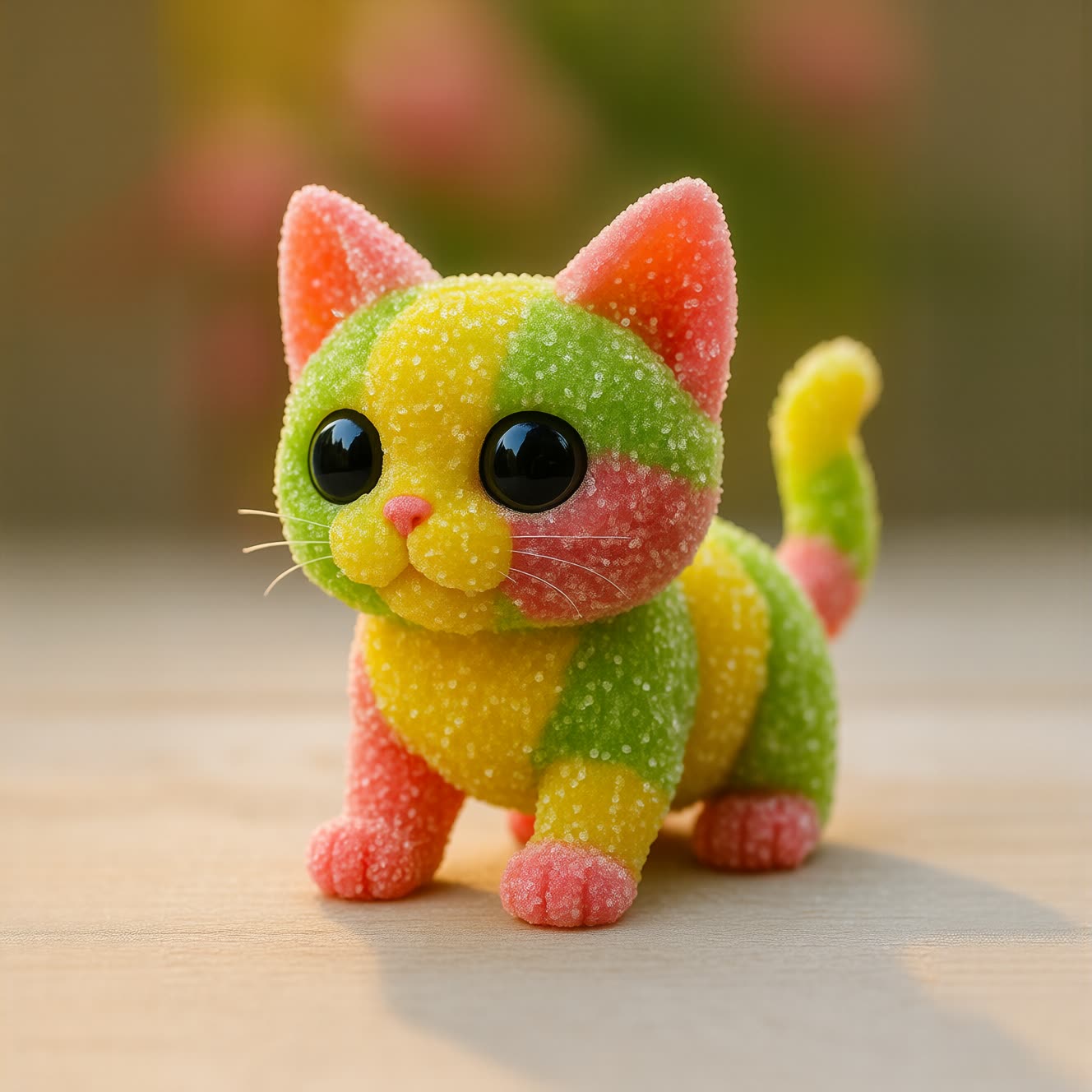
This workflow turns any animal prompt into a translucent, sugar-coated "sour gummy" character using the Qwen-Image model with a style LoRA. The core of the graph is a single Qwen-Image generation node (id: e5cfe5ba-2ae0-4bc4-869f-ab2228cb44d3) that handles text conditioning, sampling, and LoRA application, followed by a SaveImage node to write results to disk. Two annotations (Note and MarkdownNote) provide usage tips and a link to ComfyUI’s Subgraph guide so you can encapsulate and reuse the gummy-style block in your own projects.
Under the hood, the Qwen-Image node loads its VAE (qwen_image_vae.safetensors) and text encoder (Qwen 2.5 VL 7B), then injects the Gummy Animals LoRA into the model’s attention layers. This low‑rank adaptation steers the base model toward a consistent sour-candy aesthetic without retraining the full network. You control the look through the prompt (e.g., "a chubby corgi, translucent sour gummy, sugar crystals") and standard generation parameters like steps, guidance, resolution, seed, and the LoRA strength, allowing you to balance style intensity against subject fidelity. The SaveImage node captures final frames to your ComfyUI/output folder for quick iteration.
API
Use this workflow from code
Every Comfy workflow is a JSON graph. The payload below is this workflow, exactly as ComfyUI runs it — fetch it from the URL, keep it in version control, or load it in ComfyUI and run it node by node.
Run it from TypeScript or Python with the Comfy SDK. The same code targets Comfy Cloud or a ComfyUI you host yourself — only the base URL changes.
// Install (beta)
npm i @comfyorg/sdk

// Run "Qwen Image: Gummy Animals LoRA" (TypeScript)
import { Comfy } from "@comfyorg/sdk";

const client = new Comfy({ apiKey: "comfyui-..." });

// This workflow, exported in API format (see note below)
const wf = await client.workflows.fromFile("template_sugar_coated_gummy_style_qwen_api.json");

const job = await client.run(wf);
await job.getOutputs("60")[0].toFile("output.png");  // SaveImage
The SDK takes a workflow in API format: open this workflow in ComfyUI and use File → Export Workflow (API).
Comfy Cloud API access requires a plan with an API key.
FAQ


















