Qwen Image 3.0 Image Edit

Edits one to three images.

Cost depends on your settings.

Read docs
Input
Advanced settings

Reuse a seed with the same inputs to make results more repeatable.
Output
Qwen Image 3.0 Image Edit: Image Edit
Example

Try an example

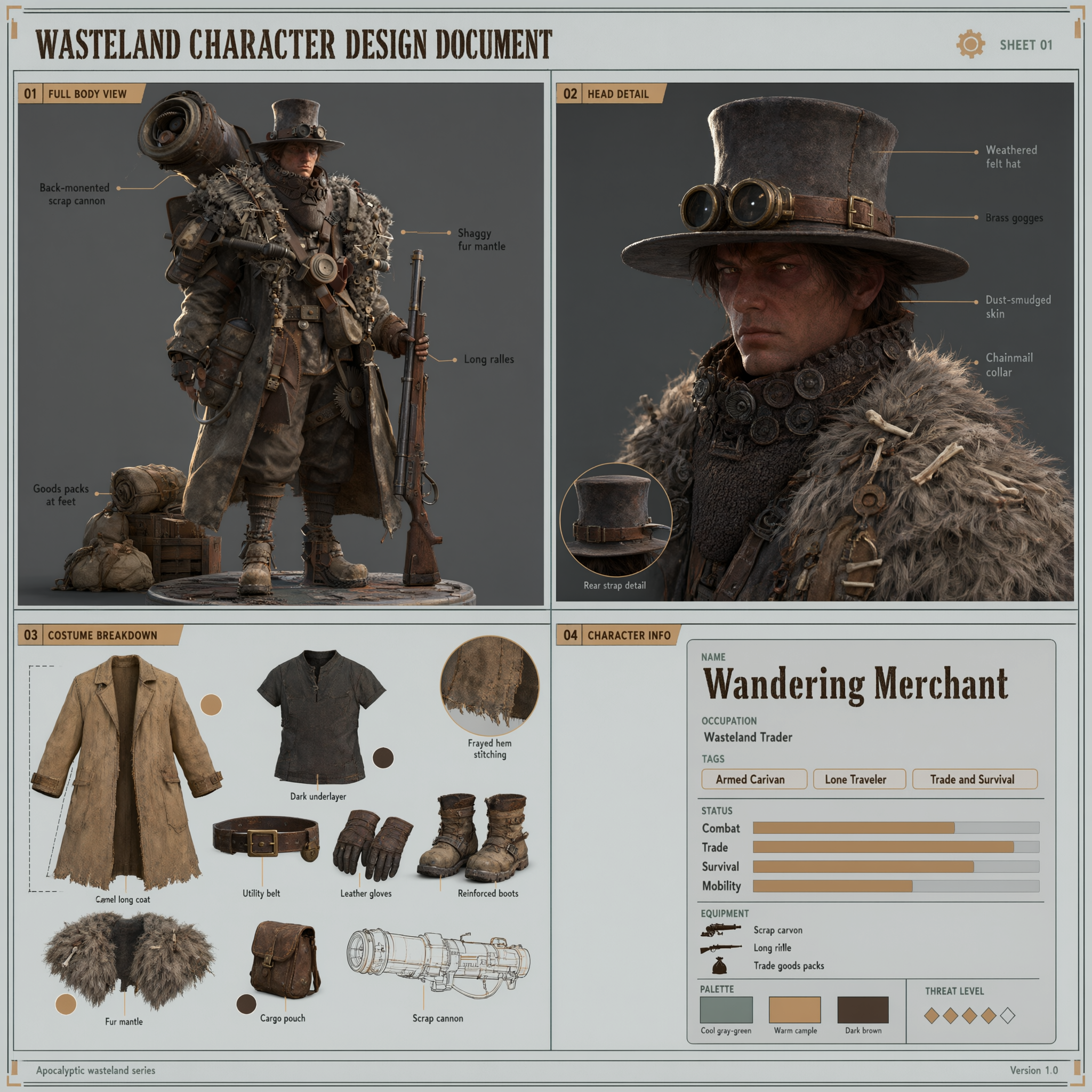
  • The reference image is an apocalyptic wasteland-style armed traveling merchant character. Based on this character, generate a 1:1 square character sheet in game character design document style. The layout is divided into four blocks on a light gray background with thin line-frame sections: 1. Top-left: full-body standing illustration. Keep ALL features from the reference: a dark wide-brimmed hat or large hood, dark reddish-brown skin, dark tactical underlayer, a bright camel-colored long coat, dark trousers and boots, holding a long rifle, a weapon strapped to the back, and packs of goods piled at the feet. Figure centered, single side lighting. 2. Top-right: close-up of the head. Show the face under the hat brim: dark reddish-brown skin, facial contours, goggles or mask details, the hat's material texture. 3. Bottom-left: costume and accessory breakdown. Show the camel coat's cut, the dark underlayer, belt and gloves, boots, with key parts annotated. 4. Bottom-right: character info card with text: name "Wandering Merchant", occupation "Wasteland Trader", tags "Armed Caravan / Lone Traveler / Trade and Survival". Overall: realistic 3D concept art style, low-saturation palette (cool gray-green, warm camel, dark brown), clear accurate text, information-dense but not crowded, like a game art character sheet. Must preserve the character identity from the reference: the headwear, skin tone, coat colors, weapon and goods must not change.